
Scenic & CPMC X6 Review: CarPlay, Two Cameras and Tyre Pressure on a Naked Bike
The CPMC X6 puts a lot into one box: front and rear 2K cameras, a CarPlay screen, tyre pressure monitoring and a bar-mounted controller. I fitted one to a KTM 790 Duke, which is close to the hardest case for a system like this. A naked bike gives you almost nowhere to hide a cable. This is how the install went, what the system does well, what it means for running Scenic on the bars, and the two things I would want fixed.
In this review:
Installation
The installation itself is simple enough. As with any motorcycle accessory, the most important part is taking some time beforehand to decide where everything should go. You need to consider where to get power, where the various connections are located, how to route the cables neatly, and where to position the display, cameras and other components.
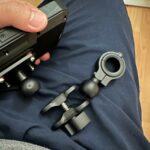
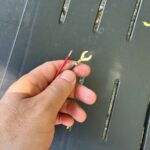
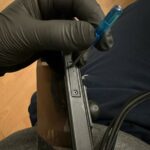
A 64 GB card comes in the kit, so there is nothing to buy before you start. The display mounts on a ball and clamp arm, which is what makes the angle adjustable once the bike is together.
The CPMC system makes this relatively easy. The cables and components are clearly laid out, and once you have a good idea of where everything needs to be positioned, the installation is not particularly complicated. Card slot sits behind a screw-down cover on the side of the display. Put the card in before you mount it. The controller goes on the bar next to the mirror, within thumb reach.
The biggest challenge in my case was actually the motorcycle itself. I ride a naked bike, which means there is considerably less space available to hide cables and electronic components compared with an adventure bike or a fully faired motorcycle.
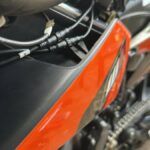
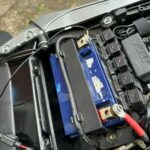
With a naked bike, much more of the wiring and mounting points are exposed, so you have to give a little more thought to the installation. It is certainly possible to achieve a clean result, but you may need to be a little creative when deciding where to place everything. Power comes off the battery. Seat and side panel off, and the fuse box and terminals are there to work with. Terminals on, lead secured, panel back over the top. Leave enough slack that the cover closes without pinching anything. The connectors have to live somewhere. On a naked bike that means tucking them behind what little bodywork there is, then running the rear camera lead down the subframe to the tail.
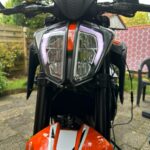
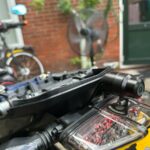
Front camera under the headlight, rear camera above the plate. Both small enough that you stop noticing them.
I can imagine the CPMC system being particularly easy to integrate into an adventure motorcycle, where there are generally more opportunities to hide wiring and mount the various components behind fairings and body panels.
First Impressions
Once everything was installed, my first impression was very positive.
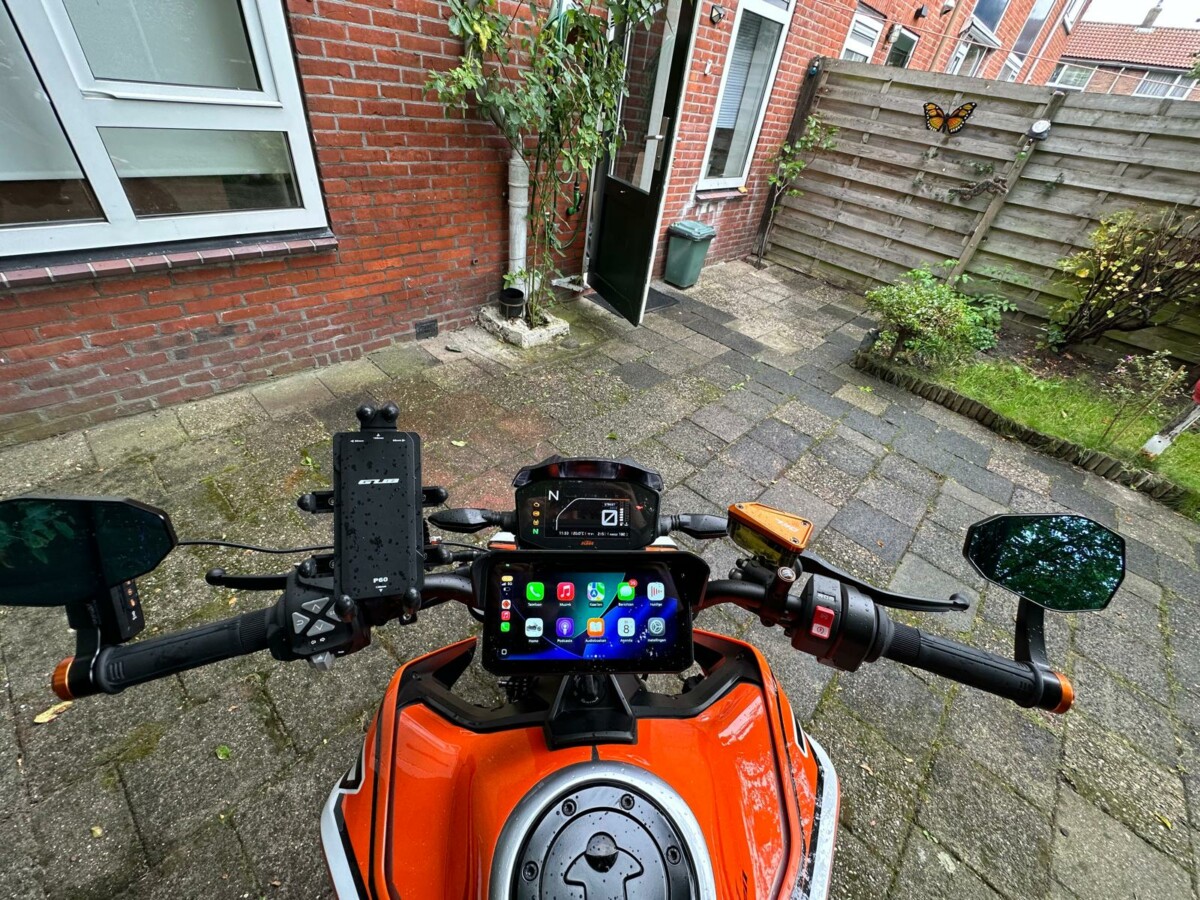 The view from the saddle. Take your time with the screen protector: mine went on with a few bubbles in it.
One of the things I immediately noticed was how much more modern the motorcycle looks with the CPMC display installed. It almost feels like a significant technology upgrade.
The display gives the bike a more contemporary appearance and, in my opinion, makes it feel like a much newer motorcycle. That is probably one of my favourite aspects of the system. It combines practical functionality with something that improves the overall look of the bike.
Smartphone Connectivity
The connection with my phone also works well. The system connects quickly, and I do not have to go through a long or complicated process every time I want to use it. That is important for a motorcycle accessory because you want everything to be ready to go without unnecessary hassle. So far, I have found the connectivity reliable and convenient.
Android Auto is listed as supported alongside CarPlay. I ride with an iPhone, so everything below is CarPlay. I have not tested the Android side and cannot tell you how it behaves.
Scenic on the Screen
A CarPlay screen on the bars is the part that changes how you navigate. Scenic runs over CarPlay, so it comes up on the CPMC display the way it does on a car head unit: full-screen map, turn-by-turn navigation, and the route you planned rather than a phone propped in a cradle. Three things matter more on a bike than they do in a car. Offline maps, because signal drops in exactly the places worth riding, and Go offline means the route keeps working when it does. Curvy routing, because the point of the day is the road, not the postcode. And the phone staying in a pocket or tank bag, out of the rain and out of direct sun, where it is neither getting wet nor overheating on a charger.
A screen this size also makes Explore and Plan usable while you are out rather than only at the kitchen table. If the weather turns or you have an hour more than you thought, you can build a curvy round trip from where you are standing and ride it off the screen.
Tyre Pressure Monitoring
The tyre pressure monitoring system is another feature I really appreciate.
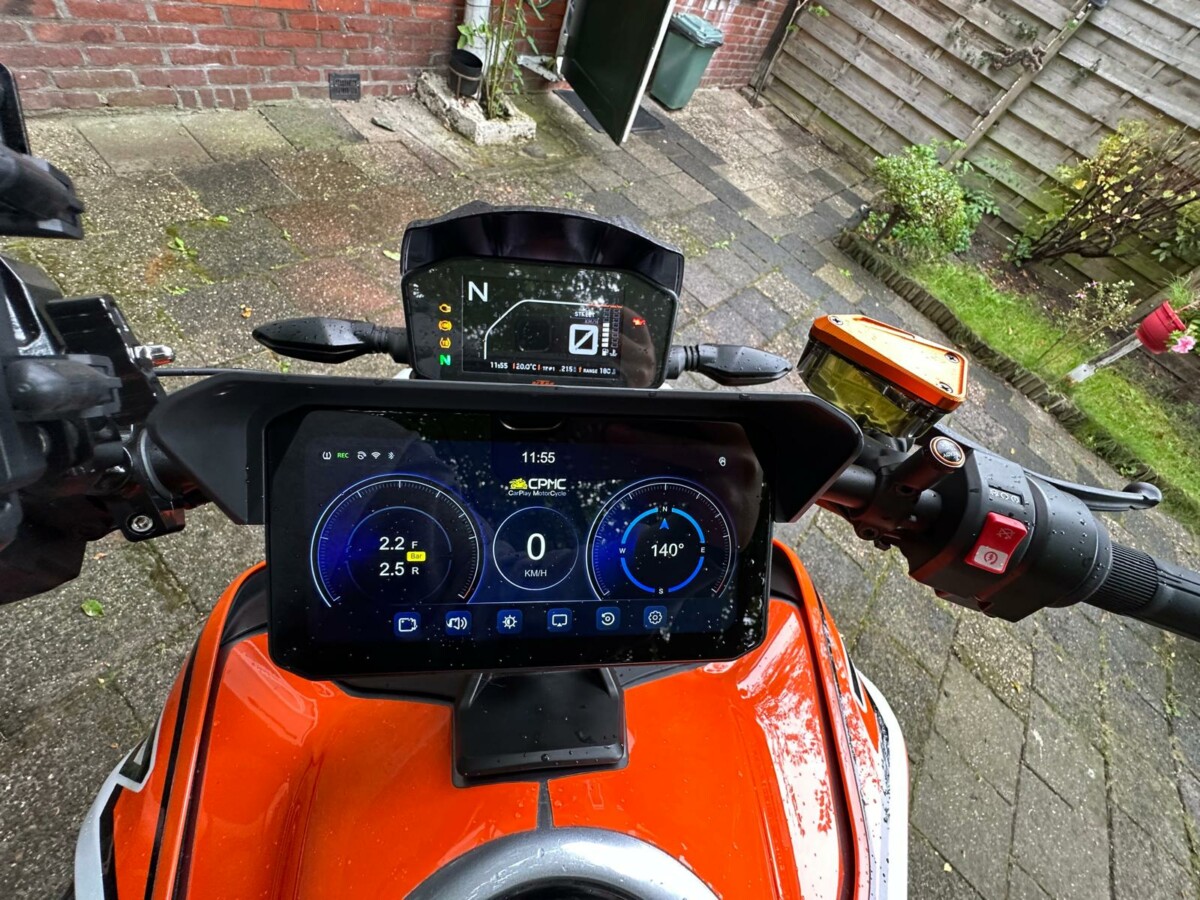
Being able to see tyre pressure information while riding is useful. Tyre pressure is an important part of motorcycle safety and handling, so having that information readily available is a nice addition. It is one of those features that you may not think you need until you have it, and then you start wondering how you rode without it.
The Cameras
The cameras themselves perform well and do what they are designed to do. The dashcam records while riding, giving you the ability to capture your journeys and keep footage of what happens on the road.
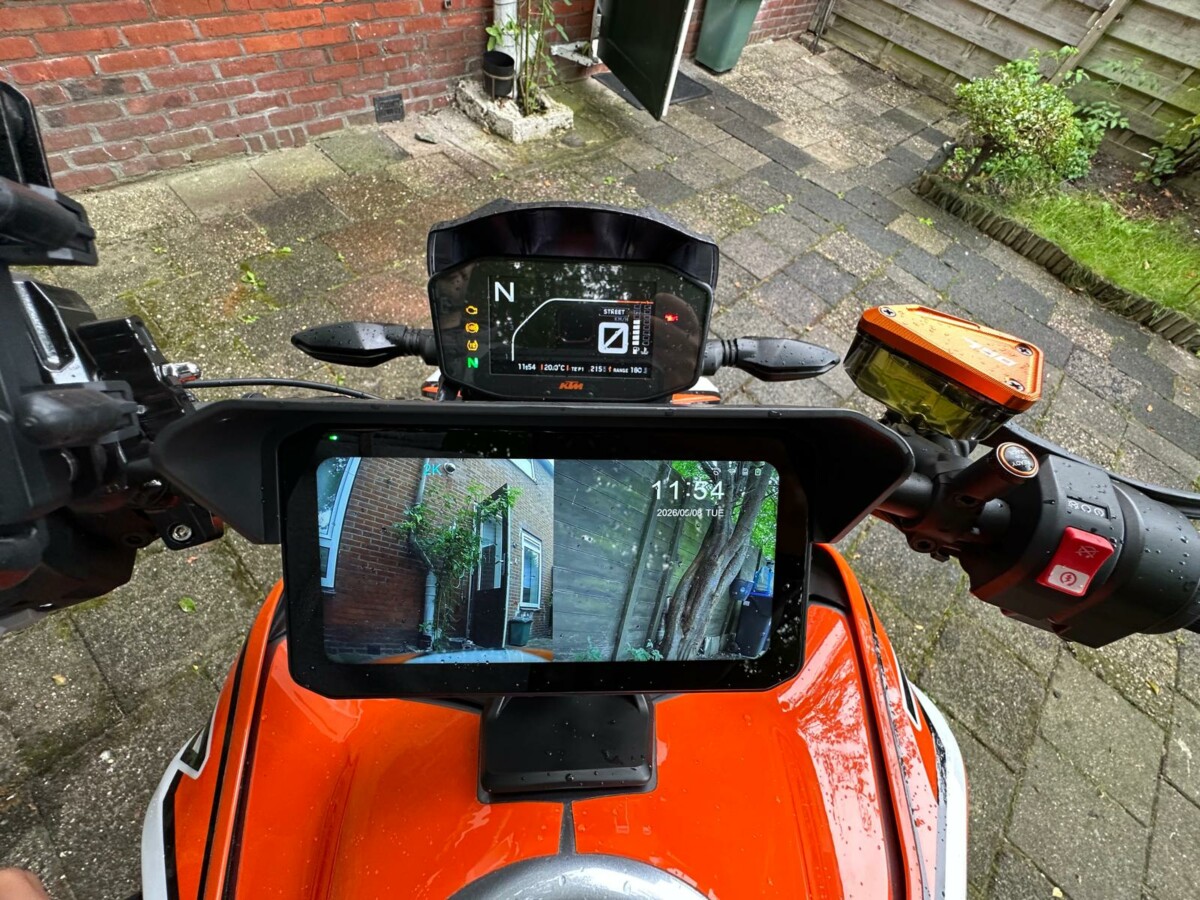
There is the entertainment value of being able to look back at interesting rides and memorable roads, but there is also a much more practical reason for having a dashcam. If something unexpected happens on the road, having video footage can potentially be extremely useful. Overall, I am satisfied with the camera performance and the core recording functionality.
Areas for Improvement
The system is not perfect, and there are a couple of areas where I think CPMC could make improvements.
The display occasionally hesitates or does not respond quite as smoothly as I would expect. It does not happen constantly and it certainly does not make the system unusable, but it is noticeable from time to time. For a modern display-based system, I would ideally expect everything to feel completely smooth and responsive. I consider this a relatively minor issue, but improving it would definitely make the overall experience better.
The Smartphone App
The biggest disappointment for me is the accompanying smartphone app.
The concept behind the app is excellent. Being able to connect your phone to the system and easily access the footage recorded by the dashcam should make the overall experience much more convenient. Unfortunately, I have not been able to get this particular functionality working reliably. I tried several different approaches, but I could not get the app to function properly for accessing the recorded footage.
That is a shame, because the combination of good hardware and a well-designed, reliable app could make the CPMC system considerably more impressive. The hardware itself works well: the cameras record, the phone connection is quick, the tyre pressure monitoring works, and the display gives the motorcycle a modern appearance. The app is therefore the one part of the experience that falls short of the quality of the rest of the system.
Verdict: A Lot of Kit for One Box, Only Let Down by The App
Despite these points, my overall experience with the CPMC dashcam has been positive. The system offers a good range of useful features in one package. The cameras work well, the tyre pressure monitoring is useful, the phone connects quickly, and the display adds a modern touch to the motorcycle.
For a naked bike, the installation requires a little more planning because there is less space to hide the components and wiring. With some careful positioning, it is absolutely possible to achieve a clean installation. The system could be particularly well suited to adventure motorcycles, where there are generally more options for mounting the components and routing cables behind existing bodywork.
There are areas where the system could be improved. In particular, I would like to see a more reliable and user-friendly app, as well as a slightly more responsive display. Those issues do not overshadow the strengths of the product. If CPMC can address the app functionality and improve the responsiveness of the display in future versions, this could become an excellent all-in-one motorcycle dashcam system.
For now, I am happy with the system and especially pleased with how it has changed the look and functionality of my motorcycle. It is not perfect, but it is a useful and worthwhile upgrade.
CPMC Discount
CPMC have set up a discount for Scenic riders on the X6. Use the code ScenicRide15 at checkout for 15% off. Scenic Premium members get 25%: that code sits in the app with the rest of the member offers, in the same place as always.
The system is here: CPMC X6 Motorcycle CarPlay System with 2K Dash Cam.
That is an affiliate link. It does not change what you pay.
If you are running a screen like this on your bars, Scenic Premium is worth having on it: turn-by-turn navigation built for riders, a customisable rider-focused design, global offline maps, and automatic curvy routing. It plans the road you actually want rather than the fastest line between two points.
If you go, tag us and use the hashtag #ridewithscenic for your chance to win a free Scenic t-shirt.
You have made it to the end of the article. At Scenic we like to reward people who plan their trips properly. If you are not already a premium member, use this code to get 20% off your first year of Scenic Premium: ScenicBlog20
Quick Answers
Does the CPMC X6 run Apple CarPlay? Yes. It connects quickly and behaves the way CarPlay does in a car, including settings, notifications and audio.
Does it support Android Auto? It is listed as supporting Android Auto as well as CarPlay. This review was done on an iPhone, so the Android side is untested here.
Will it fit a naked bike? Yes, with more planning. This one went on a KTM 790 Duke. There is very little bodywork to hide connectors and cable runs behind, so decide where everything lives before you start unbolting panels. A faired or adventure bike is an easier fit.
Do you need to buy a memory card? No. A 64 GB TF card is supplied in the kit.
Does it need hard-wiring? Yes. The system takes its power from the battery, so the seat and side panel come off and the lead runs from the battery terminals up to the display.
Does the tyre pressure monitoring work? Yes, and it is the feature that earns its place fastest. Pressures are visible on the display while you ride.
Is the app any good? Not yet. The idea is right, but I could not get footage off the cameras through the app reliably. The hardware works. The app is the weak part.
Can you run Scenic on it? Yes. Scenic runs over CarPlay, so it comes up on the display like any other CarPlay app: full-screen map, turn-by-turn navigation, offline maps and curvy routing, with the phone left in a pocket or tank bag.
Is there a discount? Yes. ScenicRide15 gets 15% off at checkout. Scenic Premium members get 25%, and that code is in the app with the other member offers.


1