
Why all the looping when planning a route. even a straight forward route

Quote from Wild Hockey on 03.10.2026, 14:43What happened? It used to work slick.I know in the 10 years I have had this app I really like it. This is my only topic I have wrote about.
Thanks for any input or what happened. I know Guido you need to take care of your self and health first. Hoping others with info can chime in.
Note myself: Guido pointed out was I was doing incorrectly. I thought I would edit and say that in the post. Perhaps others can learn like I did.
Thanks Guido for your help and guidance.
Mark
What happened? It used to work slick.I know in the 10 years I have had this app I really like it. This is my only topic I have wrote about.
Thanks for any input or what happened. I know Guido you need to take care of your self and health first. Hoping others with info can chime in.
Note myself: Guido pointed out was I was doing incorrectly. I thought I would edit and say that in the post. Perhaps others can learn like I did.
Thanks Guido for your help and guidance.
Mark

Quote from Guido on 03.10.2026, 14:53Can you show me a screenshot of what you mean? Also add screenshot of your routing mode settings.
Can you show me a screenshot of what you mean? Also add screenshot of your routing mode settings.
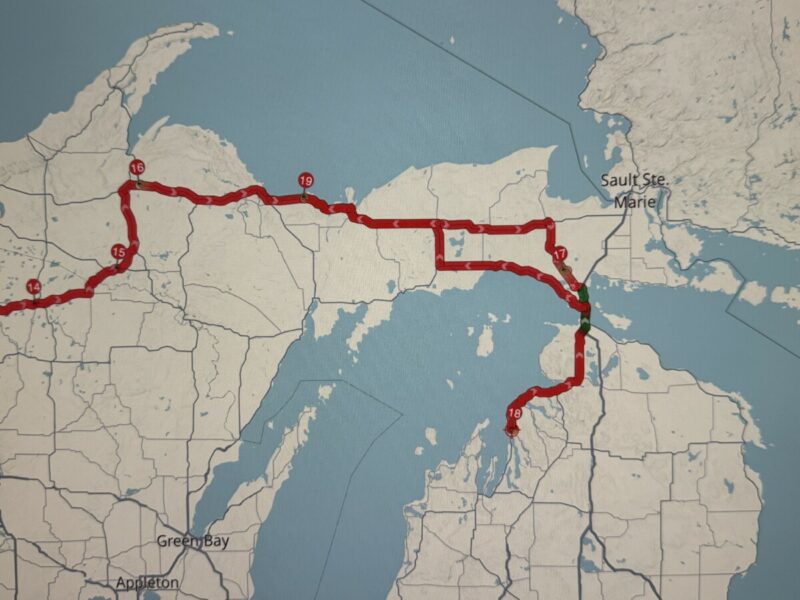
Quote from Wild Hockey on 03.10.2026, 16:00The top picture all is normal. The second picture shows the next numbered point (18). that would be the next point as I would plan to hug the lake. This example shows a loop.
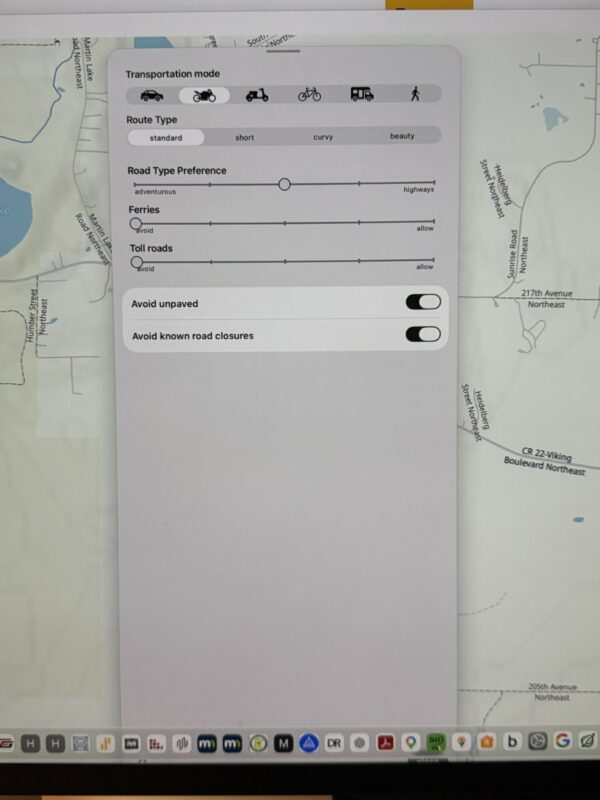
You asked to see the route mode. I am trying to locate that. When I start a ride on the home computer it shows this but unless I am missing something this might be the right place to look. I didn't see it settings. I don't recall changing anything. Its worked very well and love the app.
I will submit this and to find what I am doing different. I thought I read another topic on The loop or looping.
Again Guido, Rest buddy. You got to hurting with what you experienced. Was reaching out to fellow riders.
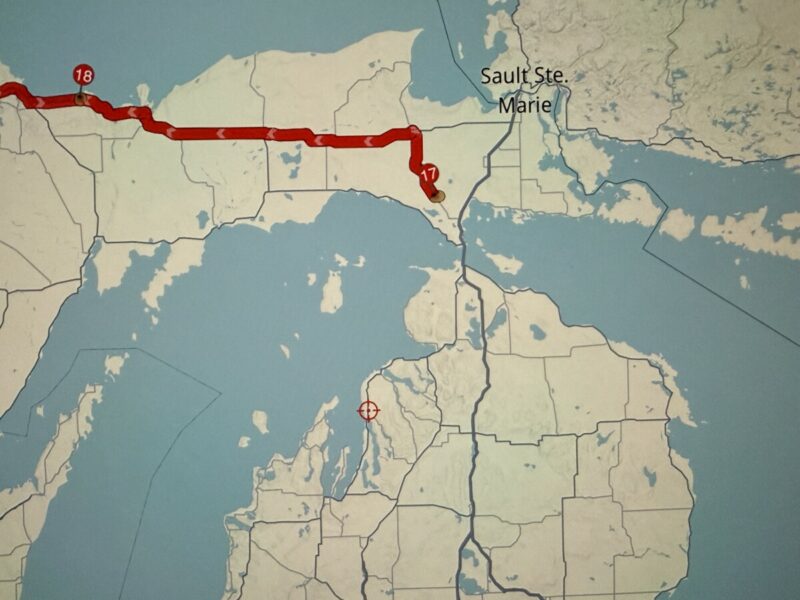
The top picture all is normal. The second picture shows the next numbered point (18). that would be the next point as I would plan to hug the lake. This example shows a loop.
You asked to see the route mode. I am trying to locate that. When I start a ride on the home computer it shows this but unless I am missing something this might be the right place to look. I didn't see it settings. I don't recall changing anything. Its worked very well and love the app.
I will submit this and to find what I am doing different. I thought I read another topic on The loop or looping.
Again Guido, Rest buddy. You got to hurting with what you experienced. Was reaching out to fellow riders.
Quote from Wild Hockey on 03.10.2026, 16:10This is what you are looking for?
This is what you are looking for?
Quote from Guido on 03.10.2026, 16:26I think you are single tapping the via button, which uses "auto" placement.
Try double-tapping to add a via at the end. For explanation, tap the chevron button next to the via button.Here's more info: https://scenic.app/the-new-planner-ui/
I think you are single tapping the via button, which uses "auto" placement.
Try double-tapping to add a via at the end. For explanation, tap the chevron button next to the via button.
Here's more info: https://scenic.app/the-new-planner-ui/
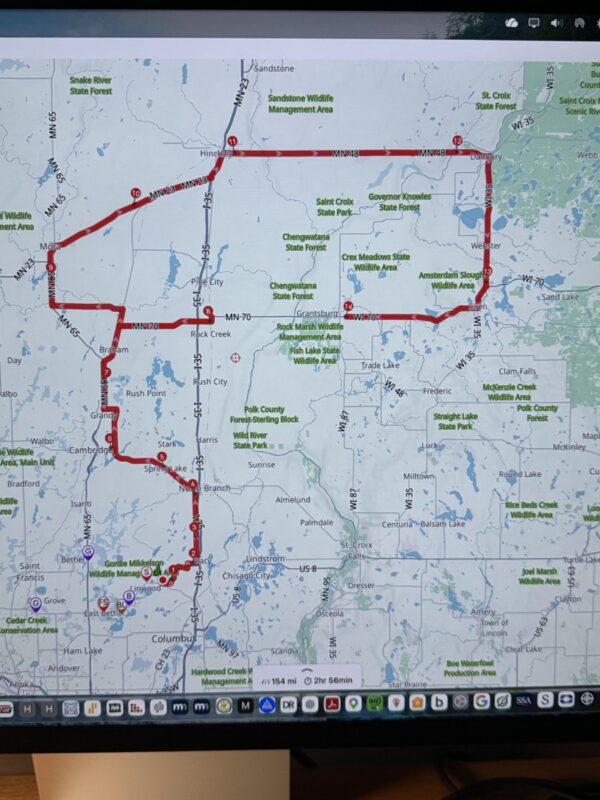
Quote from Wild Hockey on 03.10.2026, 16:29Her is another map planning loop I am referring to. in the picture all is going fine up to #13. When I attempted to do the next or #14 you can see in the pics that the 14th point says #8 and the old 13th point now changes to 14.
Most of my recent planning attempts in the past month I would say have made a loop where for 10 years I have not seen that. I will attach the two pics
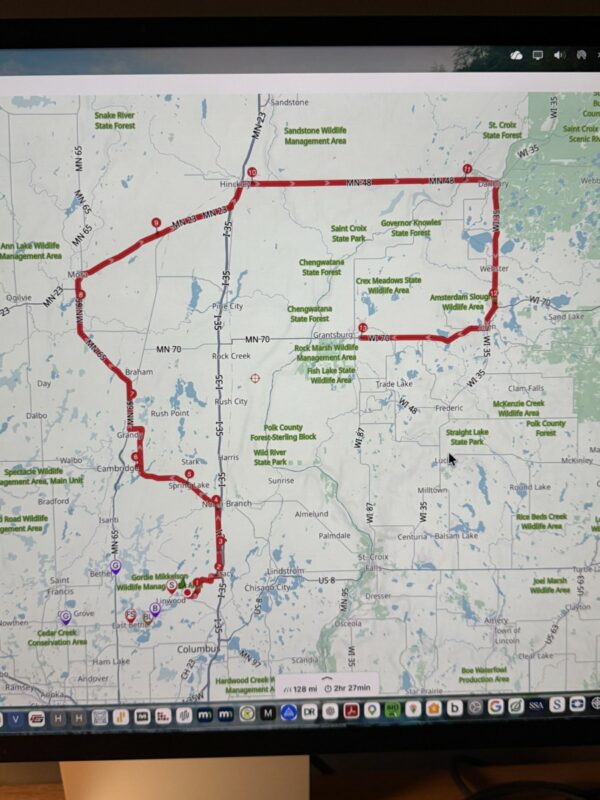
Her is another map planning loop I am referring to. in the picture all is going fine up to #13. When I attempted to do the next or #14 you can see in the pics that the 14th point says #8 and the old 13th point now changes to 14.
Most of my recent planning attempts in the past month I would say have made a loop where for 10 years I have not seen that. I will attach the two pics
Quote from Wild Hockey on 03.10.2026, 16:37"I think you are single tapping the via button, which uses "auto" placement.
Try double-tapping to add a via at the end. For explanation, tap the chevron button next to the via button."
Guido,
I have been single tapping the via button. Its me that was doing wrong. Actually I have always used the number button or stops for years. With the update I have been using the via as I thought that was the placement where I wanted to go or follow and use the numbered for stops. I will try that. I will try that. Its me. I never clicked on the Chevron.
Thanks for your help.
"I think you are single tapping the via button, which uses "auto" placement.
Try double-tapping to add a via at the end. For explanation, tap the chevron button next to the via button."
Guido,
I have been single tapping the via button. Its me that was doing wrong. Actually I have always used the number button or stops for years. With the update I have been using the via as I thought that was the placement where I wanted to go or follow and use the numbered for stops. I will try that. I will try that. Its me. I never clicked on the Chevron.
Thanks for your help.


