Using Web App

Quote from Fjord on 21.11.2026, 07:51Hi Guido
The web app ist GREAT! Tks for making!
I do have three things that work "strange".
a) Planning riding the Fjords in Norway the web app includes Ferries, where there is no ferry transporting cars / motobikes - so switching off "ferry" will not show me the ferries that are transporting Motobikes (Information based on:
The NPRA's traffic app - Statens vegvesen
b) Although unpaved roads marker is on "Avoid unpaved roads" Web App includs unpaved roads and shows the road (marked as unpaved) on the map. Can not see any notification saying "there is no other way" or something similar.
c) Searching for Locations. Having the last strech on the screen (not the FULL Route) and searching for a new Place (not on the screen) WA is showing the list to choose the new location. clicking on the new location will show blue see or someghing else - but no possibility to confirm the new location as a stop or similar. searching the new location again and clicking on the SAME new location as before will finally show the pop up where i can choose stop / via or similar.
Thank you for your help!
Hi Guido
The web app ist GREAT! Tks for making!
I do have three things that work "strange".
a) Planning riding the Fjords in Norway the web app includes Ferries, where there is no ferry transporting cars / motobikes - so switching off "ferry" will not show me the ferries that are transporting Motobikes (Information based on:
The NPRA's traffic app - Statens vegvesen
b) Although unpaved roads marker is on "Avoid unpaved roads" Web App includs unpaved roads and shows the road (marked as unpaved) on the map. Can not see any notification saying "there is no other way" or something similar.
c) Searching for Locations. Having the last strech on the screen (not the FULL Route) and searching for a new Place (not on the screen) WA is showing the list to choose the new location. clicking on the new location will show blue see or someghing else - but no possibility to confirm the new location as a stop or similar. searching the new location again and clicking on the SAME new location as before will finally show the pop up where i can choose stop / via or similar.
Thank you for your help!

Quote from Guido on 21.11.2026, 08:45I’ll look into it. Could you give me examples for a and b? Screenshots + locations / coordinates?
I’ll look into it. Could you give me examples for a and b? Screenshots + locations / coordinates?
Quote from Fjord on 22.11.2026, 04:09Hoi Guido
Pls read the doc first - before seeing the video.Ferries and unpaved road [video width="1648" height="1080" mp4="https://scenic.app/wp-content/uploads/2026.11.22_0142.mp4"][/video]
Hoi Guido
Pls read the doc first - before seeing the video.Ferries and unpaved road [video width="1648" height="1080" mp4="https://scenic.app/wp-content/uploads/2026.11.22_0142.mp4"][/video]
Quote from Guido on 22.11.2026, 10:49point a)
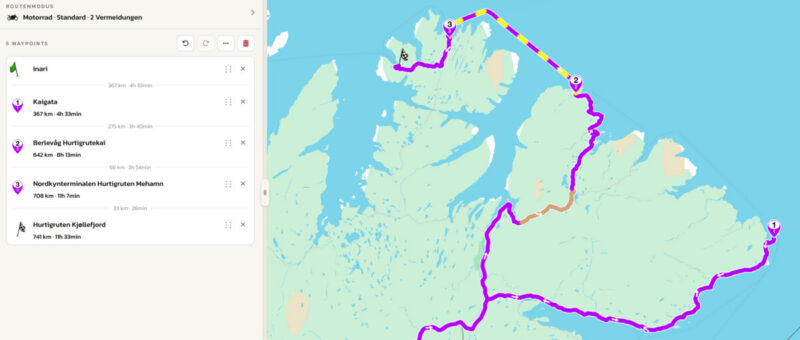
Sorry... I'm having a hard time understanding. Are you saying there is no ferry between stop 2 and 3 and 3 and destination in below screenshot? So, Scenic is suggesting a ferry that doesn't really exist? (If so, them I'm afraid this is out of my control. Scenic is not in charge of the map data. You can report map errors like this to OSM directly: https://scenic.app/help/reporting-map-errors/)
Point b)
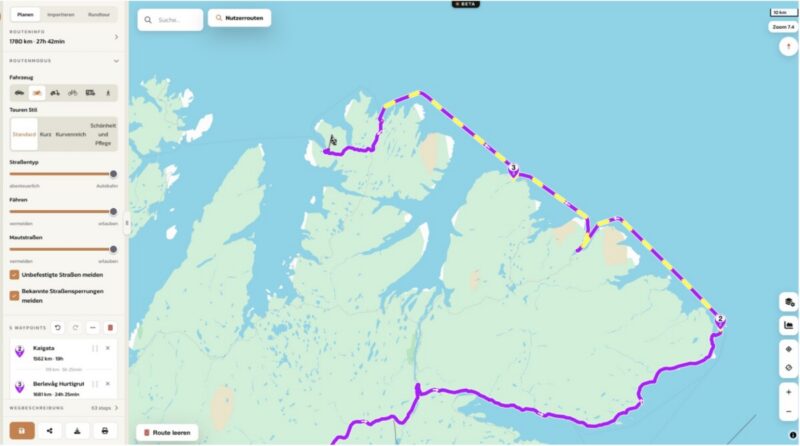
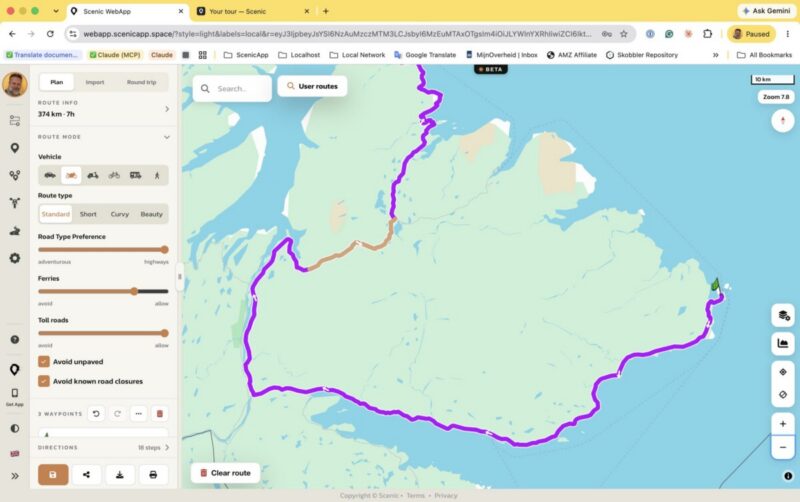
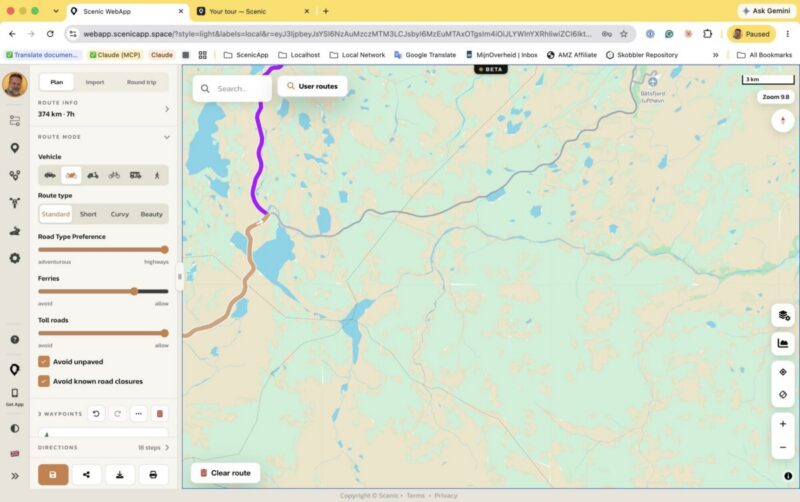
taking dirt road even though avoid unpaved is checked... is there a paved road alternative in this areas? I looked at the map, but I couldn't find any. Avoid unpaved tries to avoid, but if not possible, or it makes no sense, then it will take the unpaved road. In other words...the 'avoid unpaved' checkmark is not absolute.
point c).
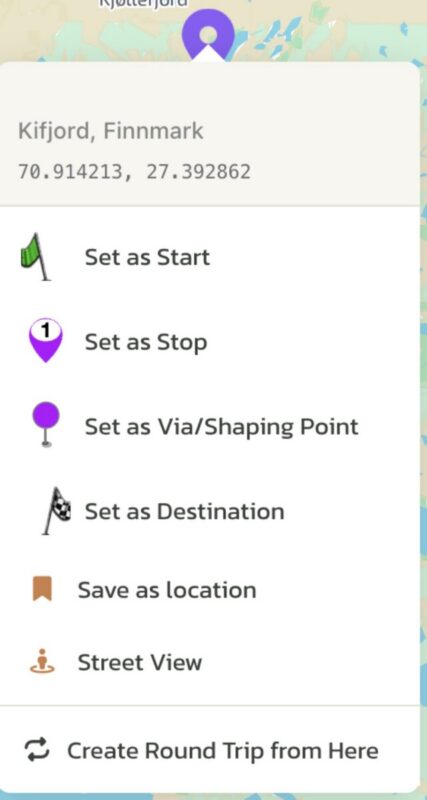
Maybe I'm also misunderstanding, but if I select a search result from the list, I immediately get this popup where I can choose to add it to the route:
point a)
Sorry... I'm having a hard time understanding. Are you saying there is no ferry between stop 2 and 3 and 3 and destination in below screenshot? So, Scenic is suggesting a ferry that doesn't really exist? (If so, them I'm afraid this is out of my control. Scenic is not in charge of the map data. You can report map errors like this to OSM directly: https://scenic.app/help/reporting-map-errors/)
Point b)
taking dirt road even though avoid unpaved is checked... is there a paved road alternative in this areas? I looked at the map, but I couldn't find any. Avoid unpaved tries to avoid, but if not possible, or it makes no sense, then it will take the unpaved road. In other words...the 'avoid unpaved' checkmark is not absolute.
point c).
Maybe I'm also misunderstanding, but if I select a search result from the list, I immediately get this popup where I can choose to add it to the route: