
Contradictory screen instructions while navigating
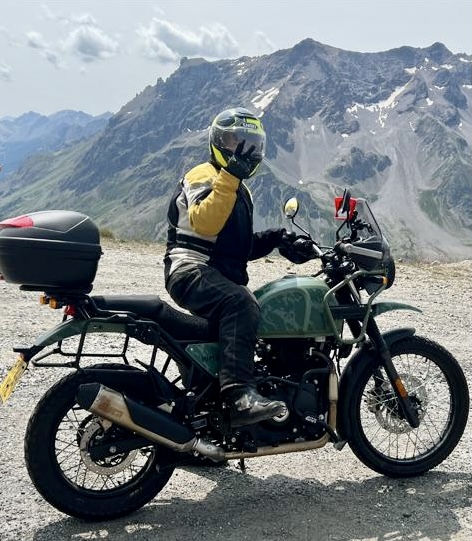
Quote from MLH on 19.05.2026, 09:51I was out riding in Wales with a couple of friends. I was leading the three of us.
As I stopped at a T-junction, I noticed that the written instructions said “In 0m turn left” while the route on the map clearly showed me turning right. I dismounted and showed it to my friend. Unfortunately neither of us thought to take a screenshot 🙁
I saw this sort of thing a few more times that day. As I rode home from Wales the following morning, it occurred maybe 5-10% of times I looked at the screen.
I use a NaviFly CarPlay device, about a year old. The iPhone is a 16 Pro Max.
This seems a bit of an issue. Is there anything I can do on my mobile/ in the app to try and stop this behaviour?
I was out riding in Wales with a couple of friends. I was leading the three of us.
As I stopped at a T-junction, I noticed that the written instructions said “In 0m turn left” while the route on the map clearly showed me turning right. I dismounted and showed it to my friend. Unfortunately neither of us thought to take a screenshot 🙁
I saw this sort of thing a few more times that day. As I rode home from Wales the following morning, it occurred maybe 5-10% of times I looked at the screen.
I use a NaviFly CarPlay device, about a year old. The iPhone is a 16 Pro Max.
This seems a bit of an issue. Is there anything I can do on my mobile/ in the app to try and stop this behaviour?

Quote from Guido on 19.05.2026, 12:20That's weird and obviously something wrong there. Although you didn't take a screenshot, do you remember where this T-Junction was? If so, could you send me the coordinates? To get the coordinates, in Scenic, long press on that location and then select "copy coordinates". Then select the "DEC" row in the panel that appears (this will copy the coordinates to your clipboard. Then you can paste them here. With those coordinates I will be able to investigate and try to reproduce.
That's weird and obviously something wrong there. Although you didn't take a screenshot, do you remember where this T-Junction was? If so, could you send me the coordinates? To get the coordinates, in Scenic, long press on that location and then select "copy coordinates". Then select the "DEC" row in the panel that appears (this will copy the coordinates to your clipboard. Then you can paste them here. With those coordinates I will be able to investigate and try to reproduce.
Quote from MLH on 19.05.2026, 14:03Well, hopefully. I’ll try to remember the checkpoint name & then I can look it up in my notes and tracks.
Well, hopefully. I’ll try to remember the checkpoint name & then I can look it up in my notes and tracks.
Quote from Guido on 19.05.2026, 16:20I'm not seeing anything strange in the map data. Is it possible that it was showing the instruction for the next turn already (with the distance to the current turn)? In other words, was your next turn after this T-juntion left? Do you remember what the turn arrow in the top left indicated? Was it also pointing left, or correctly pointing right?
I'm not seeing anything strange in the map data. Is it possible that it was showing the instruction for the next turn already (with the distance to the current turn)? In other words, was your next turn after this T-juntion left? Do you remember what the turn arrow in the top left indicated? Was it also pointing left, or correctly pointing right?

Quote from LaszloK on 19.05.2026, 22:27Oder ist an dieser Kreuzung ein Waypoint gesetzt, der - erst wenn ganz reingezoomt wird sichtbar - ganz leicht links von der Einmündung platziert ist?
Oder ist an dieser Kreuzung ein Waypoint gesetzt, der - erst wenn ganz reingezoomt wird sichtbar - ganz leicht links von der Einmündung platziert ist?
Quote from MLH on 19.05.2026, 23:03Quote from Guido on 19.05.2026, 16:20Is it possible that it was showing the instruction for the next turn already
..
Do you remember what the turn arrow in the top left indicated? Was it also pointing left, or correctly pointing right?
The instruction was clear: the turn was right at front of me. The turn indicator was left, when the route went right. We turned right, as per the route, and went straight ahead for a goodly distance. If it were referring to a different turn, it would have been a little while away. The relevant track & some images:
https://scenicapp.space/ride/cQDfmLtS
https://postimg.cc/gallery/XZN8PQG
Quote from Guido on 19.05.2026, 16:20Is it possible that it was showing the instruction for the next turn already
..
Do you remember what the turn arrow in the top left indicated? Was it also pointing left, or correctly pointing right?
The instruction was clear: the turn was right at front of me. The turn indicator was left, when the route went right. We turned right, as per the route, and went straight ahead for a goodly distance. If it were referring to a different turn, it would have been a little while away. The relevant track & some images:
Quote from MLH on 20.05.2026, 00:29Quote from LaszloK on 19.05.2026, 22:27Oder ist an dieser Kreuzung ein Waypoint gesetzt, der - erst wenn ganz reingezoomt wird sichtbar - ganz leicht links von der Einmündung platziert ist?
Der nächste Wegpunkt (eine Haltestelle, keine Via) ist etwa 50 Meter zurück auf der gerade zurückgelegten Straße. Es war grau geworden, als ich daran vorbeiging und bestätigte, dass es erreicht worden war. Aber guter Gedanke.
The nearest waypoint (a Stop, not a Via), is about 50 metres back along the road just travelled. It had gone grey as I passed it, acknowledging it had been reached. Good thought though.
Quote from LaszloK on 19.05.2026, 22:27Oder ist an dieser Kreuzung ein Waypoint gesetzt, der - erst wenn ganz reingezoomt wird sichtbar - ganz leicht links von der Einmündung platziert ist?
Der nächste Wegpunkt (eine Haltestelle, keine Via) ist etwa 50 Meter zurück auf der gerade zurückgelegten Straße. Es war grau geworden, als ich daran vorbeiging und bestätigte, dass es erreicht worden war. Aber guter Gedanke.
The nearest waypoint (a Stop, not a Via), is about 50 metres back along the road just travelled. It had gone grey as I passed it, acknowledging it had been reached. Good thought though.
Quote from Atticuscat on 20.05.2026, 02:01Quote from MLH on 19.05.2026, 23:03The instruction was clear: the turn was right at front of me. The turn indicator was left, when the route went right. We turned right, as per the route,
I was with Mike for this ride. Mike shared his route with me and I was running it on my iOS beta version of Scenic. There were many occasions when my routing was wildly different to what Mike was being told to do. We hand much time at the side of the road trying to resolve the issues and my impression was my Scenic was doing a good job of navigating the intended route (which was all Stops, no Vias before some editing had to take place). Early in the route there were a few times Mike’s navigation was taking us in completely the wrong direction.
In the instance Mike has highlighted in this thread my navigation was telling us to return down the road we had just ridden (u-turn), not because we’d gone wrong but that was the more direct route to our next Stop. Mike’s version of Scenic was very clearly saying the route line went right (I don’t recall the pop-up nav instruction pointing left but Mike’s photo/screenshot shows it clearly [edit - I must’ve imagined the image because I can’t now see it in the thread], but to add some data to this we had stopped at this location for a few minutes so I wonder if the GPS got turned around a little while stationary). If I load the route now siting at my dining table my Scenic overview says to do the u-turn still.
We were on different map versions, I’d just done a map update a couple of days before which Mike hadn’t done, so I wonder if that had something to do with our different experiences at this particular junction (similar to my experience in the thread I started a couple of days ago with Scenic’s not following the route I had initially plotted), and there were some (minor) differences in our routing parameters.
Quite frankly the routing Mike was getting early on in this ride was a complete Charlie Foxtrot and we couldn’t find a clear reason why our two versions of Scenic were behaving so differently. As I said there were map update differences and minor routing differences but Mike’s nav was just plain wrong many times. Very frustrating.
Quote from MLH on 19.05.2026, 23:03
The instruction was clear: the turn was right at front of me. The turn indicator was left, when the route went right. We turned right, as per the route,
I was with Mike for this ride. Mike shared his route with me and I was running it on my iOS beta version of Scenic. There were many occasions when my routing was wildly different to what Mike was being told to do. We hand much time at the side of the road trying to resolve the issues and my impression was my Scenic was doing a good job of navigating the intended route (which was all Stops, no Vias before some editing had to take place). Early in the route there were a few times Mike’s navigation was taking us in completely the wrong direction.
In the instance Mike has highlighted in this thread my navigation was telling us to return down the road we had just ridden (u-turn), not because we’d gone wrong but that was the more direct route to our next Stop. Mike’s version of Scenic was very clearly saying the route line went right (I don’t recall the pop-up nav instruction pointing left but Mike’s photo/screenshot shows it clearly [edit - I must’ve imagined the image because I can’t now see it in the thread], but to add some data to this we had stopped at this location for a few minutes so I wonder if the GPS got turned around a little while stationary). If I load the route now siting at my dining table my Scenic overview says to do the u-turn still.
We were on different map versions, I’d just done a map update a couple of days before which Mike hadn’t done, so I wonder if that had something to do with our different experiences at this particular junction (similar to my experience in the thread I started a couple of days ago with Scenic’s not following the route I had initially plotted), and there were some (minor) differences in our routing parameters.
Quite frankly the routing Mike was getting early on in this ride was a complete Charlie Foxtrot and we couldn’t find a clear reason why our two versions of Scenic were behaving so differently. As I said there were map update differences and minor routing differences but Mike’s nav was just plain wrong many times. Very frustrating.
Quote from MLH on 20.05.2026, 04:44Quote from Atticuscat on 20.05.2026, 02:01I was with Mike for this ride. Mike shared his route with me and I was running it on my iOS beta version of Scenic. There were many occasions when my routing was wildly different to what Mike was being told to do.
Yes indeed. We went through the settings and could find nothing that might be influencing the routing. I wish I had realised there were updated maps to be had before setting off (my fault, forgot to check).
my impression was my Scenic was doing a good job of navigating the intended route (which was all Stops, no Vias before some editing had to take place). Early in the route there were a few times Mike’s navigation was taking us in completely the wrong direction.
I agree wholeheartedly with this. Turning round and coming back down the hill would have been by far the better route, as can be seen here https://postimg.cc/Hc4BP3mF - that’s a long loop to get us back where we needed to be. This was not the first, nor was it the last, time that Scenic led us astray.
As we left another Stop, the display on my CarPlay device locked up (possibly on my iPhone too - it was in my tank bag) and all I could see was was the routing screen for where we’d just been. As we rode out of the screen’s coverage Atticus Cat took over navigating until I had restarted both CarPlay and iPhone.
to add some data to this we had stopped at this location for a few minutes so I wonder if the GPS got turned around a little while stationary). If I load the route now siting at my dining table my Scenic overview says to do the u-turn still.
Can’t be the case, the display was already showing a left turn arrow and the legend “0 m turn left” (exact wording forgotten) as I rolled to a stop. Wish I’d got you or Derek to take a photo.
there were some (minor) differences in our routing parameters.
Hadn’t we already adjusted them by then? Certainly we did when we stopped for breakfast, but that might well have been after this stop.
Quite frankly the routing Mike was getting early on in this ride was a complete Charlie Foxtrot
Agreed. Annoying for me riding on my own, very difficult when trying to lead a group.
we couldn’t find a clear reason why our two versions of Scenic were behaving so differently. As I said there were map update differences and minor routing differences but Mike’s nav was just plain wrong many times. Very frustrating.
Very.
Quote from Atticuscat on 20.05.2026, 02:01
I was with Mike for this ride. Mike shared his route with me and I was running it on my iOS beta version of Scenic. There were many occasions when my routing was wildly different to what Mike was being told to do.
Yes indeed. We went through the settings and could find nothing that might be influencing the routing. I wish I had realised there were updated maps to be had before setting off (my fault, forgot to check).
my impression was my Scenic was doing a good job of navigating the intended route (which was all Stops, no Vias before some editing had to take place). Early in the route there were a few times Mike’s navigation was taking us in completely the wrong direction.
I agree wholeheartedly with this. Turning round and coming back down the hill would have been by far the better route, as can be seen here https://postimg.cc/Hc4BP3mF - that’s a long loop to get us back where we needed to be. This was not the first, nor was it the last, time that Scenic led us astray.
As we left another Stop, the display on my CarPlay device locked up (possibly on my iPhone too - it was in my tank bag) and all I could see was was the routing screen for where we’d just been. As we rode out of the screen’s coverage Atticus Cat took over navigating until I had restarted both CarPlay and iPhone.
to add some data to this we had stopped at this location for a few minutes so I wonder if the GPS got turned around a little while stationary). If I load the route now siting at my dining table my Scenic overview says to do the u-turn still.
Can’t be the case, the display was already showing a left turn arrow and the legend “0 m turn left” (exact wording forgotten) as I rolled to a stop. Wish I’d got you or Derek to take a photo.
there were some (minor) differences in our routing parameters.
Hadn’t we already adjusted them by then? Certainly we did when we stopped for breakfast, but that might well have been after this stop.
Quite frankly the routing Mike was getting early on in this ride was a complete Charlie Foxtrot
Agreed. Annoying for me riding on my own, very difficult when trying to lead a group.
we couldn’t find a clear reason why our two versions of Scenic were behaving so differently. As I said there were map update differences and minor routing differences but Mike’s nav was just plain wrong many times. Very frustrating.
Very.
Quote from Guido on 20.05.2026, 13:15Hi guys, first of all, sorry for the bad experience. I know it can be really frustrating when you think you are following the same route, but then it turns out that you are not. There are two main causes for all of your troubles during this route:
- Different map versions (explained more below, and in the other thread you opened for this which I'm linking to below)
- The missed stop very likely result from the "don't recalculate" Detour Behaviour setting. I'll respond in detail in the other thread you opened for this here: https://scenic.app/forum/topic/skipped-stops/I'll try to keep the threads separated by their subject title, but there is a bit of overlap.
Quote from MLH on 20.05.2026, 04:44Quote from Atticuscat on 20.05.2026, 02:01I was with Mike for this ride. Mike shared his route with me and I was running it on my iOS beta version of Scenic. There were many occasions when my routing was wildly different to what Mike was being told to do.
Yes indeed. We went through the settings and could find nothing that might be influencing the routing. I wish I had realised there were updated maps to be had before setting off (my fault, forgot to check).
COMMENT GUIDO: Any regular map update would not cause this, but just this one, where the map provider changed road speeds, was a special case. So, normally it shouldn't matter if you have slightly outdated maps. More explanation in this post for anyone else reading this and doesn't know what it's about: https://scenic.app/forum/topic/scenic-doesnt-follow-scenics-routes/#postid-15861
my impression was my Scenic was doing a good job of navigating the intended route (which was all Stops, no Vias before some editing had to take place). Early in the route there were a few times Mike’s navigation was taking us in completely the wrong direction.
I agree wholeheartedly with this. Turning round and coming back down the hill would have been by far the better route, as can be seen here https://postimg.cc/Hc4BP3mF - that’s a long loop to get us back where we needed to be. This was not the first, nor was it the last, time that Scenic led us astray.
COMMENT GUIDO: Hard to tell without having been there, but most likely also a result of the old map version mentioned above.
As we left another Stop, the display on my CarPlay device locked up (possibly on my iPhone too - it was in my tank bag) and all I could see was was the routing screen for where we’d just been. As we rode out of the screen’s coverage Atticus Cat took over navigating until I had restarted both CarPlay and iPhone.
COMMENT GUIDO: Had more reports about this. This is a bug. I am investigating.
to add some data to this we had stopped at this location for a few minutes so I wonder if the GPS got turned around a little while stationary). If I load the route now siting at my dining table my Scenic overview says to do the u-turn still.
Can’t be the case, the display was already showing a left turn arrow and the legend “0 m turn left” (exact wording forgotten) as I rolled to a stop. Wish I’d got you or Derek to take a photo.
COMMENT GUIDO: I believe you, and it's probably a bug, but haven't found the reason yet. Can one of you share the link to the ROUTE with me? (not the ride). My hypothesis is that it was still showing you the DISTANCE to the current turn (0 meters), but already showing you the turn arrow and text instruction for the NEXT turn. I need to see the route to determine if the next instruction would indeed have been a left turn.there were some (minor) differences in our routing parameters.
Hadn’t we already adjusted them by then? Certainly we did when we stopped for breakfast, but that might well have been after this stop.
Quite frankly the routing Mike was getting early on in this ride was a complete Charlie Foxtrot
Agreed. Annoying for me riding on my own, very difficult when trying to lead a group.
COMMENT GUIDO: Your routes were different because of different map versions. Like mentioned above... this map update was "special". With any regular map update there should be no / very little difference.we couldn’t find a clear reason why our two versions of Scenic were behaving so differently. As I said there were map update differences and minor routing differences but Mike’s nav was just plain wrong many times. Very frustrating.
Very.
COMMENT GUIDO: Your routes were different because of different map versions. Like mentioned above... this map update was "special". With any regular map update there should be no / very little difference.
- Different map versions (explained more below, and in the other thread you opened for this which I'm linking to below)
- The missed stop very likely result from the "don't recalculate" Detour Behaviour setting. I'll respond in detail in the other thread you opened for this here: https://scenic.app/forum/topic/skipped-stops/
I'll try to keep the threads separated by their subject title, but there is a bit of overlap.
Quote from MLH on 20.05.2026, 04:44Quote from Atticuscat on 20.05.2026, 02:01I was with Mike for this ride. Mike shared his route with me and I was running it on my iOS beta version of Scenic. There were many occasions when my routing was wildly different to what Mike was being told to do.
Yes indeed. We went through the settings and could find nothing that might be influencing the routing. I wish I had realised there were updated maps to be had before setting off (my fault, forgot to check).
COMMENT GUIDO: Any regular map update would not cause this, but just this one, where the map provider changed road speeds, was a special case. So, normally it shouldn't matter if you have slightly outdated maps. More explanation in this post for anyone else reading this and doesn't know what it's about: https://scenic.app/forum/topic/scenic-doesnt-follow-scenics-routes/#postid-15861
my impression was my Scenic was doing a good job of navigating the intended route (which was all Stops, no Vias before some editing had to take place). Early in the route there were a few times Mike’s navigation was taking us in completely the wrong direction.
I agree wholeheartedly with this. Turning round and coming back down the hill would have been by far the better route, as can be seen here https://postimg.cc/Hc4BP3mF - that’s a long loop to get us back where we needed to be. This was not the first, nor was it the last, time that Scenic led us astray.
COMMENT GUIDO: Hard to tell without having been there, but most likely also a result of the old map version mentioned above.
As we left another Stop, the display on my CarPlay device locked up (possibly on my iPhone too - it was in my tank bag) and all I could see was was the routing screen for where we’d just been. As we rode out of the screen’s coverage Atticus Cat took over navigating until I had restarted both CarPlay and iPhone.
COMMENT GUIDO: Had more reports about this. This is a bug. I am investigating.
to add some data to this we had stopped at this location for a few minutes so I wonder if the GPS got turned around a little while stationary). If I load the route now siting at my dining table my Scenic overview says to do the u-turn still.
Can’t be the case, the display was already showing a left turn arrow and the legend “0 m turn left” (exact wording forgotten) as I rolled to a stop. Wish I’d got you or Derek to take a photo.
COMMENT GUIDO: I believe you, and it's probably a bug, but haven't found the reason yet. Can one of you share the link to the ROUTE with me? (not the ride). My hypothesis is that it was still showing you the DISTANCE to the current turn (0 meters), but already showing you the turn arrow and text instruction for the NEXT turn. I need to see the route to determine if the next instruction would indeed have been a left turn.there were some (minor) differences in our routing parameters.
Hadn’t we already adjusted them by then? Certainly we did when we stopped for breakfast, but that might well have been after this stop.
Quite frankly the routing Mike was getting early on in this ride was a complete Charlie Foxtrot
Agreed. Annoying for me riding on my own, very difficult when trying to lead a group.
COMMENT GUIDO: Your routes were different because of different map versions. Like mentioned above... this map update was "special". With any regular map update there should be no / very little difference.we couldn’t find a clear reason why our two versions of Scenic were behaving so differently. As I said there were map update differences and minor routing differences but Mike’s nav was just plain wrong many times. Very frustrating.
Very.
COMMENT GUIDO: Your routes were different because of different map versions. Like mentioned above... this map update was "special". With any regular map update there should be no / very little difference.
Quote from MLH on 21.05.2026, 06:43Quote from Guido on 20.05.2026, 13:15Hi guys, first of all, sorry for the bad experience.Pah. Had worse using a Garmin GPS in/near Russia. It’s not affected my opinion of the app.COMMENT GUIDO: Any regular map update would not cause this, but just this one, where the map provider changed road speeds, was a special case. So, normally it shouldn't matter if you have slightly outdated maps. More explanation in this post for anyone else reading this and doesn't know what it's about: https://scenic.app/forum/topic/scenic-doesnt-follow-scenics-routes/#postid-15861Understood. I’ll try to remember to check for map updates the night before any trips, going forward.
COMMENT GUIDO: Hard to tell without having been there, but most likely also a result of the old map version mentioned above.
Agreed.
COMMENT GUIDO: Had more reports about this. This is a bug. I am investigating.
Thanks.
COMMENT GUIDO: I believe you, and it's probably a bug, but haven't found the reason yet. Can one of you share the link to the ROUTE with me? (not the ride). My hypothesis is that it was still showing you the DISTANCE to the current turn (0 meters), but already showing you the turn arrow and text instruction for the NEXT turn. I need to see the route to determine if the next instruction would indeed have been a left turn.
Next turn after the right turn in the images was to the right
COMMENT GUIDO: Your routes were different because of different map versions. Like mentioned above... this map update was "special". With any regular map update there should be no / very little difference.
These things do happen
COMMENT GUIDO: Your routes were different because of different map versions. Like mentioned above... this map update was "special". With any regular map update there should be no / very little difference.
Just my luck 😱😂
Quote from Guido on 20.05.2026, 13:15Hi guys, first of all, sorry for the bad experience.
COMMENT GUIDO: Any regular map update would not cause this, but just this one, where the map provider changed road speeds, was a special case. So, normally it shouldn't matter if you have slightly outdated maps. More explanation in this post for anyone else reading this and doesn't know what it's about: https://scenic.app/forum/topic/scenic-doesnt-follow-scenics-routes/#postid-15861
Understood. I’ll try to remember to check for map updates the night before any trips, going forward.
COMMENT GUIDO: Hard to tell without having been there, but most likely also a result of the old map version mentioned above.
Agreed.
COMMENT GUIDO: Had more reports about this. This is a bug. I am investigating.
Thanks.
COMMENT GUIDO: I believe you, and it's probably a bug, but haven't found the reason yet. Can one of you share the link to the ROUTE with me? (not the ride). My hypothesis is that it was still showing you the DISTANCE to the current turn (0 meters), but already showing you the turn arrow and text instruction for the NEXT turn. I need to see the route to determine if the next instruction would indeed have been a left turn.
Next turn after the right turn in the images was to the right
COMMENT GUIDO: Your routes were different because of different map versions. Like mentioned above... this map update was "special". With any regular map update there should be no / very little difference.
These things do happen
COMMENT GUIDO: Your routes were different because of different map versions. Like mentioned above... this map update was "special". With any regular map update there should be no / very little difference.
Just my luck 😱😂


