
Here’s the question I get asked more than any other: what’s the simplest way to use Scenic on my motorcycle? For years, my honest answer was “use a phone mount.” Often, it still is. It works, and it’s a 2 minute install. It’s not a screen designed to be read in sunlight on a twisty road though. I’ve used my phone on my handlebars for years. I mean I built an app for it, you’d think I was pretty bought in to the whole ‘phone’ thing.
This all changed a few years ago when aftermarket CarPlay/AndroidAuto units started to appear on the market. Back then, most of them were for car use though. No weather protection. I tried one of the first ones on the market, but it overheated and soon gave out completely. Then I tested the Carpuride W702. After 2,000km testing it on our Scenic trip with Bike Tour Asia in Thailand last year, I had to try one for myself, so I bought one with my own money, and reviewed it. Spoiler: it’s great. We reached out to Carpuride to get a deal set up for you guys, which you’ll see at the end, but they didn’t sponsor this article, and the views are our own.
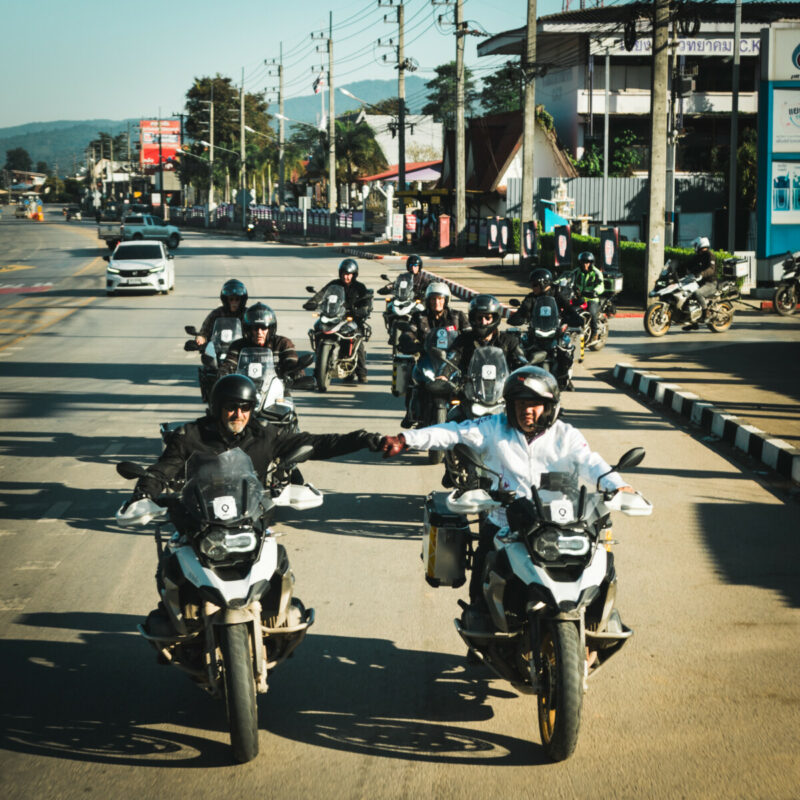
The tour I found Carpuride with
(By the way, BTA are an amazing tour company, who we’re also partnered with. ScenicBTA will get you 5% off, around $490 on the trip we did.)
First Impressions
At time of writing, I’ve done another 1,000km or so with my Aprilia Tuareg here in Mexico, and feel like I can give a balanced review.
The Carpuride W702 is a 7-inch waterproof CarPlay and Android Auto display, designed specifically for motorcycles. Price-wise, their base units sits at around $200 USD, which puts it firmly in “impulse buy if you know it’ll work” territory. The fact that it does work, properly, is the point of this review.
Carpuride offers several different models to fit different needs. They even have a model that works with your BMW Multicontroller, and models with integrated TPMS systems, and also models with a mount for easy click-on, click-off. Since I don’t have a BMW, and no need for TPMS or easy removal, I went for the W702 base model.
Out of the box you get the unit itself, a proper handlebar RAM mount, a USB power cable, a direct-to-battery cable, and the mounting hardware. No upsells, no missing bits. Everything you need to be riding with CarPlay by lunchtime is in the box.
![Carpuride W702 Review [Apple CarPlay and Android Auto Display]](https://scenic.app/wp-content/uploads/Screenshot-2026-04-22-at-10.52.27-800x449.jpg)
what’s in the box
The Quick Way
Clamp the supplied RAM mount to your handlebar, attach the Carpuride, and run the USB cable to any existing USB power source on the bike. Done. Five minutes, start to finish. If you’ve already got a USB port wired in (and most modern bikes do), this is literally all you need.
The Tidier Way
Hardwire it to your battery, or better, to an auxiliary (AUX) supply that only provides power when the ignition is on. Routing the cable neatly under the tank will cost you an afternoon depending on your fairing. I took me a few hours, but the finish is worth it. If you take this route, go AUX over direct-to-battery. The unit then powers up and shuts down with your ignition, which means you never need to touch the power button. More on that in a minute.
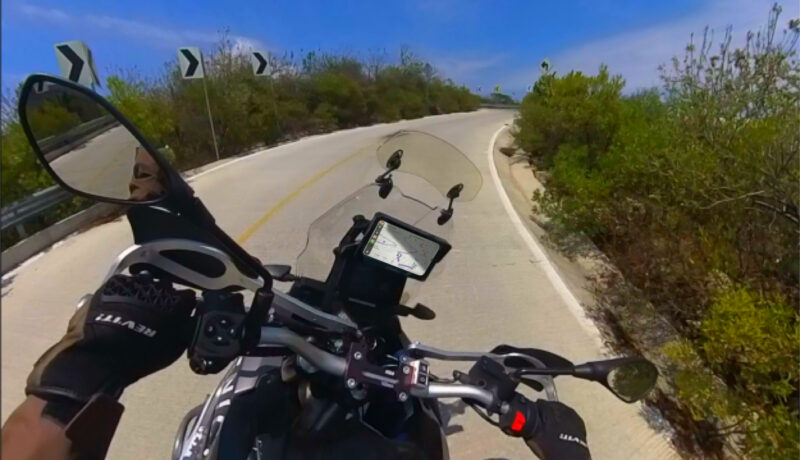
My carpuride setup.. riding twisties.
Pairing and Sound
Bluetooth pairing is a one-time job. Open the Carpuride, pair your phone, approve CarPlay, and that’s it for the life of the unit. From then on it wakes up with your phone and connects automatically. Sound is worth thinking about. You’ve got two options:
Option 1: iPhone to Carpuride to Headset. All audio routes through the unit. This is the path if you want to play music from an SD card inside the Carpuride itself, which it supports. Perhaps a bit “old-fashioned” feature maybe, because who still rides without a phone where you have all your music anyway?
Option 2: iPhone straight to Headset. The Carpuride handles the screen, your phone handles the audio directly to your helmet comms.
For most riders, Option 2 is the better call. If you’re already playing music from Apple Music, Spotify or similar, your phone is the sound source anyway. Routing audio directly keeps the signal chain simple, and it means your helmet comms still work perfectly if you take the Carpuride off the bike. The only reason to go with Option 1 is if you specifically want SD card music from the unit.
Carpuride supports dual bluetooth modes, so you can always choose to do both if you want the flexibility of both options.
The CarPlay & Android Auto Experience on the Carpuride
This is the heart of it. If you’ve used CarPlay or Android Auto in a car, you already know the interface: a clean grid of icons down one side, the active app taking up the rest of the screen. The Carpuride runs the full wireless CarPlay experience, properly, on a 7-inch sunlight-readable display that’s sized for gloves.
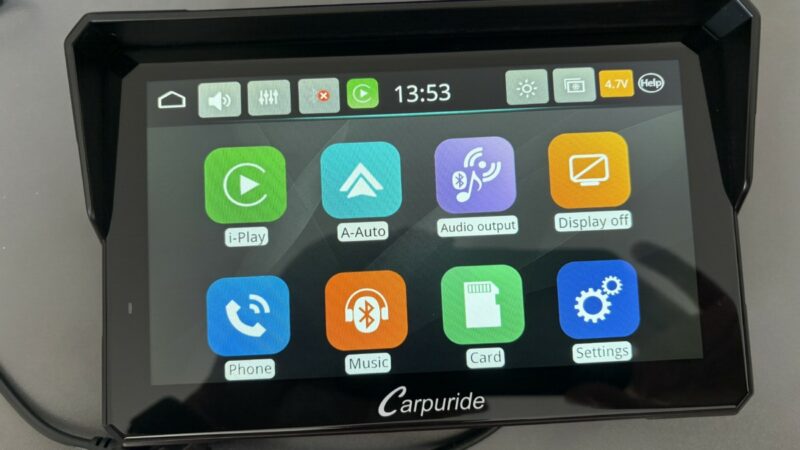
Works with Carplay and Android Auto
What makes it work on a motorcycle is the size. A 7-inch screen gives you enough space to see more, so you can zoom out, and still have a useful map at a glance. You don’t need to zoom in for corners, you don’t need to squint. The next turn is there, the route is there, the distance is there.
Coming from running my phone on the bars for years, the thing I noticed first was a kind of calmness. The little things I didn’t experience anymore or didn’t have to think of anymore. Just the screen, doing one job. Small things, but over a full day’s ride it adds up. The thing that happened to me quite a bit in Mexico, is that my iPhone would overheat as it was in the direct hot Mexican sun. If that happens, iOS automatically reduces brightness to a minimum and I could hardly read the screen anymore. That problem is gone now. Additionally, my expensive phone is safely in my pocket. Away from the elements, and I don’t have to remember to take it off the bike when I go inside a gas station anymore.
Brightness is strong. I did most of my testing in direct Mexican sun and the screen stayed readable. The touch response is calibrated for gloves, which is a detail that only works if someone has thought about it, and someone clearly has. I was tapping through menus without any of the usual frustration.
Voice control via Siri works as you’d expect, as it works with any CarPlay system, assuming you’ve got a helmet comms unit with a decent mic. Exactly the way it should work.
Running Scenic on the Carpuride
Obviously I run Scenic on my Carpuride. You probably expected that. If you didn’t, hi, I’m Guido, the developer of Scenic, and you’re reading this on Scenic.app – how did you get here 🙂? Anyway, I was always going to pay special attention to how our own app behaved on this screen. Here’s how it plays out.
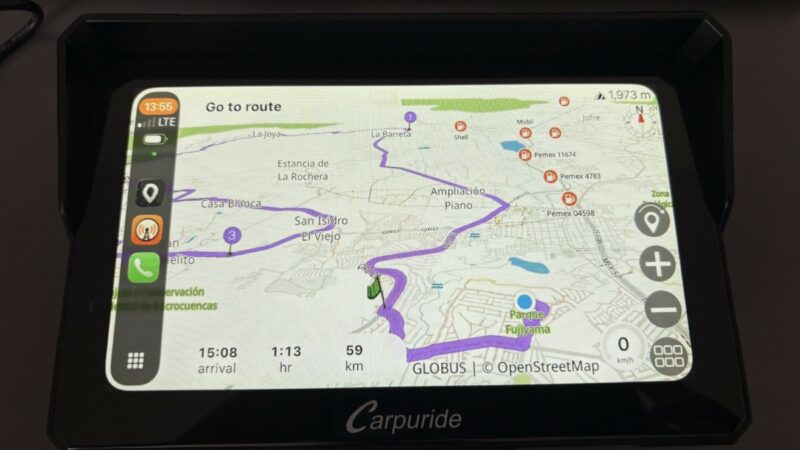
Bright and clear
Scenic runs through CarPlay exactly as you’d hope. Full motorcycle routing options, curvy routes, avoid motorways, offline maps, the lot. The interface adapts cleanly to the larger screen, if I do say so myself, everything is glove-sized, and the map is sharp. The workflow I’ve settled into: plan the route in Scenic on my phone before I set off, select the route on CarPlay, hit start, and off I go. The Power Planner isn’t accessible from within CarPlay itself (that’s a CarPlay limitation, not a Scenic one), but planning on the phone and riding on the Carpuride has become my default and it takes seconds.
Here’s a little knowledge gem that most people don’t know: If you do need to change something on the power-planner mid route, you don’t even need to close the app, just switch to a different one in Carplay, and you’ll be able to use the full Scenic app on your phone again. Make your change, switch back to Scenic on your Carpuride, done.
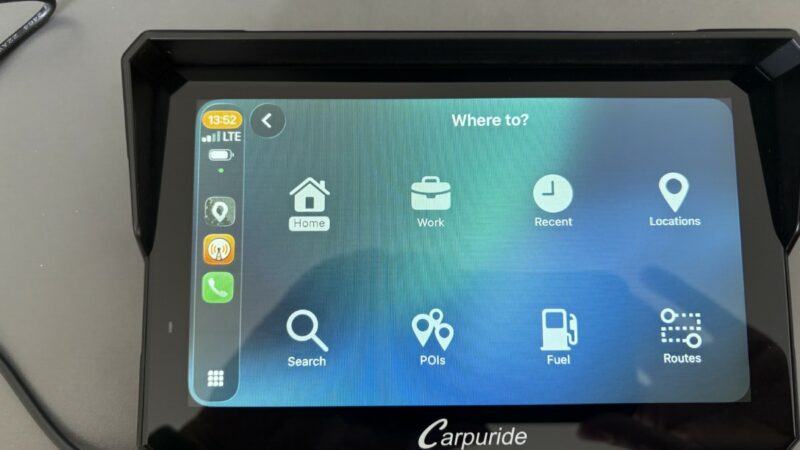
You’ve got all the features you’d expect with Scenic, and we worked hard to make the layout intuitive and similar to the phone experience, within the limitations that Apple CarPlay and Android Auto impose. Honestly, we think we’ve nailed it, but you’ll need to try it for yourself to know for sure.
For Android users: the Carpuride supports Android Auto with the same clean interface. Scenic for Android is still in open beta at the time of writing, and Android Auto support is close to full release. The Carpuride is ready for both platforms.
1,000km Later
Reliability is the metric that nobody mentions in spec sheets and that matters more than any of them. After 2,000km in Thailand & Laos, then 1,000km across Mexican highways, mountain passes and some gnarly offroad stretches, the Carpuride hasn’t dropped a connection, hasn’t overheated, hasn’t had a weird reboot. As mentioned above, all this happened to me with another unit I tried a few years ago, so I was watching for it. None of it happened. That’s why I bought one.
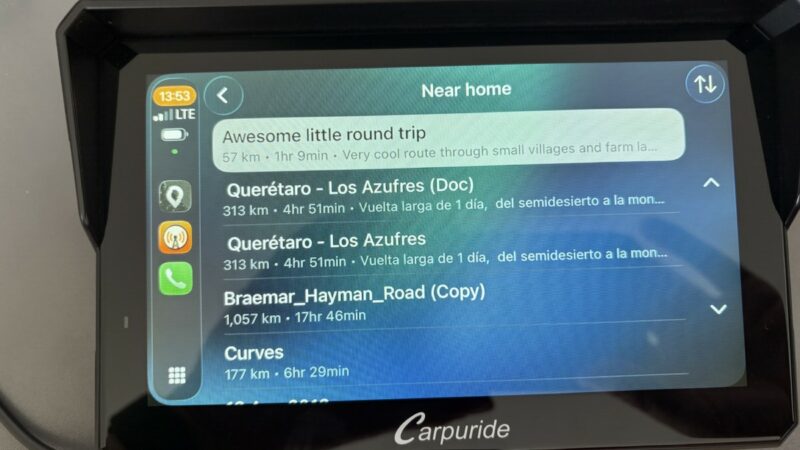
That’s the win. A screen on your bars is only as good as its worst day, and the Carpuride hasn’t had one yet. That’s why I keep using mine trip after trip.
The One Thing I’d Change
The on/off button sits on the back left of the unit. With summer gloves it’s fiddly. With winter gloves it’s impossible. I’ve ended up turning on the unit before I put on my gloves. But sometimes I forget, and then it’s either try to find and press the button with my gloves, or take of my glove again.
The fix is the AUX wiring I mentioned earlier. If the Carpuride gets power only when the ignition is on, you never touch the button. Bike on, screen on. Bike off, screen off. Problem solved at the install stage. If you’re hardwiring anyway, wire it to AUX. That’s the only real caveat in this whole review. As soon as I have some time, I’m rewiring mine to do just that.
Mounting on a Quad Lock (and Why You Might Want To)
The supplied RAM mount is solid and will do the job. If you’re like me though and you’ve already got a Quad Lock on your bars, there’s better options available:
- Universal adaptor: screw a standard Quad Lock universal adaptor onto the back of the Carpuride. Cheap, works fine, looks slightly bolted-on. You’ll need to find some longer screws and cut off the ram ball with a Dremel or similar, so it does take some work.
- Purpose-built interface plate: Evotech Performance made a Carpuride-Quadlock adaptor specifically for this. Sleeker, tidier, proper fit. Get it here.
- 3D print your own: if you’ve got access to a 3D printer, a rider has shared a free file on Printables. Download it here.
The reason I went this route is (1) positioning on the bike. This way I was able to mount the Carpuride behind the wind screen above the Aprillia display. And (2) redundancy. If the Carpuride ever fails mid-ride, or if I just want to travel light for a short trip, I can pop it off the Quad Lock mount and put my phone straight on in its place. Scenic is on my phone. Scenic is on the Carpuride. Either way, the navigation continues. Anyone that ever had a navigation solution fail mid ride, will understand the value of having this fallback.
Scenic Discount on Carpuride: The Best Offer You’ll Find Anywhere
If you’re thinking of buying a Carpuride, and you’ve gotten to this point in the review – we’ve got good news. We spoke to Carpuride after I’d already bought and tested it myself, and managed to negotiate some big discounts! Redeeming is very easy. Simply go to carpuride.com and use one of our codes…
20% discount
For anyone reading this article! Use ScenicRide20
25% discount
For Scenic non-premium users. You’ll find a code in the app > side menu > special offers
32% discount
For Scenic Premium users. You’ll find a 32% off code in your app. As far as we know this is the highest Carpuride discount available anywhere! At that price, a Scenic Premium subscription effectively pays for itself in savings on a single unit.
If you’re on the fence about trying Scenic Premium, this alone makes the case. If you’re already Premium, you know it’s already worth it, and you’re about to save more than you expected.
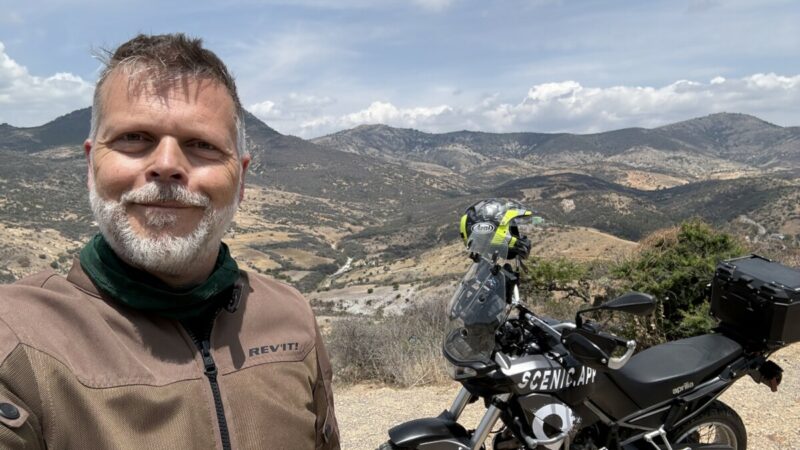
I think this photo of me is ok, right?
Quick Answers: Scenic and Carpuride
Does Scenic work with the Carpuride W702?
Yes. Scenic runs via Apple CarPlay and Android Auto on the Carpuride W702 with full access to motorcycle routing options, curvy routes, avoid motorways, and offline maps. It’s one of the cleanest ways to put Scenic on a dedicated screen.
How long does the Carpuride take to install?
Five minutes if you use the supplied handlebar RAM mount and USB cable. Longer if you hardwire it to an AUX circuit, which is cleaner and strongly recommended.
Should I wire the Carpuride to the battery or AUX?
AUX. It powers the unit on and off with the ignition, which means you never need to use the on/off button on the back of the unit. That’s the one weak point in the design, and AUX wiring makes it irrelevant.
Can I use my existing Quad Lock mount with the Carpuride?
Yes. Use a universal Quad Lock adaptor, the purpose-built Evotech interface plate, or 3D print your own from this Printables file. The main advantage: if the Carpuride ever fails, you can swap your phone straight in.
How should I set up the sound?
Route audio from your iPhone directly to your helmet comms, not through the Carpuride. Keeps the setup simple and means your comms still work when you take the Carpuride off the bike. The only reason to route sound through the unit is if you want to use its built-in SD card for music.
Has it been reliable?
Over 3,000km in varied conditions, I’ve had zero connection drops and zero overheating. Solid track record.
How do I save on a Carpuride?
Use code ScenicRide20 for 20% off, or 32% off as a Premium user. That Premium rate is the biggest Carpuride discount anywhere in the world.
Tested on: Aprilia Tuareg 660, Mexico • Kit reviewed: Carpuride W702, supplied handlebar RAM mount, USB cable. Quad Lock adaptor added for personal setup.


Great review, Guido. I too arrived at the Scenic/Carpuride combo the long way round after trying various different phone mount options and competing products (primarily Garmin zumo XT). Because of the difficulties of getting to the AUX power, I settled on a Thunderbox TB-U02 which auto-powers on when it detects alternator charging (a bit magic if you ask me).
My one complaint against Carpuride is the documentation around bluetooth and wifi. It is not entirely clear what the different arrangements mean, how you set them up and why you would use them. There’s probably a nice explanatory blog post out there somewhere, or a 35 minute youtube video…
Anyway, good review. Thanks.
Hi Mark… honestly… I didn’t read the documentation 🙂. For my setup it was pretty straightforward. Make the first connection with Bluetooth to connect my phone to the unit. And then the wireless CarPlay will automatically be setup.
Wireless Apple CarPlay uses both Bluetooth and Wi-Fi, not just one. They work together in a two-step process to establish and maintain a stable, cable-free connection between your iPhone and your CarPlay unit:
– Bluetooth (The Initial Connection): Bluetooth is used as a “handshake”. When you turn on your car, your iPhone and your vehicle discover each other and verify your credentials.
– Wi-Fi (The Heavy Lifting): Once verified, the connection seamlessly switches to a closed, high-speed Wi-Fi Direct network. Wi-Fi provides the massive bandwidth required to mirror your phone’s screen, stream music, and process navigation maps in real-time.
I have been using Scenic on the Carpuride for 16,000 miles on my R1300 GS throughout Europe and not had a single issue, they complement each other perfectly.
Hey Guido,
Thanks for the review. Ive been using Scenic in Oz for many years and (obviously) with quad lock. Like us all i too am getting old and have trouble seeing the screen (hence why I loved the low power mode from previous versions).
I do a lot of adventure (and tar) long distance, multiple day, riding where there is no mobile coverage, so I know the biggest uses of power are the radio(s) the screen (other radios) and the gps (radio rx).
I don’t use helmet comms or play music (distraction and there’s enough noise in my head already!!) mainly because Bluetooth uses power and another thing to charge.
So while another, bigger screen sounds great, I know my phone won’t last more than a few hours with scenic running, in my pocket (or tank bag, depending which bike).
So, is there any chance that we’ll be able to run scenic natively on a display? (Assuming it has gps and can be connected when at home or to phone when needed on the road.) (Carpuride W702plus??)
(And would you like me to test one?)
Andrew
So… this is actually a good question, which requires an elaborate answer:
I assume that with running “native” you mean like it’s running on your phone (not the CarPlay interface which is limited). For the iOS version of Scenic I don’t see that happening any time soon. There would have to be a rugged display for motorcycle navigation that runs the native iOS operating system. You’d basically need a rugged waterproof small iPad. Apple doesn’t make those.
Android is a different story. There are rugged Android tables and even built in Android devices (built into cars for example). These can run Android apps (incl Scenic Android) natively, exactly like how it would run on your android phone.
CarPlay and Android Auto are different. They are not app you install on the CarPlay/AA unit. For CarPlay and Android Auto the phone is still the power house. Your phone is using the CarPlay/Android Auto to “mirror” the app on that screen. I put mirror in quotes because it’s not exactly mirroring. Apple and Google force CarPlay and Android Auto apps to use certain templates. These templates have fixed elements like the panels where you see the next turn instruction, where you see the ETA, the buttons on the side and at the top. You can’t just put buttons anywhere on the screen like is possible with the phone versions. Apps need to use those templates. And only the elements (buttons, lists, grid menus) that are part of that template can be tapped or selected. Why? Well… you’d have to ask Apple and Google, but a part of it is safety and another part is that not all CarPlay/AA units have touch screens. Some of them can only be operated with some kind of control in the car or on your handlebars (Honda Africa Twin for example). With that control you can switch through the buttons (that are part of the template) and select some of them.
Hope I didn’t make it more confusing with this 🙂.
No. Not confusing at all.
Yes I meant natively on the Android device, running the screen. (So I don’t have to charge my iPhone, in my pocket.)
While reading up on the Carpuride, I noticed that the W702plus can run Android apps, has a small wired controller and a gps. Hence my original question.
If you’d like me to test it, drop me an email. (I am a systems engineer, (safety critical systems, and been running scenic premium forever for years, so I’m happy to connect with your techno’s if there are any issues.)
Thanks
Andrew,
I had the same question, so I opened a topic on the Forum. I think/hope Guido answered your question there.
Excellent review. I am using a similar model, the Carpuride W712D in portrait mode. I have it wired to the battery, via a hidden switch (as suggested by old friend AtticusCat). I find it occasionally useful to have the unit running but the ignition off. I also have my unit in portrait mode. I think it better to see more of what’s ahead than anything else. The W712D costs about £150 on Amazon.
I have purchased a locking mount arm for the unit. It won’t stop a determined criminal, but then not much will, and it will make it hard enough for the casual thief to perhaps deter.
In a somewhat archaic process, if you email support at Carpuride and tell them your model details, they will send you a 3-day-working download link if there’s a software update to be had, but they don’t exactly rush them out.