
Trips to Take, Trips Completed, and Planned Trips

Quote from MarcoZ on 31.08.2026, 02:11Hi everyone,
I'd like to understand how those of you who use Scenic manage your trips.
I've installed Scenic on my personal iPad and currently use it only to plan future rides. However, I find the folder management system quite immature and not very user-friendly.
How do you manage your trips from a PC? I understand that trip management is not the primary purpose of a navigation app, but some competitors offer at least a basic web interface that allows users to better organize their trips and choose what to synchronize with their devices.
I come from a Garmin Zumo XT, where I used BaseCamp. Unfortunately, due to differences between the maps used during planning and those used by Scenic, some routes change unexpectedly, so I eventually stopped using it.
I then moved to MRA Routeplanner, which uses OSM maps. The route planning experience is excellent: you can define waypoints as stops or vias and even specify break times to improve travel time estimates. Unfortunately, it does not synchronize with Scenic, and I lose the benefit of having my recorded tracks in a single ecosystem.
I've also tried Furkot. It is simple and easy to use, and it makes the import process straightforward, but it offers far fewer trip customization options compared to MRA Routeplanner.
Because of the way folders are currently managed in Scenic, organizing trips feels unclear and somewhat cumbersome. Hopefully this aspect will improve in future updates.
As for recorded rides, the only way to review them is through the app itself, but the limited viewing and organization options make them difficult to browse effectively.
So I'm curious:
How do you manage your tracks and trips when using Scenic? Where do you store and organize them?
Thanks in advance for your feedback!
Marco
Hi everyone,
I'd like to understand how those of you who use Scenic manage your trips.
I've installed Scenic on my personal iPad and currently use it only to plan future rides. However, I find the folder management system quite immature and not very user-friendly.
How do you manage your trips from a PC? I understand that trip management is not the primary purpose of a navigation app, but some competitors offer at least a basic web interface that allows users to better organize their trips and choose what to synchronize with their devices.
I come from a Garmin Zumo XT, where I used BaseCamp. Unfortunately, due to differences between the maps used during planning and those used by Scenic, some routes change unexpectedly, so I eventually stopped using it.
I then moved to MRA Routeplanner, which uses OSM maps. The route planning experience is excellent: you can define waypoints as stops or vias and even specify break times to improve travel time estimates. Unfortunately, it does not synchronize with Scenic, and I lose the benefit of having my recorded tracks in a single ecosystem.
I've also tried Furkot. It is simple and easy to use, and it makes the import process straightforward, but it offers far fewer trip customization options compared to MRA Routeplanner.
Because of the way folders are currently managed in Scenic, organizing trips feels unclear and somewhat cumbersome. Hopefully this aspect will improve in future updates.
As for recorded rides, the only way to review them is through the app itself, but the limited viewing and organization options make them difficult to browse effectively.
So I'm curious:
How do you manage your tracks and trips when using Scenic? Where do you store and organize them?
Thanks in advance for your feedback!
Marco
Quote from Dae on 31.08.2026, 04:21I currently do all my planning and organising of trips in MRA. This is due to the lack of sub folders and layover/departure timings in Scenic.
I import my routes into Scenic for navigation only. I only store my recorded rides in Scenic - I’m not really bothered about them in MRA.
Scenic is useful for vehicle management log, so that’s stored in Scenic.
PC planning isn’t an issue for me as I have a MacBook, so it runs Scenic.
Guido is releasing a web browser version of the planner later this year.
I’d really like to ditch MRA, but until the organisation and timing is better in Scenic I’ll continue to use the best tool for each function; Scenic for navigation and MRA for planning. I have an MRA lifetime gold, so I’m in no rush.
I currently do all my planning and organising of trips in MRA. This is due to the lack of sub folders and layover/departure timings in Scenic.
I import my routes into Scenic for navigation only. I only store my recorded rides in Scenic - I’m not really bothered about them in MRA.
Scenic is useful for vehicle management log, so that’s stored in Scenic.
PC planning isn’t an issue for me as I have a MacBook, so it runs Scenic.
Guido is releasing a web browser version of the planner later this year.
I’d really like to ditch MRA, but until the organisation and timing is better in Scenic I’ll continue to use the best tool for each function; Scenic for navigation and MRA for planning. I have an MRA lifetime gold, so I’m in no rush.

Quote from Guido on 31.08.2026, 08:08Hi Marco,
I'll leave it to the community to answer the ride and route organizing question. Just wanted to let you know that a web based planner and organizer is currently in development. It will be ready before the end of this year.
Best regards,
Guido
Hi Marco,
I'll leave it to the community to answer the ride and route organizing question. Just wanted to let you know that a web based planner and organizer is currently in development. It will be ready before the end of this year.
Best regards,
Guido
Quote from Psionic on 31.08.2026, 15:15Here's how I do - using Scenic on Macbook (proper planning, either planning directly in Scenic, or, using GPX-import and finetuning), iPhone (via Carplay) for navigation. Ipad as portable planner (e.g. in the hotel to finetune the next day trip).
I use the "Favorite" folder for static routes (and locations), the few key routes I use every year (such as commute to work with variations, meeting points with the motorcycle club, home location, favorite places etc.).Then I have a folder for every year (2026, 2025, ...), here I drop my daytrips. The daytrips filename format is "YYYMMDD_<key waypoints>", example: "20260831_Gotthard-Nufenen-Furka" was the trip of today. This way, sorting is easy to show the most recent trips and future trips on top.
For multi-day-trips (a.k.a. vacation) I use a dedicated folder "YYYY_Destination" with a day-trip for every day (or sometimes multiple with variations). I prefix with D01, D02, D03.... for day 1, 2, 3...). Then I also create a folder "zYYYY_Destination" (note the "z" prefix) which is my archive folder. I move past trips there. So on day 3, D03 and all future trips are in the regular "YYYY_Destination" folder, while D01 and D02 are in the archive folder "zYYYY_Destination".
Finally, I archive old years by prefixing the past years also with a "z".
(fyi in the past scenic / apple carplay could only show limited records per folder, that's why I needed to "archive" older trips to a separate folder multiple times a year, this is no longer needed.)
So here my current folder structure for routes (examplified), and then similar for locations:
- Favorites
- 2026 (current year daytrips)
- 2026_14-day-trip (upcoming/future trips)
- z2026_14-day-trip (archived trips)
- z2025 (archived last year daytrips)
- z2025_Sicily (archived last year multi-day-trips/vacation)
- z2024 (archived 2024 daytrips)
- z2024_Croatia (archived vacation)
- ...
Tracked rides... all goes into one single default folder. From time to time I export all GPX files and store them locally.
Here's how I do - using Scenic on Macbook (proper planning, either planning directly in Scenic, or, using GPX-import and finetuning), iPhone (via Carplay) for navigation. Ipad as portable planner (e.g. in the hotel to finetune the next day trip).
I use the "Favorite" folder for static routes (and locations), the few key routes I use every year (such as commute to work with variations, meeting points with the motorcycle club, home location, favorite places etc.).
Then I have a folder for every year (2026, 2025, ...), here I drop my daytrips. The daytrips filename format is "YYYMMDD_<key waypoints>", example: "20260831_Gotthard-Nufenen-Furka" was the trip of today. This way, sorting is easy to show the most recent trips and future trips on top.
For multi-day-trips (a.k.a. vacation) I use a dedicated folder "YYYY_Destination" with a day-trip for every day (or sometimes multiple with variations). I prefix with D01, D02, D03.... for day 1, 2, 3...). Then I also create a folder "zYYYY_Destination" (note the "z" prefix) which is my archive folder. I move past trips there. So on day 3, D03 and all future trips are in the regular "YYYY_Destination" folder, while D01 and D02 are in the archive folder "zYYYY_Destination".
Finally, I archive old years by prefixing the past years also with a "z".
(fyi in the past scenic / apple carplay could only show limited records per folder, that's why I needed to "archive" older trips to a separate folder multiple times a year, this is no longer needed.)
So here my current folder structure for routes (examplified), and then similar for locations:
- Favorites
- 2026 (current year daytrips)
- 2026_14-day-trip (upcoming/future trips)
- z2026_14-day-trip (archived trips)
- z2025 (archived last year daytrips)
- z2025_Sicily (archived last year multi-day-trips/vacation)
- z2024 (archived 2024 daytrips)
- z2024_Croatia (archived vacation)
- ...
Tracked rides... all goes into one single default folder. From time to time I export all GPX files and store them locally.

Quote from Marts on 31.08.2026, 22:59Quote from Psionic on 31.08.2026, 15:15Here's how I do - using Scenic on Macbook (proper planning, either planning directly in Scenic, or, using GPX-import and finetuning).
I do something similar, using Scenic on my Mac. Sometimes, however, Google Maps seems to work better for some trips, so I plan the trip then use Guido's excellent web interface to import the google routes to Scenic.
The only bit about that is I can never remember which is better - to import the route or the track...
Quote from Psionic on 31.08.2026, 15:15Here's how I do - using Scenic on Macbook (proper planning, either planning directly in Scenic, or, using GPX-import and finetuning).
I do something similar, using Scenic on my Mac. Sometimes, however, Google Maps seems to work better for some trips, so I plan the trip then use Guido's excellent web interface to import the google routes to Scenic.
The only bit about that is I can never remember which is better - to import the route or the track...

Quote from pe112 on 01.09.2026, 11:21Coming from a Garmin Device my entire travel history is in Basecamp.
Like you I was unhappy with the CityNavigator Maps. Then I came across the OSM maps packaged by https://alternativaslibres.org/.
They are packaged for Basecamp and match my purposes as well as the maps in Scenic very well. They are free, but if you register for a reasonably small fee you get access to additional large seamless maps like Western Europe. Something I did not find on any other site providing OSM packages for Basecamp.
it might be worth checking out if you can imagine to stick with Basecamp.
Best, Martin
Coming from a Garmin Device my entire travel history is in Basecamp.
Like you I was unhappy with the CityNavigator Maps. Then I came across the OSM maps packaged by https://alternativaslibres.org/.
They are packaged for Basecamp and match my purposes as well as the maps in Scenic very well. They are free, but if you register for a reasonably small fee you get access to additional large seamless maps like Western Europe. Something I did not find on any other site providing OSM packages for Basecamp.
it might be worth checking out if you can imagine to stick with Basecamp.
Best, Martin
Quote from Middelfrangge on 01.09.2026, 12:06Hi,
I was as well a previous Garmin user but startet already with Garmin to use TTQV or now QV (QuoVadis), however somewhen I have changed to do the route planning in Mapsource/Basecamp. Now I use Scenic for the route planning on my IPad and IPhone but still QV for saving my trips as track. That has the advantage that each track can get a different colour and when planning a trip in a region where i have not been for a while I use my old trips as basis for the next tour.
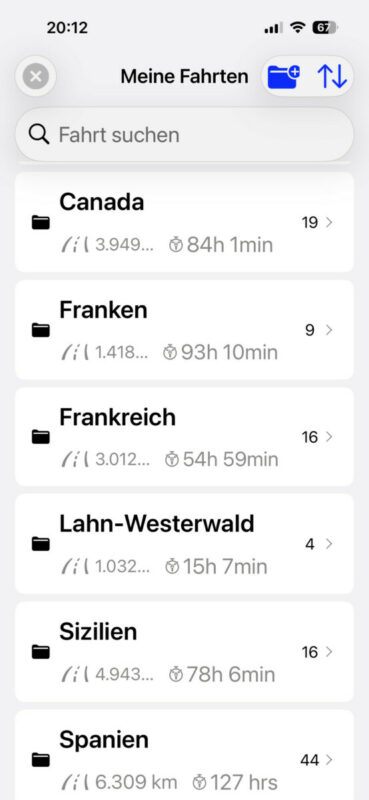
In Scenic I have folders for each region in Germany and each country I travel to. In addition I have a folder for favourites which I need for the next ride or trip and I have a folder for past trips which dies not fit to any region but which I want to save for whatever reasons.
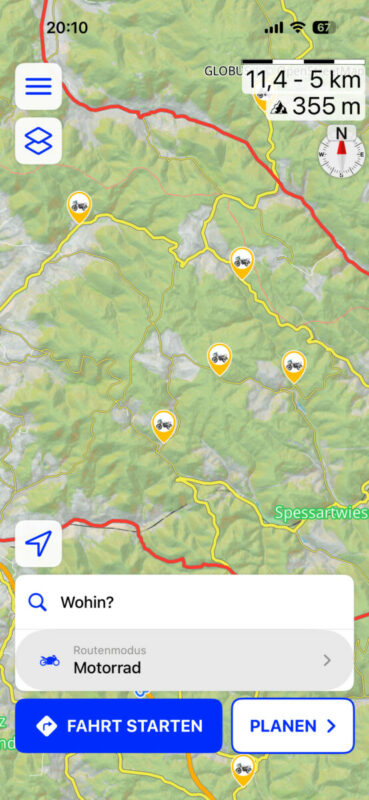
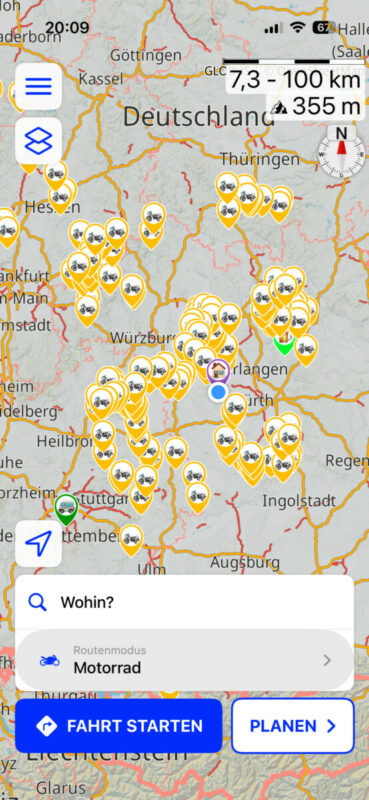
I also have folders for my waypoints of each region and a special folder for windy roads which I know or find just by chance. Those are always visible during a ride.
I would prefer to have folders underneath each country, that would make my life easier to have a country folder like just Germany and folders below for each region. This is how I use that in QV. Even better would be to have not only my trips inside but as well my routes.
.
Cheers
Thomas
Hi,
I was as well a previous Garmin user but startet already with Garmin to use TTQV or now QV (QuoVadis), however somewhen I have changed to do the route planning in Mapsource/Basecamp. Now I use Scenic for the route planning on my IPad and IPhone but still QV for saving my trips as track. That has the advantage that each track can get a different colour and when planning a trip in a region where i have not been for a while I use my old trips as basis for the next tour.
In Scenic I have folders for each region in Germany and each country I travel to. In addition I have a folder for favourites which I need for the next ride or trip and I have a folder for past trips which dies not fit to any region but which I want to save for whatever reasons.
I also have folders for my waypoints of each region and a special folder for windy roads which I know or find just by chance. Those are always visible during a ride.
I would prefer to have folders underneath each country, that would make my life easier to have a country folder like just Germany and folders below for each region. This is how I use that in QV. Even better would be to have not only my trips inside but as well my routes.
. 
Cheers
Thomas

Quote from Zoomer on 09.09.2026, 22:26Interesting original post. I would not say that the folder management is 'immature' at all. I think that the system for routes and recorded rides is effective and fully adequate. Simple perhaps, but there is plenty of complexity in Scenic and I don't think that the route management needs to be more complicated than it is. Curious that you found Furkot to be simple and easy to use: I think it is antique and cumbersome, even if it has some good capabilities. MRA is fine too, but no better than Scenic. Also, some really basic routing errors in MRA that made me question it's usability. I tried it and did not bother to stick with it, though I appreciate the browser/ web-based route planning ability. REVER does that too. REVER is faster and more logical than MRA I find, but I don't like the extra social stuff in REVER.
Scenic is a route planner and navigation app, and I find that it does that really well. The map customization abilities are complex and that is a really nice customization feature, IMHO.
But otherwise, I make folders for a trip, whether around my area in western Canada, or in Italy or France or Ireland or wherever. All the routes I want go into the relevant folder, which seems simple and easy to access. I give the routes a number at the beginning, or if more than 9, I can use a letter for sorting.
I don't actually use stops; only via points. I've never felt that I needed to plan a route with time for every stop along the way. It always seems like something that is better in the mind than on the road. I also don't keep routes forever. Eventually I delete them. After a few years, I don't see much point in old routes for the most part.
I think that the real trick is balancing capability and complexity with ease of access and easy, and speed, of use. That balance won't be the same for everyone. I think also that my use scenario is fairly simple, so I'm satisfied with route and recorded ride organization.
Interesting original post. I would not say that the folder management is 'immature' at all. I think that the system for routes and recorded rides is effective and fully adequate. Simple perhaps, but there is plenty of complexity in Scenic and I don't think that the route management needs to be more complicated than it is. Curious that you found Furkot to be simple and easy to use: I think it is antique and cumbersome, even if it has some good capabilities. MRA is fine too, but no better than Scenic. Also, some really basic routing errors in MRA that made me question it's usability. I tried it and did not bother to stick with it, though I appreciate the browser/ web-based route planning ability. REVER does that too. REVER is faster and more logical than MRA I find, but I don't like the extra social stuff in REVER.
Scenic is a route planner and navigation app, and I find that it does that really well. The map customization abilities are complex and that is a really nice customization feature, IMHO.
But otherwise, I make folders for a trip, whether around my area in western Canada, or in Italy or France or Ireland or wherever. All the routes I want go into the relevant folder, which seems simple and easy to access. I give the routes a number at the beginning, or if more than 9, I can use a letter for sorting.
I don't actually use stops; only via points. I've never felt that I needed to plan a route with time for every stop along the way. It always seems like something that is better in the mind than on the road. I also don't keep routes forever. Eventually I delete them. After a few years, I don't see much point in old routes for the most part.
I think that the real trick is balancing capability and complexity with ease of access and easy, and speed, of use. That balance won't be the same for everyone. I think also that my use scenario is fairly simple, so I'm satisfied with route and recorded ride organization.
Quote from MLH on 12.09.2026, 23:45I manage all the last couple of years of trips, as well as future plans in Scenic using my iPad. My folder structure is pretty simple.
1. Routes
- Planned trip folders are named [year] [destination] eg 27 Netherlands
- Past trips not likely to be re-ridden have “zz “ suffix eg “zz 26 Alps” on the folder, all routes set to colour white
- Reusable route plans (eg yearly rallies) have no year prefix
- individual routes are given a prefix of a numerical day of trip eg “D6” with .1 or .2 suffix if there are more than 1 route for the day, finally a single word describing destination eg “D6 Stelvio to Argine Lupo“ or “D11.2 Pompeii”
2. Locations
- Similar to routes, folders are named by year & trip eg 28 Italy
- Past trip location folders unlikely to be re-used get prefix “zz “ to keep them out of the way
- I then take the folder off visible when planning and when riding
- i keep 4 other main location folders: Family, Friends, Work & Helper. The last one contains “shaper” via pints I’ve found useful to steer my rides away from eg traffic blackspots or to guide rides towards particularly good areas/roads.
- Location naming convention: [Trip prefix (eg IT for Italy)], [name] eg “IT Montecassino”
Notes:
- I use the Layers menu quite actively to show / hide routes and locations, to avoid visual clutter when planning and riding.
- I don’t use POIs - I’m not really sure what they are & how they differ from Locations. If I did, I’m sure you could see how I’d organise them.
- Recorded rides are saved In a similar way to routes etc.
Hope that’s useful.
I manage all the last couple of years of trips, as well as future plans in Scenic using my iPad. My folder structure is pretty simple.
1. Routes
- Planned trip folders are named [year] [destination] eg 27 Netherlands
- Past trips not likely to be re-ridden have “zz “ suffix eg “zz 26 Alps” on the folder, all routes set to colour white
- Reusable route plans (eg yearly rallies) have no year prefix
- individual routes are given a prefix of a numerical day of trip eg “D6” with .1 or .2 suffix if there are more than 1 route for the day, finally a single word describing destination eg “D6 Stelvio to Argine Lupo“ or “D11.2 Pompeii”
2. Locations
- Similar to routes, folders are named by year & trip eg 28 Italy
- Past trip location folders unlikely to be re-used get prefix “zz “ to keep them out of the way
- I then take the folder off visible when planning and when riding
- i keep 4 other main location folders: Family, Friends, Work & Helper. The last one contains “shaper” via pints I’ve found useful to steer my rides away from eg traffic blackspots or to guide rides towards particularly good areas/roads.
- Location naming convention: [Trip prefix (eg IT for Italy)], [name] eg “IT Montecassino”
Notes:
- I use the Layers menu quite actively to show / hide routes and locations, to avoid visual clutter when planning and riding.
- I don’t use POIs - I’m not really sure what they are & how they differ from Locations. If I did, I’m sure you could see how I’d organise them.
- Recorded rides are saved In a similar way to routes etc.
Hope that’s useful.

Quote from mattsz on 13.09.2026, 09:39I don't have anything to add about how I organize my routes, rides and locations... except this reminder that folders in each category can be sorted not only by name (alphabetically) - either ascending or descending - but also by when they were created. Individual items in all of these folders can be sorted in the same ways, with the additional option of sorting by location - either closest to, or furthest away from, current location.
I just spent four days planning multiple local rides with guests, and I found the sorting by "newest on top" option to be helpful when making decisions...
I don't have anything to add about how I organize my routes, rides and locations... except this reminder that folders in each category can be sorted not only by name (alphabetically) - either ascending or descending - but also by when they were created. Individual items in all of these folders can be sorted in the same ways, with the additional option of sorting by location - either closest to, or furthest away from, current location.
I just spent four days planning multiple local rides with guests, and I found the sorting by "newest on top" option to be helpful when making decisions...
Quote from Dae on 13.09.2026, 12:44On a similar note, I’ve just done 2,500 miles around the Pyrenees and northern Spain. Each day was a new hotel.
Having the sorting order set to “nearest first “ meant that the route for each day was at the top of the list.
On a similar note, I’ve just done 2,500 miles around the Pyrenees and northern Spain. Each day was a new hotel.
Having the sorting order set to “nearest first “ meant that the route for each day was at the top of the list.


