
The automatic dark mode in tunnels has disappeared.

Quote from fran69k on 03.03.2026, 14:24Since the latest updates, the automatic dark mode when passing through a tunnel no longer works. Has this feature been removed or moved to another setting in the app? I’ve checked and can’t find any option to enable it again (I have the navigation appearance set to automatic at sunset/sunrise).
Since the latest updates, the automatic dark mode when passing through a tunnel no longer works. Has this feature been removed or moved to another setting in the app? I’ve checked and can’t find any option to enable it again (I have the navigation appearance set to automatic at sunset/sunrise).

Quote from Guido on 03.03.2026, 15:49There is no setting for this. It does it automatically. The code didn't change regarding this.
Did you see it working in the same tunnel before? Do you have offline maps installed for the region?
If yes for both, could you send me the location of this tunnel? (Long press map > choose 'copy coordinates' in the bubble that appears > copy/paste the DEC coordinates here)
There is no setting for this. It does it automatically. The code didn't change regarding this.
Did you see it working in the same tunnel before? Do you have offline maps installed for the region?
If yes for both, could you send me the location of this tunnel? (Long press map > choose 'copy coordinates' in the bubble that appears > copy/paste the DEC coordinates here)
Quote from fran69k on 03.03.2026, 16:21Yes to both. I have the maps downloaded and it used to work before. I’ll give you several coordinates where it used to work and now it doesn’t. Best regards
42.514684,1.526130
42.528189,1.520469
Yes to both. I have the maps downloaded and it used to work before. I’ll give you several coordinates where it used to work and now it doesn’t. Best regards
42.514684,1.526130
42.528189,1.520469
Quote from Guido on 03.03.2026, 17:29Hmmm. Weird. Just tried on the simulator with a simulated route through a tunnel.
It works. See video: https://drive.google.com/file/d/1hmGOu99Nq-W4eJVWsVfiPtuIijfunB5U/view?usp=sharingThe tunnels from your coordinates is also correctly tagged as a tunnel: https://www.openstreetmap.org/way/6242756#map=18/42.528075/1.520304&layers=D, and Scenic also sees them as tunnel (note the darker color).
The only thing I can think of for it not working on your side is
(1) that your offline map got corrupted somehow. Try to remove Andorra and redownload it.
(2) Or, somehow your navigation appearance is not set correct. Try toggling to light and then back to sunset-sunrise.
Hmmm. Weird. Just tried on the simulator with a simulated route through a tunnel.
It works. See video: https://drive.google.com/file/d/1hmGOu99Nq-W4eJVWsVfiPtuIijfunB5U/view?usp=sharing
The tunnels from your coordinates is also correctly tagged as a tunnel: https://www.openstreetmap.org/way/6242756#map=18/42.528075/1.520304&layers=D, and Scenic also sees them as tunnel (note the darker color).
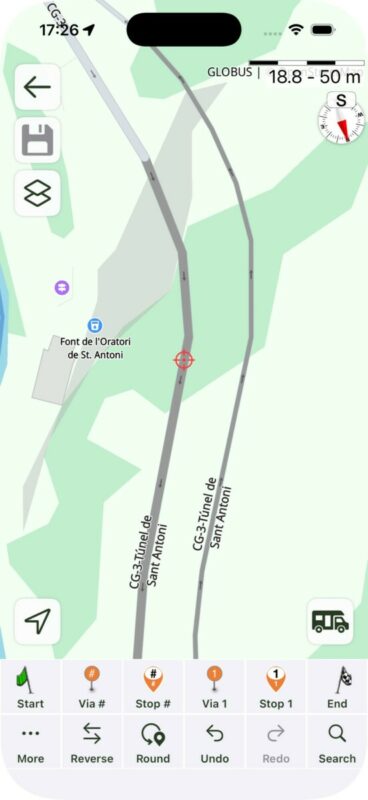
The only thing I can think of for it not working on your side is
(1) that your offline map got corrupted somehow. Try to remove Andorra and redownload it.
(2) Or, somehow your navigation appearance is not set correct. Try toggling to light and then back to sunset-sunrise.
Quote from Guido on 03.03.2026, 17:35Another reason I just thought of. What map styles have you set for light appearance and dark appearance?
Second button top left in main screen > My map styles.
Another reason I just thought of. What map styles have you set for light appearance and dark appearance?
Second button top left in main screen > My map styles.
Quote from fran69k on 03.03.2026, 17:37Ok, I’ll try downloading everything again and using another theme, and I’ll let you know. Thank you very much.
Ok, I’ll try downloading everything again and using another theme, and I’ll let you know. Thank you very much.
Quote from Guido on 03.03.2026, 17:44One last thing… should you be on CarPlay… this is not applied on CarPlay. When on CarPlay the setting of the CarPlay unit is used.
One last thing… should you be on CarPlay… this is not applied on CarPlay. When on CarPlay the setting of the CarPlay unit is used.

Quote from Mex on 03.03.2026, 23:35Hi @frank69k
Maybe you are using the same map style for dark and light apperance, then it wont change to dark mode.
Try Guidos hints first before you reinstall.
Regards Mex
Hi @frank69k
Maybe you are using the same map style for dark and light apperance, then it wont change to dark mode.
Try Guidos hints first before you reinstall.
Regards Mex


