
Skipping Vias

Quote from Mark on 26.09.2022, 20:53Hi Guido,
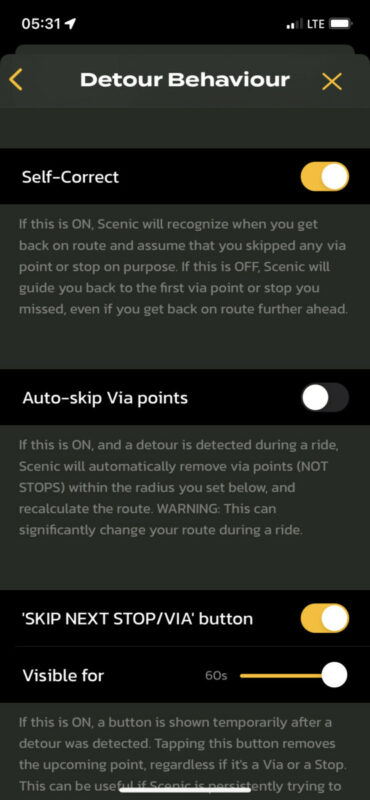
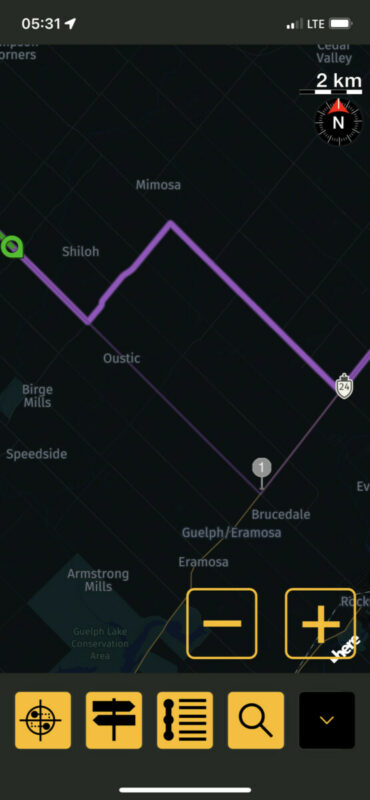
Scenic has been skipping waypoints on me and rerouting seemingly on its own accord - see two example screenshots. This happened to me a lot trying to follow a BDR last week, but I thought I’d since fixed it with a change in the Detour settings (turning off Auto-skip vias). I deliberately put a via to turn left on Hey 24 instead of earlier and the routing showed correctly in the power planner, but when I went to actually navigate it it seems to ignore the via point (twice!). Any advice on what I’m doing wrong?
thanks,
Mark
Hi Guido,
Scenic has been skipping waypoints on me and rerouting seemingly on its own accord - see two example screenshots. This happened to me a lot trying to follow a BDR last week, but I thought I’d since fixed it with a change in the Detour settings (turning off Auto-skip vias). I deliberately put a via to turn left on Hey 24 instead of earlier and the routing showed correctly in the power planner, but when I went to actually navigate it it seems to ignore the via point (twice!). Any advice on what I’m doing wrong?
thanks,
Mark

Quote from Guido on 26.09.2022, 21:02I think I know what’s going on. I’ve changed the distance it takes for a via point being marked as ‘reached‘. It used to be whenever you get within 50 meters of a via point. But I changed that to 100 meters two versions back.
I’ll change it back again for the next update. Meanwhile, as a workaround, if possible, place via points further than 100 meters from junctions.
I think I know what’s going on. I’ve changed the distance it takes for a via point being marked as ‘reached‘. It used to be whenever you get within 50 meters of a via point. But I changed that to 100 meters two versions back.
I’ll change it back again for the next update. Meanwhile, as a workaround, if possible, place via points further than 100 meters from junctions.
Quote from Ernst on 28.09.2022, 23:18Quote from Guido on 26.09.2022, 21:02... I’ve changed the distance it takes for a via point being marked as ‘reached‘. It used to be whenever you get within 50 meters of a via point. But I changed that to 100 meters two versions back.
It would be great to make this adjustable.
Quote from Guido on 26.09.2022, 21:02... I’ve changed the distance it takes for a via point being marked as ‘reached‘. It used to be whenever you get within 50 meters of a via point. But I changed that to 100 meters two versions back.
It would be great to make this adjustable.
Quote from Guido on 29.09.2022, 06:43No need. (and will cause questions and misunderstanding amongst users).
I will put this back on what it was before. That worked great.
I changed so that users could get the ‘close to stop’ message earlier, but there are others way to know if a planned stop is close: https://scenic.app/forum/topic/stop-in-route-text/#postid-4189
No need. (and will cause questions and misunderstanding amongst users).
I will put this back on what it was before. That worked great.
I changed so that users could get the ‘close to stop’ message earlier, but there are others way to know if a planned stop is close: https://scenic.app/forum/topic/stop-in-route-text/#postid-4189


