
Lakes and Reservoirs Not Showing Correctly

Quote from johnsondvr on 26.04.2026, 01:57@guidomm. I was navigating through Wales yesterday and noticed that the lakes and reservoirs were not showing up in the default map colour or my custom colours. Indeed, non of the lakes appear to be showing across the map - even the Lake District n England.
As an example, the Elan Valley complex in my custom colours with the setting:
And the default light colours with a red outline showing where the lake/reservoir should be standing out. The river that feeds from the dam is showing though.
Do I have a setting wrong?
[caption id="attachment_10380" align="alignnone" width="369"]
Screenshot[/caption]
@guidomm. I was navigating through Wales yesterday and noticed that the lakes and reservoirs were not showing up in the default map colour or my custom colours. Indeed, non of the lakes appear to be showing across the map - even the Lake District n England.
As an example, the Elan Valley complex in my custom colours with the setting:
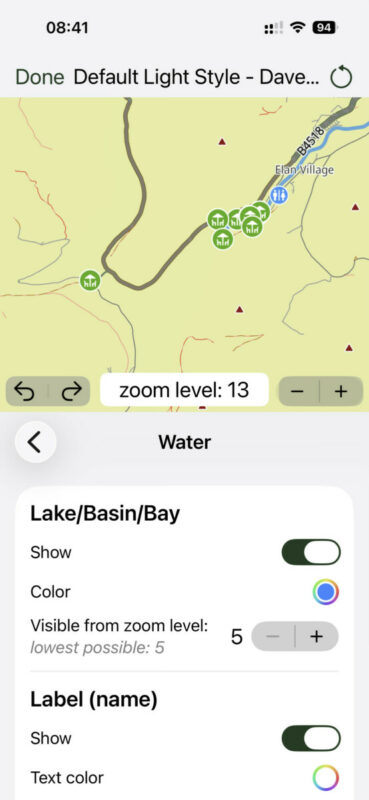
And the default light colours with a red outline showing where the lake/reservoir should be standing out. The river that feeds from the dam is showing though.
Do I have a setting wrong?
[caption id="attachment_10380" align="alignnone" width="369"] Screenshot[/caption]
Quote from johnsondvr on 26.04.2026, 07:10For additional context, the missing lakes. Sreenshots from Apple Maps:
[caption id="attachment_10381" align="alignnone" width="369"]
Screenshot[/caption]
For additional context, the missing lakes. Sreenshots from Apple Maps: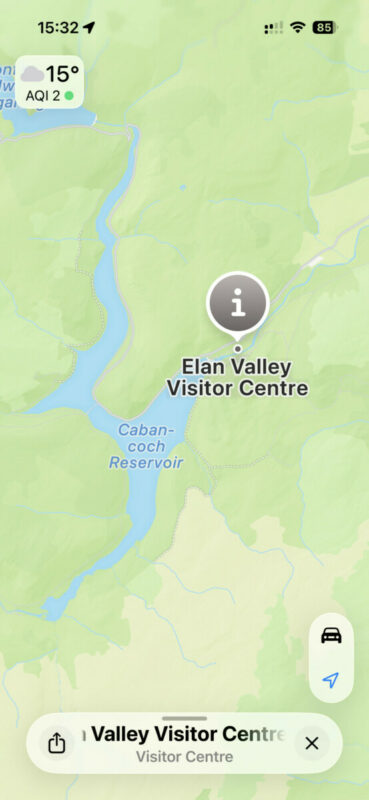
[caption id="attachment_10381" align="alignnone" width="369"] Screenshot[/caption]

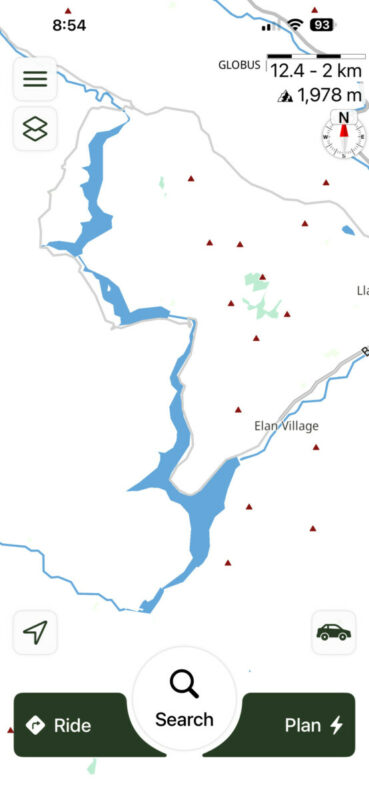
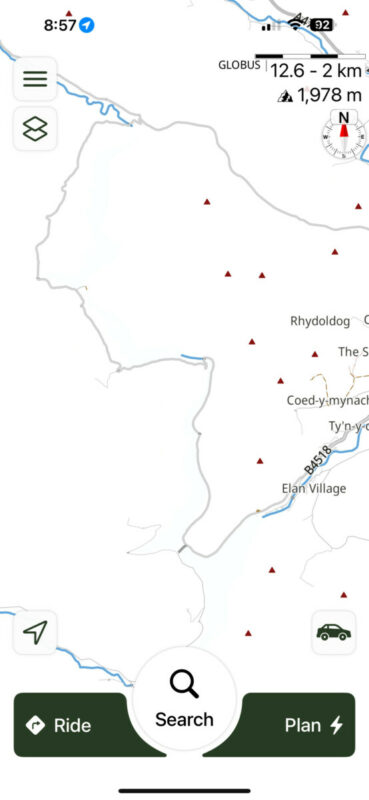
Quote from Guido on 26.04.2026, 08:59There is something wrong indeed. With my custom style they show below zoom level 12.5, but any higher they disappear. On the default style they don’t show at all. I will investigate.
There is something wrong indeed. With my custom style they show below zoom level 12.5, but any higher they disappear. On the default style they don’t show at all. I will investigate.

Quote from Atticuscat on 26.04.2026, 14:04As a data point Elan Valley reservoir (and other lakes) do not show for me using the Scenic default map but do show using my custom map. Custom share code below if it helps.
8D9EE723-4B16-4E73-99AB-2595D0DF3466_C953822C-5CFF-4B57-A607-9A0314A8994C
As a data point Elan Valley reservoir (and other lakes) do not show for me using the Scenic default map but do show using my custom map. Custom share code below if it helps.
8D9EE723-4B16-4E73-99AB-2595D0DF3466_C953822C-5CFF-4B57-A607-9A0314A8994C
Quote from johnsondvr on 28.04.2026, 01:52@guidomm Just noticed another map issue which seems to be just the UK and Ireland in my area. As well as the lakes, I am not seeing forest areas as well. If I scroll across to France, they are clearly seen. Elan Valley should have lots of forest areas as should a lot of Wales.
There should be a lot of green for forest here
I have the maps downloaded to my device and it seems as though there are missing layers. Removing and re-downloading the maps has made no difference.
@guidomm Just noticed another map issue which seems to be just the UK and Ireland in my area. As well as the lakes, I am not seeing forest areas as well. If I scroll across to France, they are clearly seen. Elan Valley should have lots of forest areas as should a lot of Wales.
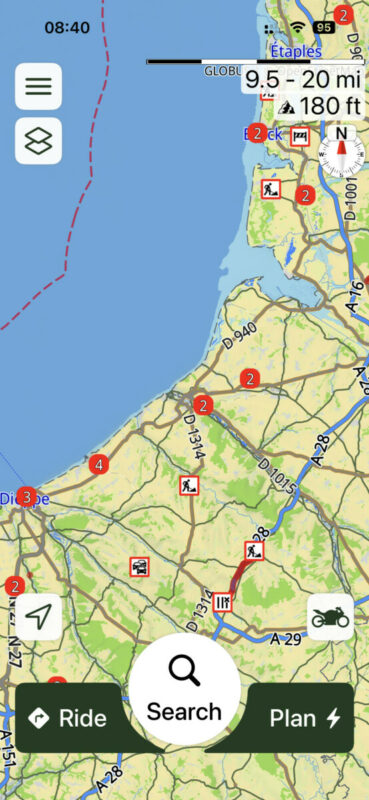
There should be a lot of green for forest here
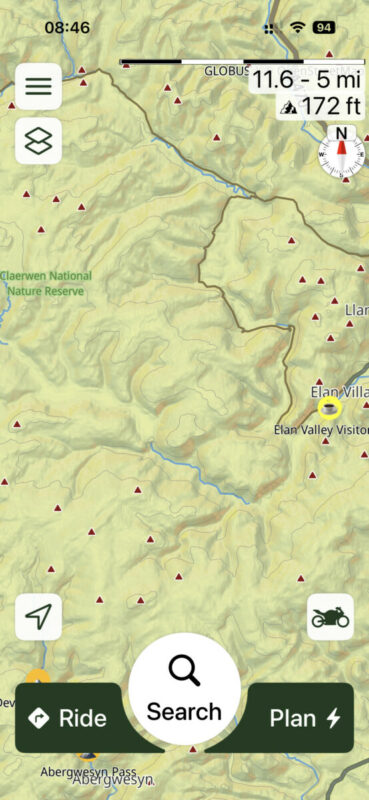
I have the maps downloaded to my device and it seems as though there are missing layers. Removing and re-downloading the maps has made no difference.
Quote from Guido on 28.04.2026, 12:25I'll fix that as well for the next update.
I'll fix that as well for the next update.
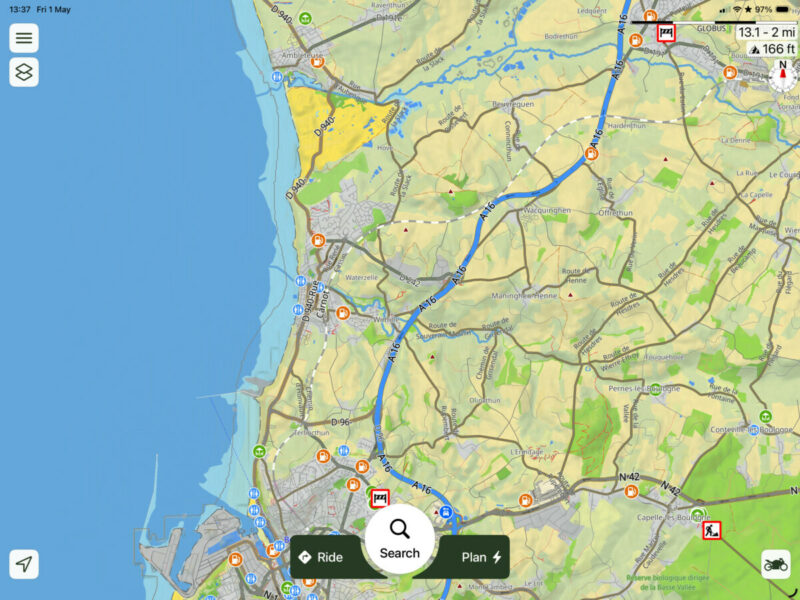
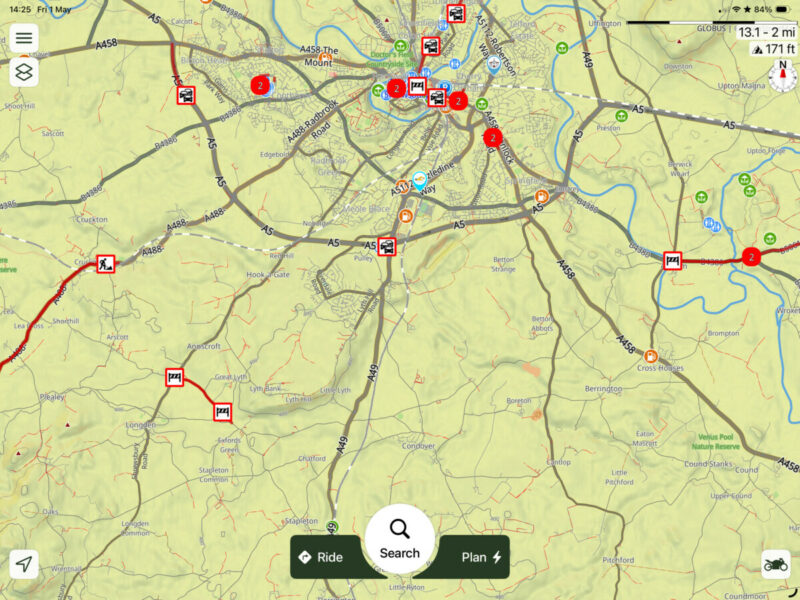
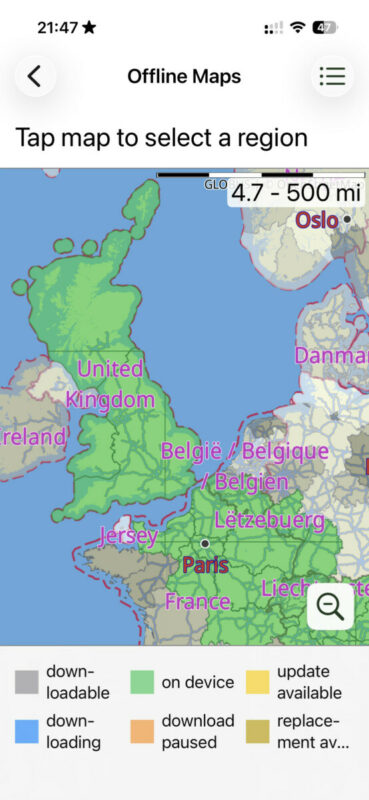
Quote from johnsondvr on 01.05.2026, 06:40@guidomm Sorry but another one with Residential. Again, if I scroll to France, the shading is shown but not in the UK:
@guidomm Sorry but another one with Residential. Again, if I scroll to France, the shading is shown but not in the UK:
Quote from Guido on 01.05.2026, 11:58The three layers require offline maps.
The three layers require offline maps.
Quote from johnsondvr on 01.05.2026, 14:48@guidomm Yes, they have been downloaded and updated for the last 2 months.
@guidomm Yes, they have been downloaded and updated for the last 2 months.
Quote from Guido on 01.05.2026, 15:15I think I misunderstood and wasn't looking right.
Are you referring to the hill shading layer? If so, I also see hill shading in the UK screenshot. (for example, there is a shadow a little bit to the right of the bottom left road closure).
Or are you referring to the forrest / green areas that you also mentioned above. If so, what version are you on? After I released version 4.35 I discovered another mistake. It's a layering issue. The overall land color had the same layer as green areas. So, sometimes the green areas where drawn on top making them visible, and other times they were drawn below the land color making them invisible. I think I fixed this in the latest beta version 4.36(3). If you are using custom map styles, you'll need to resave the custom map style (edit it and change something insignificant, and save it).
I think I misunderstood and wasn't looking right.
Are you referring to the hill shading layer? If so, I also see hill shading in the UK screenshot. (for example, there is a shadow a little bit to the right of the bottom left road closure).
Or are you referring to the forrest / green areas that you also mentioned above. If so, what version are you on? After I released version 4.35 I discovered another mistake. It's a layering issue. The overall land color had the same layer as green areas. So, sometimes the green areas where drawn on top making them visible, and other times they were drawn below the land color making them invisible. I think I fixed this in the latest beta version 4.36(3). If you are using custom map styles, you'll need to resave the custom map style (edit it and change something insignificant, and save it).
Quote from johnsondvr on 02.05.2026, 00:40@guidomm. My apologies if I was not clear but I was referring to the grey shading in the French picture that surrounds the towns and villages.
These shaded areas do not show on the UK map but if I scroll over to France, and wider, then they show. I am using V4.35 and I would be happy to test beta versions if you are content.
@guidomm. My apologies if I was not clear but I was referring to the grey shading in the French picture that surrounds the towns and villages.
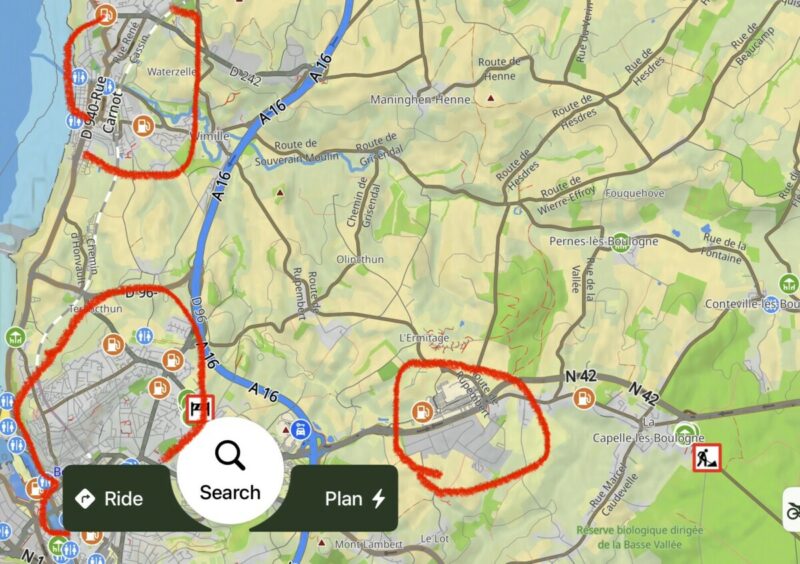
These shaded areas do not show on the UK map but if I scroll over to France, and wider, then they show. I am using V4.35 and I would be happy to test beta versions if you are content.
Quote from johnsondvr on 02.05.2026, 11:56Installed Beta 4.36 (2) and the layers problem appears to be sorted. Good job.
[caption id="attachment_10440" align="alignnone" width="369"]
Layer areas for forest and residential now showing correctly[/caption]
And also the reservoirs/lakes.
[spoiler title=""][/spoiler][caption id="attachment_10441" align="alignnone" width="369"]
Lakes and Teservoirs showing at all magnifications.[/caption]
Installed Beta 4.36 (2) and the layers problem appears to be sorted. Good job.
[caption id="attachment_10440" align="alignnone" width="369"] Layer areas for forest and residential now showing correctly[/caption]
And also the reservoirs/lakes.
[caption id="attachment_10441" align="alignnone" width="369"] Lakes and Teservoirs showing at all magnifications.[/caption]


