Please or Register to create posts and topics.

Favorite routes not available when navigating

Hi,

today I recognized that my favorites are not available when navigating and trying to change to a new route.


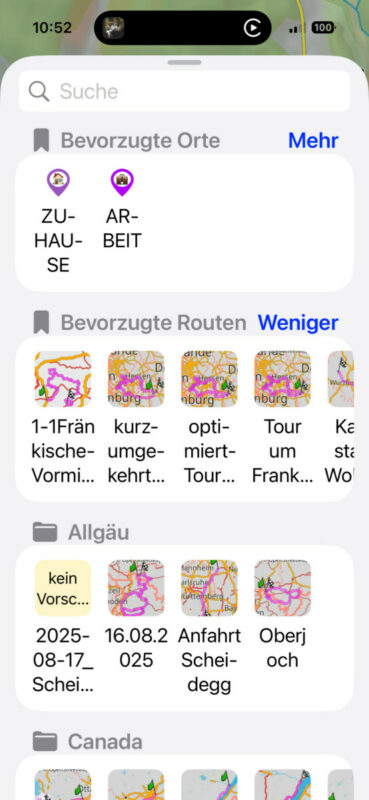
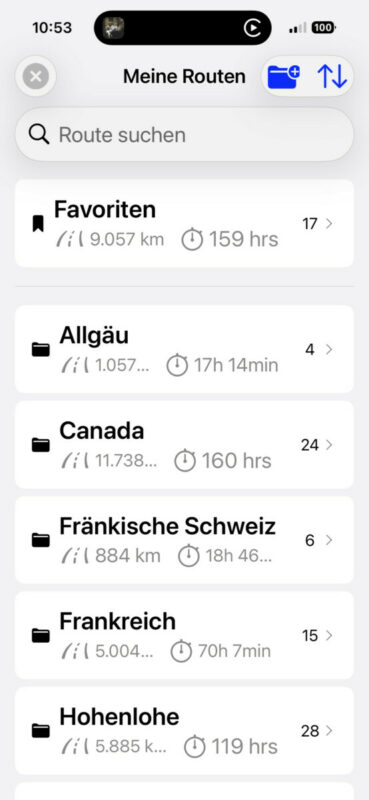
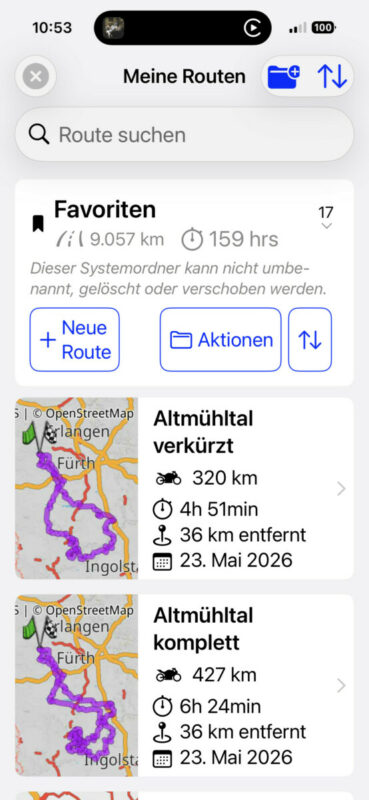
I started today and my route was saved under „favorites“, after just some kilometers I made a mistake because I changed the route direction and thought I know the way w/o navigation. I turned around but Scenic greyed out the route already. No problem, lets activate the route again was my first thought, however the menue does show only my „preferred routes“ but not my favorites. I had to cancel everything to start my route. Why are the favourites not available?


Regards

Thomas


That’s a translation issue. The “bovorzugte routen” is your favorite folder. You can also start typing the name of the route and it will show up in the search results.

If you're enjoying Scenic and are happy with the support, please leave a nice rating in the App Store. It would mean a lot to me ❤️

Hi Guido,

unfortunately its not because the route which was in my favourites is not available in my preferred routes. I was expecting a translation issue but whatever it is the route is not in that folder.


Thomas

Hmmm. Strange. I will investigate tomorrow. Does the route show up when you search for it?

Middelfrangge has reacted to this post.
Middelfrangge
If you're enjoying Scenic and are happy with the support, please leave a nice rating in the App Store. It would mean a lot to me ❤️

you are right, typing does work, however since I use a BT controller like the motive monkey‘s or Barbuttons, I do not have a keyboard on my screen and scrolling is faster but that does not work because the routes are not in the folder


Thomas

It's a bug. Found the cause. Will be fixed in next version.

LaszloK and Middelfrangge have reacted to this post.
LaszloKMiddelfrangge
If you're enjoying Scenic and are happy with the support, please leave a nice rating in the App Store. It would mean a lot to me ❤️