
Enhance the display of unpaved roads in a route

Quote from Old Man Emu on 06.06.2025, 17:34Hi Guido, the display of unpaved segments is now very clear in ride planning mode but once the route is set the unpaved segment is very faint, like below from 16 to 20.
Generally I can remember these but if I load an old route or when I share a route with a friend it is not immediately obvious.
Can you make the dashes in the planned segment darker - black or brown like the unplanned display (below 20 for example).
Thanks for your continued efforts.
Hi Guido, the display of unpaved segments is now very clear in ride planning mode but once the route is set the unpaved segment is very faint, like below from 16 to 20.
Generally I can remember these but if I load an old route or when I share a route with a friend it is not immediately obvious.
Can you make the dashes in the planned segment darker - black or brown like the unplanned display (below 20 for example).
Thanks for your continued efforts.


Quote from pe112 on 07.06.2025, 02:11Hi „Old Man Emu“,
in driving mode the route line is overlayed over the map. So making the route line a litte more transparent may be of help to you. It can be set under Settings -> Appearance & Colors (or similar, I amusing German).
In planning mode:
Driving mode with 10% route line transparency:
Driving mode with 50% route line transparency:
Have great and safe trips, Martin
Hi „Old Man Emu“,
in driving mode the route line is overlayed over the map. So making the route line a litte more transparent may be of help to you. It can be set under Settings -> Appearance & Colors (or similar, I amusing German).
In planning mode:
Driving mode with 10% route line transparency:

Driving mode with 50% route line transparency:
Have great and safe trips, Martin
Quote from Old Man Emu on 07.06.2025, 16:52Thanks Martin, that works well. I’ve set it to 90% transparency.
Gary
Thanks Martin, that works well. I’ve set it to 90% transparency.
Gary

Quote from Guido on 08.06.2025, 08:02I'll also look into this. In Scenic 3 unpaved sections in the route were given a yellow/brown color. I'd like to do the same for Scenic 4. Will look into that.
I'll also look into this. In Scenic 3 unpaved sections in the route were given a yellow/brown color. I'd like to do the same for Scenic 4. Will look into that.
Quote from Old Man Emu on 29.04.2026, 19:14Hi all, I’m going to raise this again as it appears to have retrograded.
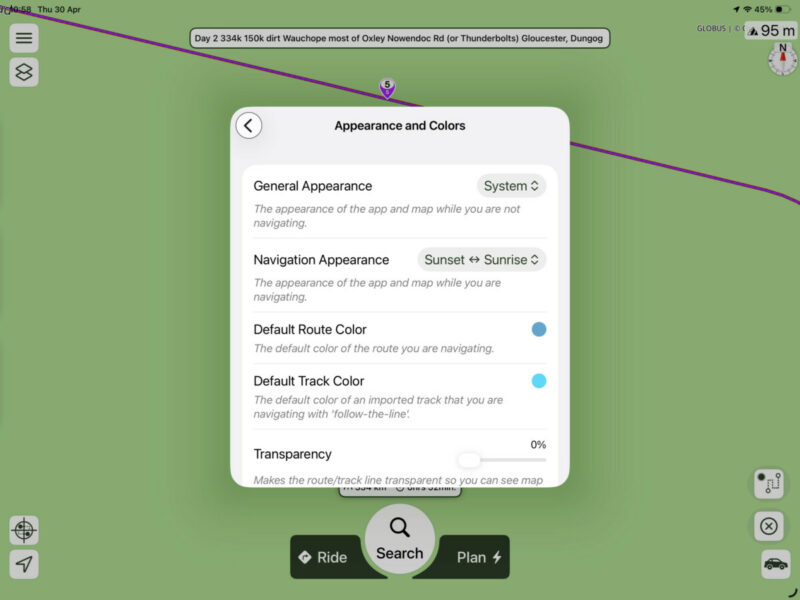
ive set transparency to 100 and to zero but I need to zoom right in to see the dirt.
in image one I cannot tell if that is dirt (it is)
But zoomed in it is good. Is this working in V4?
Hi all, I’m going to raise this again as it appears to have retrograded.
ive set transparency to 100 and to zero but I need to zoom right in to see the dirt.
in image one I cannot tell if that is dirt (it is)
But zoomed in it is good. Is this working in V4?
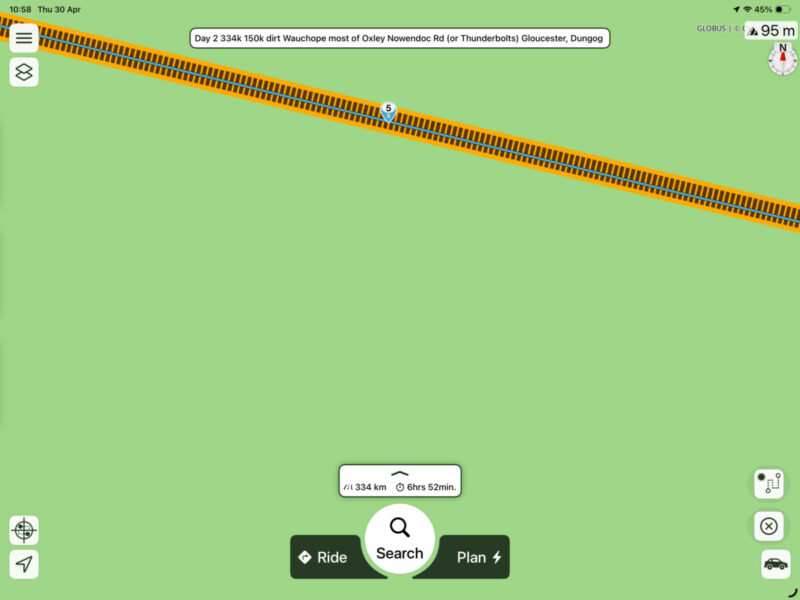
Quote from Guido on 29.04.2026, 19:18This is a more involved change. The route line is covering the roads on the map and so you can't distinguish paved and unpaved stretches. To solve this, I'll need to divide the route line itself into paved and unpaved stretches and give them each a different route-line color. I'll add it to the list.
This is a more involved change. The route line is covering the roads on the map and so you can't distinguish paved and unpaved stretches. To solve this, I'll need to divide the route line itself into paved and unpaved stretches and give them each a different route-line color. I'll add it to the list.
Quote from Old Man Emu on 29.04.2026, 19:58Could it just be the Zoom factor? When Zoomed in it is good.
Could it just be the Zoom factor? When Zoomed in it is good.

Quote from R1200CL on 10.05.2026, 13:03Quote from Guido on 29.04.2026, 19:18This is a more involved change. The route line is covering the roads on the map and so you can't distinguish paved and unpaved stretches. To solve this, I'll need to divide the route line itself into paved and unpaved stretches and give them each a different route-line color. I'll add it to the list.
Please tell us here when implemented. I think it’s a very useful option. May I add, if you could display the distance of unpaved. Or add a tool calculating distance between two or several waypoints.
Also is there a plan to show us same route based on what transportation mode is chosen? (assuming start and end and routing is done in Scenic).
I guess you will have to save both options as separate routs, and then have a function to open several routes. Not sure. The best would have cause to see both options during planning simultaneously with different colors.I also like to a function where you making a very long route, to have Scenic automatically split the route into “segments” based on your preferred driving distance pr day. I’ve got a 3500 km! route. Have noe idea how I can make this useful.😀
Probably someone like the opposite option to combine two routs into one as well……
Quote from Guido on 29.04.2026, 19:18This is a more involved change. The route line is covering the roads on the map and so you can't distinguish paved and unpaved stretches. To solve this, I'll need to divide the route line itself into paved and unpaved stretches and give them each a different route-line color. I'll add it to the list.
Please tell us here when implemented. I think it’s a very useful option. May I add, if you could display the distance of unpaved. Or add a tool calculating distance between two or several waypoints.
Also is there a plan to show us same route based on what transportation mode is chosen? (assuming start and end and routing is done in Scenic).
I guess you will have to save both options as separate routs, and then have a function to open several routes. Not sure. The best would have cause to see both options during planning simultaneously with different colors.
I also like to a function where you making a very long route, to have Scenic automatically split the route into “segments” based on your preferred driving distance pr day. I’ve got a 3500 km! route. Have noe idea how I can make this useful.😀
Probably someone like the opposite option to combine two routs into one as well……


