
Carplay dark symbols

Quote from Heindoof on 04.10.2026, 07:13
has anybody same problem with black symbols and black or dark direction arrows in navigation mode?
- has anybody same problem with black symbols and black or dark direction arrows in navigation mode?

Quote from Guido on 04.10.2026, 08:34You ate not the only one. Working on it. Will be fixed in next update. Is related to iOS27.
You ate not the only one. Working on it. Will be fixed in next update. Is related to iOS27.
Quote from Guido on 21.10.2026, 14:424.47 for iOS, with a fix for this, has just been released and is gradually being rolled out. You can force update through the App Store: https://apps.apple.com/app/id1089668246
4.47 for iOS, with a fix for this, has just been released and is gradually being rolled out. You can force update through the App Store: https://apps.apple.com/app/id1089668246
Quote from DarrenS on 01.11.2026, 08:46Hi Guido,
4.47 did fix the issue on IOS 27 / 27.1, but in 27.2 the issue seems have returned. I have black icons on black background again, as per Heindoof's screenshot. (iPhone 15 pro)
Hi Guido,
4.47 did fix the issue on IOS 27 / 27.1, but in 27.2 the issue seems have returned. I have black icons on black background again, as per Heindoof's screenshot. (iPhone 15 pro)
Quote from Guido on 10.11.2026, 09:17@Darrens, I tried with 4.48 which was released last week, on iOS27.2 and can not reproduce the issue. Tried in all possible CarPlay appearance settings. Could you double check this on your side and make sure you have 4.48? If it still occurs, with what CarPlay appearance settings is it happening?
@Darrens, I tried with 4.48 which was released last week, on iOS27.2 and can not reproduce the issue. Tried in all possible CarPlay appearance settings. Could you double check this on your side and make sure you have 4.48? If it still occurs, with what CarPlay appearance settings is it happening?
Quote from DarrenS on 13.11.2026, 08:59Hi @guidomm
Scenic 4.48 (as originally stated)
iPhone 15 Pro 27.2 (as previously stated) - also tested on 27.2.1 with same issue
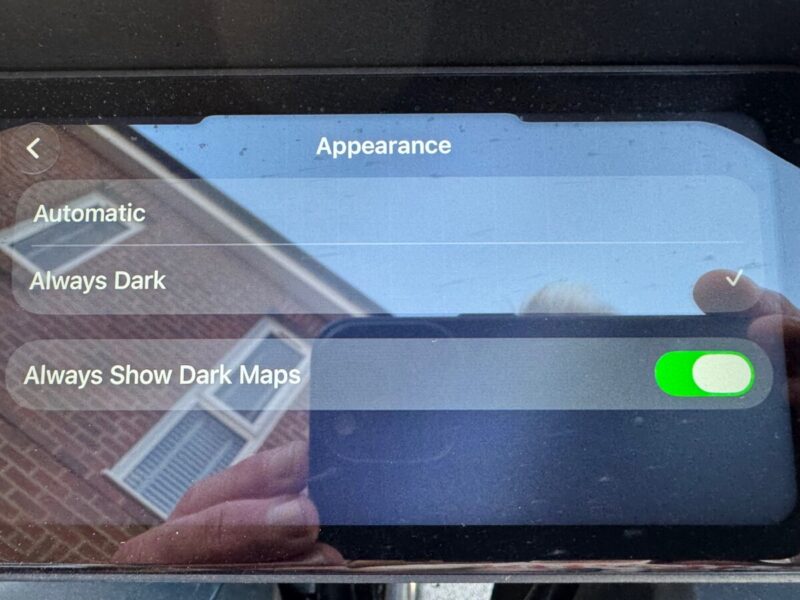
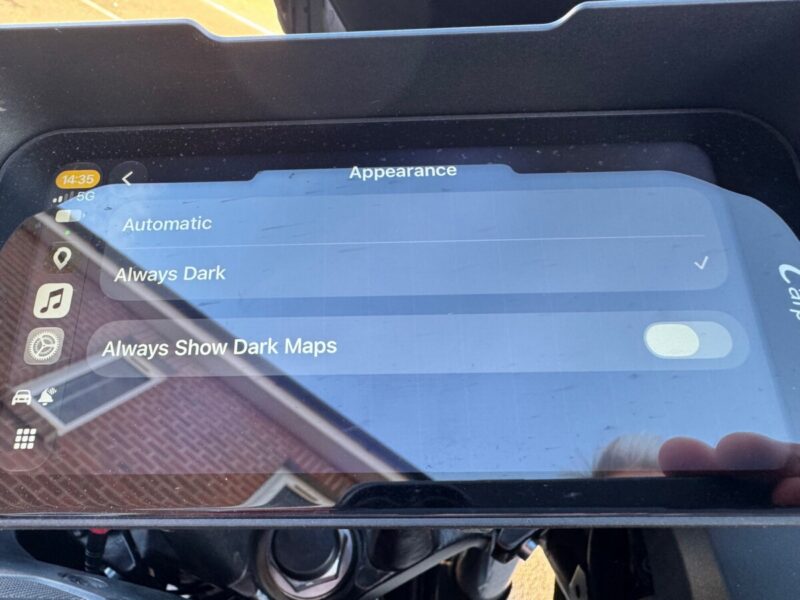
To replicate is quite simple. I car play there is an option in appearance for Automatic or Always Dark. I always run in always dark as I find day mode too distracting and hard to see.
On that same setting page there is another setting. 'Always Shows Dark Maps' - I ALWAYS have this setting OFF, and dark maps on a dark background does not work for my eyes. So this setting results in nice white background maps with dark CarPlay background. Used this setting since day one and it has never been a problem. - Note this option has been there since iOS 13.
Even now, Apple Maps, Google Maps, Waze, Organic Maps, all work perfectly in this mode.
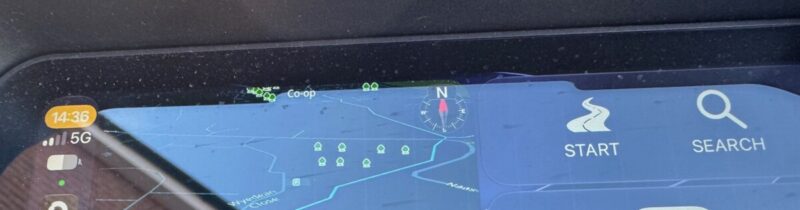
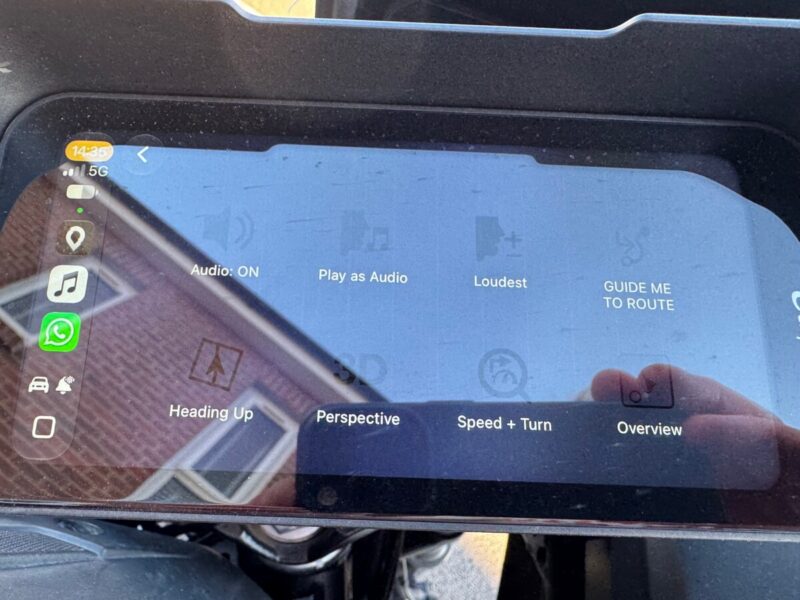
Scenic however, since the last IOS update (27.2) does not like this mode, and results in the back icons on black text. If I set maps to 'always dark' I a black backgrounded map that I cannot see, but proper icons.
Photos of modes attached

Hi @guidomm
Scenic 4.48 (as originally stated)
iPhone 15 Pro 27.2 (as previously stated) - also tested on 27.2.1 with same issue
To replicate is quite simple. I car play there is an option in appearance for Automatic or Always Dark. I always run in always dark as I find day mode too distracting and hard to see.
On that same setting page there is another setting. 'Always Shows Dark Maps' - I ALWAYS have this setting OFF, and dark maps on a dark background does not work for my eyes. So this setting results in nice white background maps with dark CarPlay background. Used this setting since day one and it has never been a problem. - Note this option has been there since iOS 13.
Even now, Apple Maps, Google Maps, Waze, Organic Maps, all work perfectly in this mode.
Scenic however, since the last IOS update (27.2) does not like this mode, and results in the back icons on black text. If I set maps to 'always dark' I a black backgrounded map that I cannot see, but proper icons.
Photos of modes attached

Quote from Guido on 13.11.2026, 09:43OK. Thanks Darren. Found it and will be fixed next update. Hopefully now Apple will keep this stable in iOS.
OK. Thanks Darren. Found it and will be fixed next update. Hopefully now Apple will keep this stable in iOS.


