
Viewing Recorded Rides on MacOS.

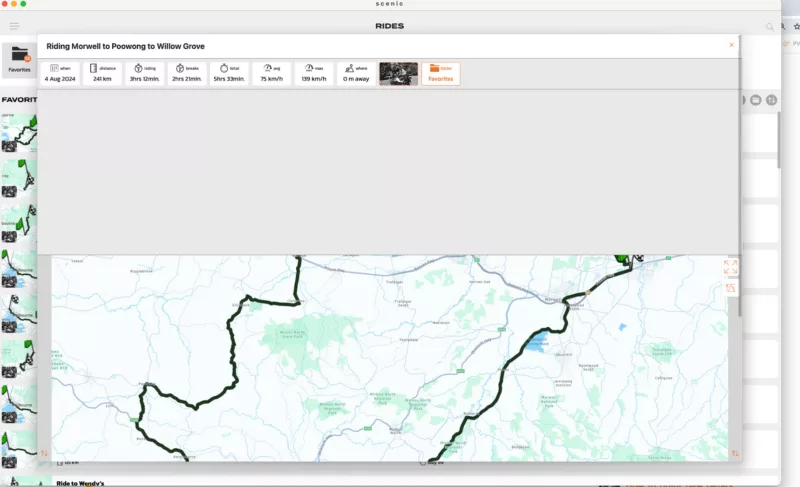
Quote from Marts on 04.08.2024, 18:19See attached screen shot. I'm viewing a ride from yesterday. The map itself is covered by a large blank grey area.
Just wondering why this is so big? Could it be made smaller so more of the map can be displayed?
Thanks.
Martin
See attached screen shot. I'm viewing a ride from yesterday. The map itself is covered by a large blank grey area.
Just wondering why this is so big? Could it be made smaller so more of the map can be displayed?
Thanks.
Martin

Quote from johansw on 05.08.2024, 00:41I have never seen that one and I use MacBook Air (Monterey 12.4) all the time for 2 years now.
Could it be your OS version or OS setings?
I have never seen that one and I use MacBook Air (Monterey 12.4) all the time for 2 years now.
Could it be your OS version or OS setings?
Quote from Marts on 05.08.2024, 03:02Quote from johansw on 05.08.2024, 00:41
Could it be your OS version or OS setings?
Such as?
And I'm running Sonoma 14.5.
Quote from johansw on 05.08.2024, 00:41
Could it be your OS version or OS setings?
Such as?
And I'm running Sonoma 14.5.
Quote from johansw on 05.08.2024, 06:20I have not spesific notion other than settings or OS. And only because, having been on Scenic on Mac extremely often and the Scenic OS is the same for both of us, had never experienced the same.
Johan
I have not spesific notion other than settings or OS. And only because, having been on Scenic on Mac extremely often and the Scenic OS is the same for both of us, had never experienced the same.
Johan

Quote from Guido on 05.08.2024, 08:58Hi Martz,
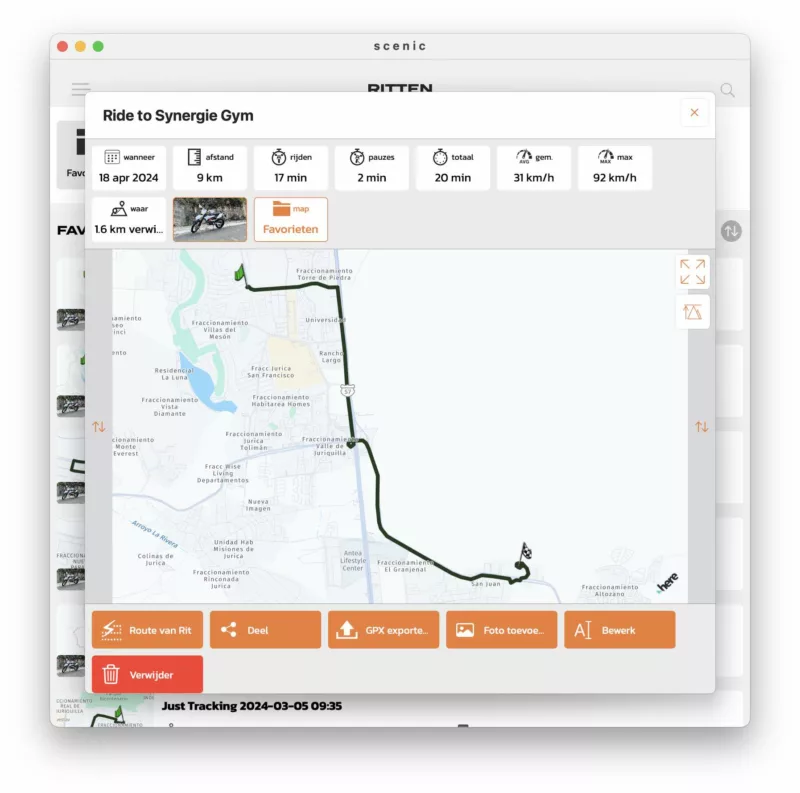
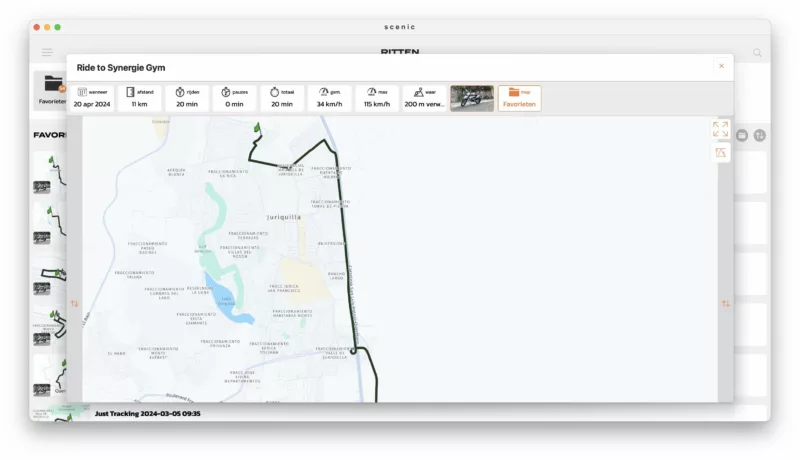
I just tried myself, and can't reproduce it either. See screenshots. Some things you can try:
- Try changing the window size of Scenic to see if that changes anything (not in my two screenshots, if the window is not as wide, the info row above the map takes the space of 2 rows)
- Check if there might be an accessibility setting that could cause this? (Do you remember changing an accessibility setting in MacOS System Settings > Accessibility)? Specifically the settings in the "vision" section of accessibility. Maby font size?
- Check your display resolution. Are you using an external display? How does it look on the macbook display (that is... if you have a MacBook)? Try setting resolution to the native resolution of the external display (if applicable).Best regards,
Guido
Hi Martz,
I just tried myself, and can't reproduce it either. See screenshots. Some things you can try:
- Try changing the window size of Scenic to see if that changes anything (not in my two screenshots, if the window is not as wide, the info row above the map takes the space of 2 rows)
- Check if there might be an accessibility setting that could cause this? (Do you remember changing an accessibility setting in MacOS System Settings > Accessibility)? Specifically the settings in the "vision" section of accessibility. Maby font size?
- Check your display resolution. Are you using an external display? How does it look on the macbook display (that is... if you have a MacBook)? Try setting resolution to the native resolution of the external display (if applicable).
Best regards,
Guido
Quote from Marts on 05.08.2024, 17:11Quote from Guido on 05.08.2024, 08:58Hi Martz,
I just tried myself, and can't reproduce it either. See screenshots. Some things you can try:
Thanks Guido.
I'm using a 33" widescreen monitor on the Mac Mini M2 Pro. It's currently set to 2560x1080. Native res is 3440x1440.
I'll reset it to that and see how it looks.
Quote from Guido on 05.08.2024, 08:58Hi Martz,
I just tried myself, and can't reproduce it either. See screenshots. Some things you can try:
Thanks Guido.
I'm using a 33" widescreen monitor on the Mac Mini M2 Pro. It's currently set to 2560x1080. Native res is 3440x1440.
I'll reset it to that and see how it looks.
Quote from Marts on 05.08.2024, 17:18I've just fired up Scenic (after it updated just now).
I loaded the ride in question and it displayed normally.
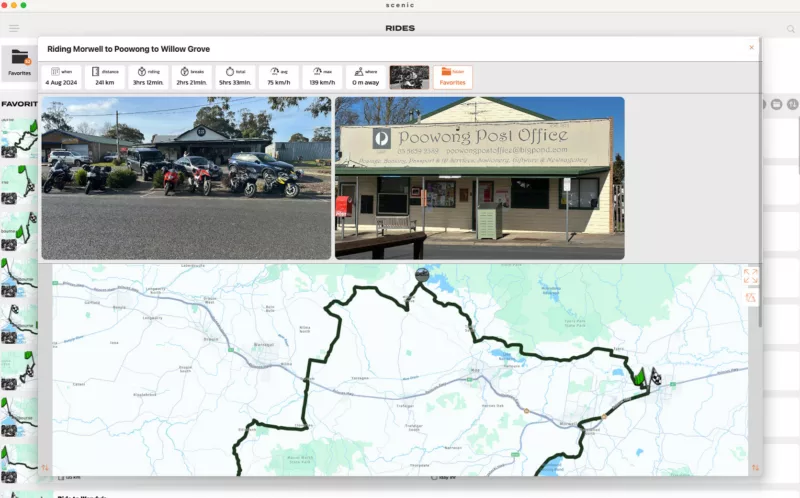
That is, that large grey area is now occupied by two images that I inserted into the ride entry from my iPhone.
I think what happened is that while the ride itself updated the images weren't being displayed. They now are.
I had a look at other rides which don't have images and they display normally.
Here's a screen shot of the "updated" ride:
Anyway, thanks for your help. It's appreciated. And sorry for the false alarm.
I've just fired up Scenic (after it updated just now).
I loaded the ride in question and it displayed normally.
That is, that large grey area is now occupied by two images that I inserted into the ride entry from my iPhone.
I think what happened is that while the ride itself updated the images weren't being displayed. They now are.
I had a look at other rides which don't have images and they display normally.
Here's a screen shot of the "updated" ride:
Anyway, thanks for your help. It's appreciated. And sorry for the false alarm.


