Please or Register to create posts and topics.

Unable to save new route in Scenic 4

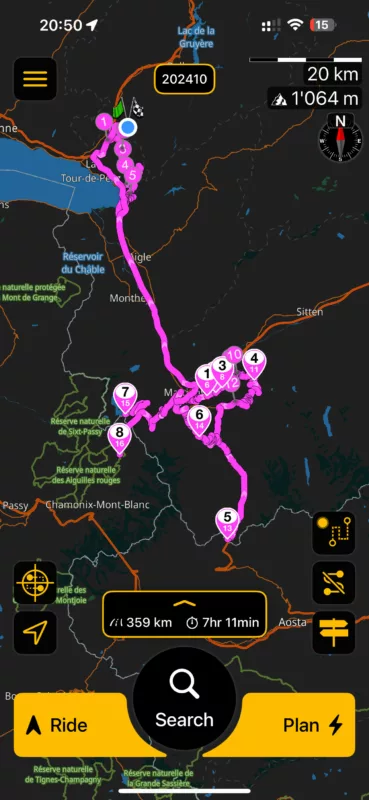
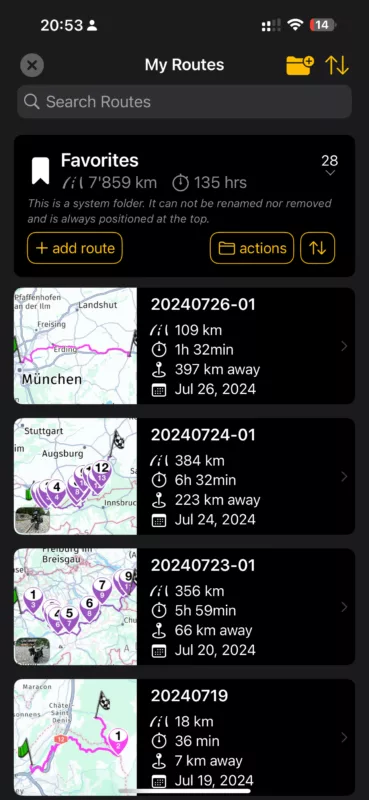
I’ve created a new route (started with Plan from the main screen, saved it using the floppy icon and selected Favorites as the folder. Name appears in a label on top of the screen  (1st screenshot) but when I go to the My Routes list, it’s not there (2nd screenshot, newest on top)

That's weird. You didn't accidentally save in another folder?

If you're enjoying Scenic and are happy with the support, please leave a nice rating in the App Store. It would mean a lot to me ❤️

It also seems that the route “sticks” to the screen until I explicitly “clear” it with the new button on the right side. Navigation via My Routes  - Add route or selecting another route does not seem to work while the route sticks to the screen.

No it’s not in any folder

Quote from TigerOnTour on 01.10.2024, 13:13

It also seems that the route “sticks” to the screen until I explicitly “clear” it with the new button on the right side. Navigation via My Routes  - Add route or selecting another route does not seem to work while the route sticks to the screen.

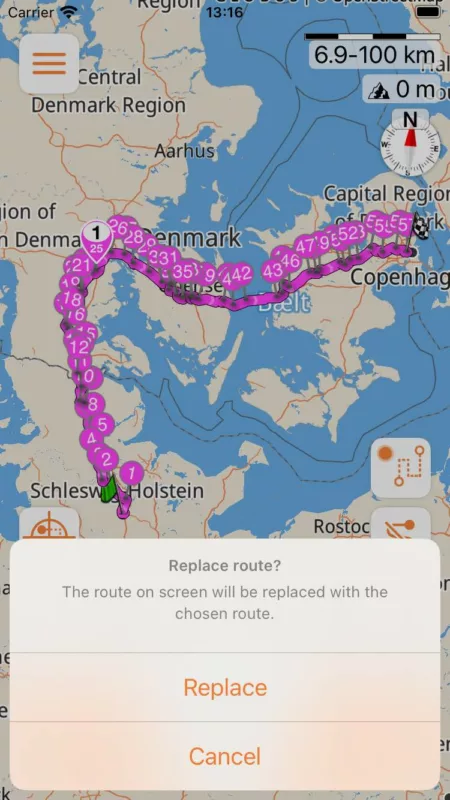
Selecting another route should ask you if you want to replace the route on screen.

If you're enjoying Scenic and are happy with the support, please leave a nice rating in the App Store. It would mean a lot to me ❤️

Same problem if I start planning the Route from My Routes list/ Add route, saving seems to be successful, but not visible in any Folder.

Quote from TigerOnTour on 01.10.2024, 13:14

No it’s not in any folder

I'll look into it.

TigerOnTour has reacted to this post.
TigerOnTour
If you're enjoying Scenic and are happy with the support, please leave a nice rating in the App Store. It would mean a lot to me ❤️

Selecting another route does indeed ask to replace it, so that part is working, just creating and saving new routes does not work.

Creating a new route on Scenic 3 on my iPad is still working and also synching to my iPhone with Scenic 4.

greg2112 has reacted to this post.
greg2112

I deleted/reinstalled the app - but the problem persists.
However, it looks like the Problem is limited to my Favourites folder, I can create and save new routes in other folders - so far without issues.

I have the same problems. But wenn I save the same Route again with another Name like V 2 (Version 2), both Routrs are suddenly in the favorite holder.

Ok. Thanks for the additional info. Will investigate and fix for next version.


If you're enjoying Scenic and are happy with the support, please leave a nice rating in the App Store. It would mean a lot to me ❤️

Can't reproduce. Maybe I already fixed by fixing something else.
Could you try doing a "pull-to-refesh" when you don't see the route immediately?

If you're enjoying Scenic and are happy with the support, please leave a nice rating in the App Store. It would mean a lot to me ❤️

Does it show after doing a "pull-to-refresh" in the route list?


If you're enjoying Scenic and are happy with the support, please leave a nice rating in the App Store. It would mean a lot to me ❤️

The problem appears to be intermittent.

I encountered the same issue. When I try to save a route to a specific folder by clicking the Floppy Disk icon, I receive a confirmation message saying the route has been saved. However, the saved route does not appear in the designated folder. Interestingly, when I search for the route by its name using the Search bar, it shows up in the results, but it still does not display within the folder where I attempted to save it.

But when I tried to save a new route plan second time, the problem disappears. I will continue checking the issue and keep you posted.

Yes it‘s like at pull of refresh.

Quote from teflon08 on 03.10.2024, 10:23

Yes it‘s like at pull of refresh.

So... the route appears after a pull-to-refresh?

If you're enjoying Scenic and are happy with the support, please leave a nice rating in the App Store. It would mean a lot to me ❤️