
Text color issues

Quote from Infos on 10.02.2024, 06:07Hi Guido,
On iPhone with dark color modality, I noticed some minor issues with text colors.
I did flipped the main App color to yellow, then to another color, then to yellow.
The App is set to follow the iPhone general color settings.
In the first image there is a destination, but the text color is also black.
Strangely this is not systematic.
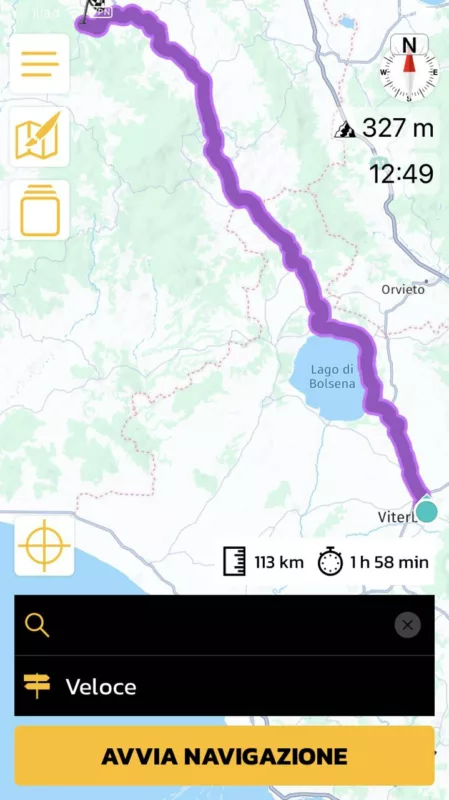
You can also see the "Mappa" text is white. But not always. The profile pic is also in a white color.
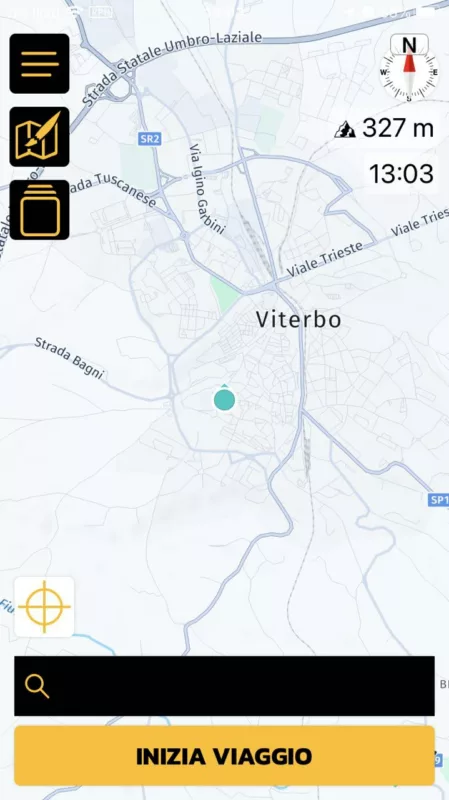
Also, when opening the App, all 3 icons on the left are in correct color, but once you start clicking on them they will change to black and stay black.
Thanks.
Hi Guido,
On iPhone with dark color modality, I noticed some minor issues with text colors.
I did flipped the main App color to yellow, then to another color, then to yellow.
The App is set to follow the iPhone general color settings.
In the first image there is a destination, but the text color is also black.
Strangely this is not systematic.
You can also see the "Mappa" text is white. But not always. The profile pic is also in a white color.

Also, when opening the App, all 3 icons on the left are in correct color, but once you start clicking on them they will change to black and stay black.


Thanks.

Quote from Guido on 10.02.2024, 08:46Yes. There is a problem with v3.52. When the device is in dark mode when Scenic starts, the colors seem to be "mixed up". I'm investigating and will bring out an update next week.
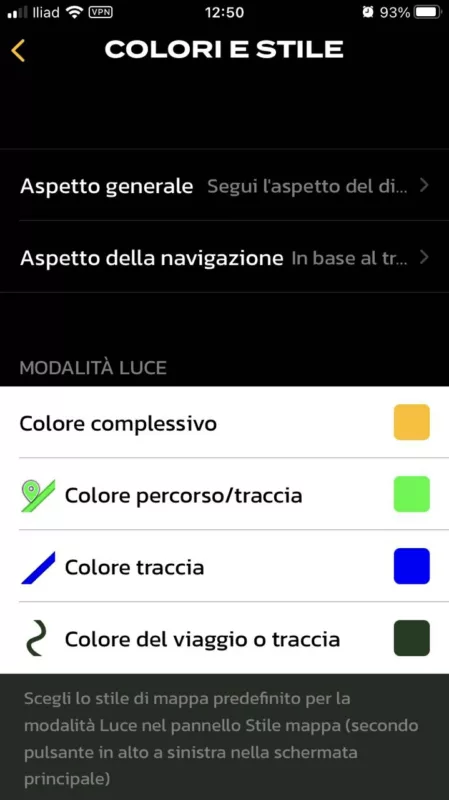
The screen below is "as-designed", because I wanted to show white rows for light mode settings, so you can see better what the colors would look like on a white background, even if the device is in dark mode.
Yes. There is a problem with v3.52. When the device is in dark mode when Scenic starts, the colors seem to be "mixed up". I'm investigating and will bring out an update next week.
The screen below is "as-designed", because I wanted to show white rows for light mode settings, so you can see better what the colors would look like on a white background, even if the device is in dark mode.


