
Strange border's colors

Quote from ogekuri on 12.03.2024, 05:44I've recently start to plan the vacation in Slovenia.
As usual, I'm using Scenic to plan every trip using my personalized color map.
I've discover that with my setup (country borders white) inside the Slovakia are printed also the region borders on same colors.
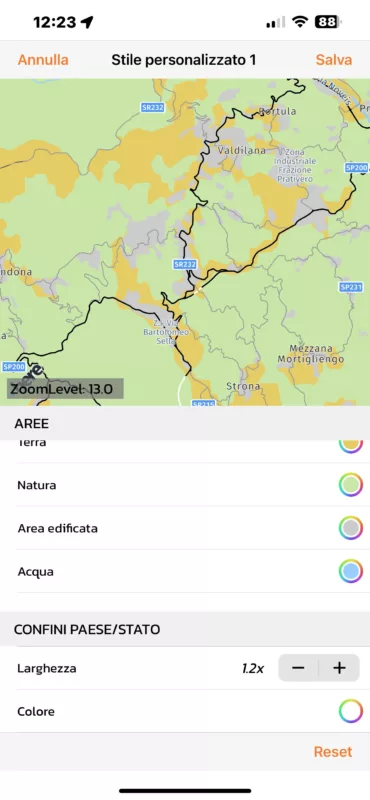
This make the map unreadable so I'm starting search a new color.
With yellow the region borders disappers. Strange...

Incredibly, if I select a light yellow the country border are printed in yellow and the regions borders in green.
That's is perfect fine for me.
But, .. it's a feature or a bug?
There is a rule to choice the border color that will print the region color differently?
Why do not support to select both color independently?
Many thanks for your support.
--
Ciao,
Francesco.
I've recently start to plan the vacation in Slovenia.
As usual, I'm using Scenic to plan every trip using my personalized color map.
I've discover that with my setup (country borders white) inside the Slovakia are printed also the region borders on same colors.
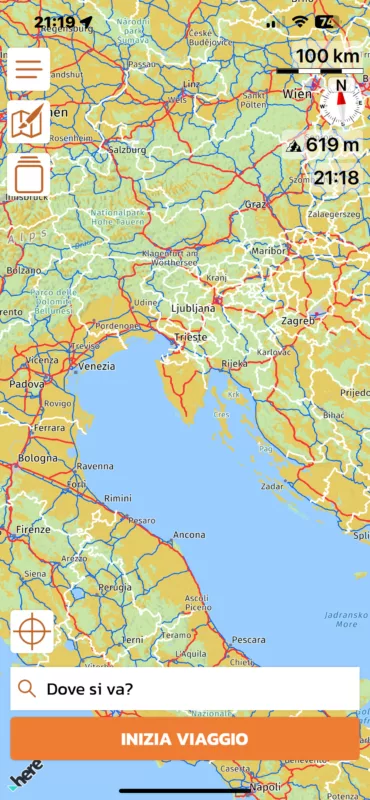
This make the map unreadable so I'm starting search a new color.
With yellow the region borders disappers. Strange...
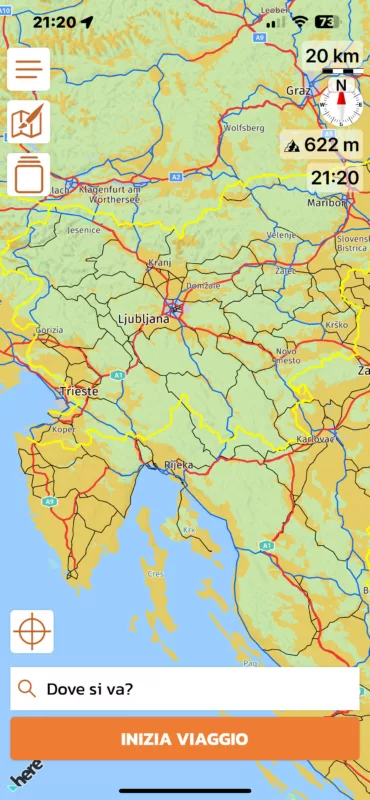
Incredibly, if I select a light yellow the country border are printed in yellow and the regions borders in green.
That's is perfect fine for me.
But, .. it's a feature or a bug?
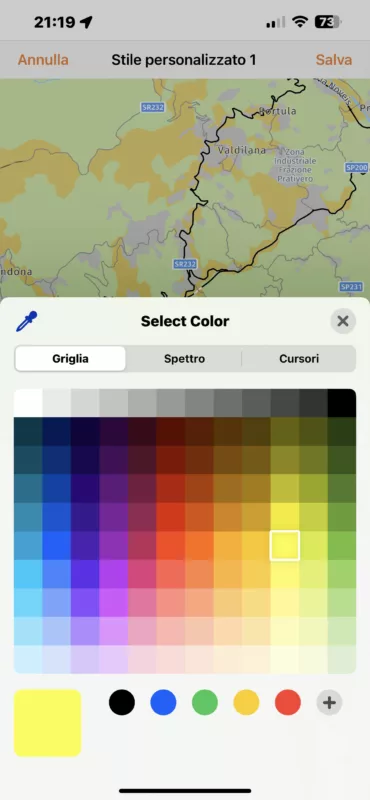
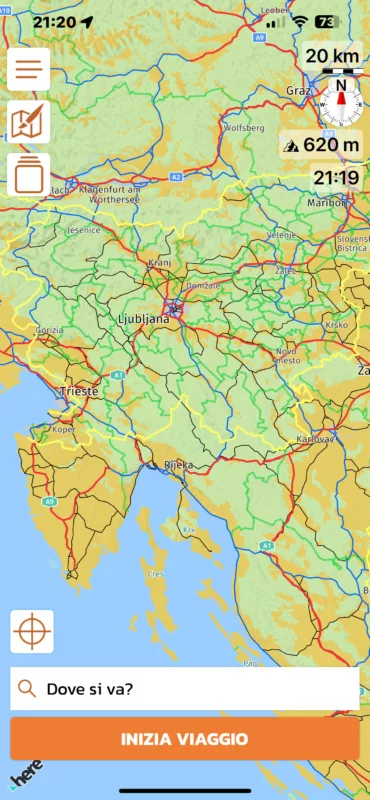
There is a rule to choice the border color that will print the region color differently?
Why do not support to select both color independently?
Many thanks for your support.
--
Ciao,
Francesco.

Quote from Guido on 12.03.2024, 09:45This is definitely a bug. I'll investigate for the next update.
Also, keep in mind that region borders will only show if you zoom in enough. That might explain why you did not see the region borders when you changed to yellow (#FDFB00).
This is definitely a bug. I'll investigate for the next update.
Also, keep in mind that region borders will only show if you zoom in enough. That might explain why you did not see the region borders when you changed to yellow (#FDFB00).
Quote from ogekuri on 12.03.2024, 09:52Quote from Guido on 12.03.2024, 09:45This is definitely a bug. I'll investigate for the next update.
Also, keep in mind that region borders will only show if you zoom in enough. That might explain why you did not see the region borders when you changed to yellow (#FDFB00).
Sure, yellow and light yellow are taken at same zoom level.
Anyway, it's more effective to have two colors also if it's a bug 😉
Quote from Guido on 12.03.2024, 09:45This is definitely a bug. I'll investigate for the next update.
Also, keep in mind that region borders will only show if you zoom in enough. That might explain why you did not see the region borders when you changed to yellow (#FDFB00).
Sure, yellow and light yellow are taken at same zoom level.
Anyway, it's more effective to have two colors also if it's a bug 😉
Quote from Guido on 12.03.2024, 09:54That it's showing green and light yellow is a bug. But adding customization seperately for country borders and region borders is a feature request. In any case, while I'm working on the bug, it's relatelive easy to add the option for region borders I think. I'll take a look at it.
Thank you.
That it's showing green and light yellow is a bug. But adding customization seperately for country borders and region borders is a feature request. In any case, while I'm working on the bug, it's relatelive easy to add the option for region borders I think. I'll take a look at it.
Thank you.


