
search doesn’t show towns

Quote from HighPeakRider on 21.02.2026, 13:13so if i use google maps with just a town name it gives me the town name as the top option, Scenic is giving me a whole list, not including the town plus a number of duplicates.
so if i use google maps with just a town name it gives me the town name as the top option, Scenic is giving me a whole list, not including the town plus a number of duplicates.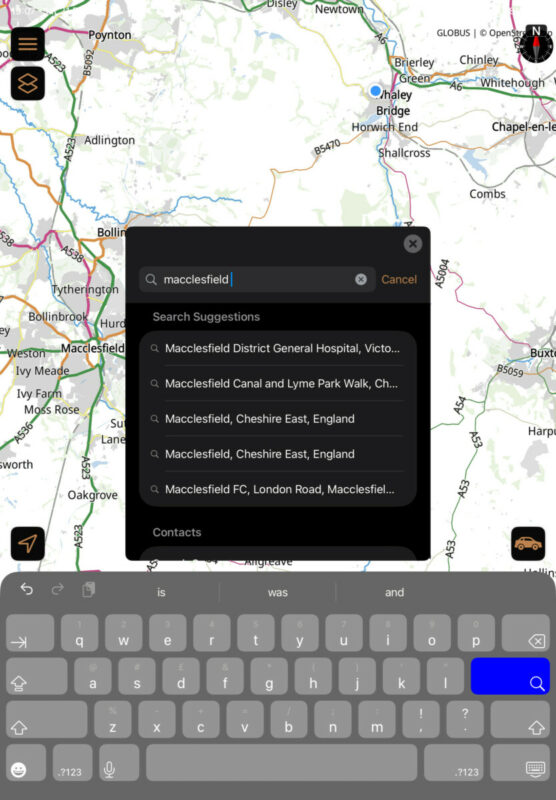

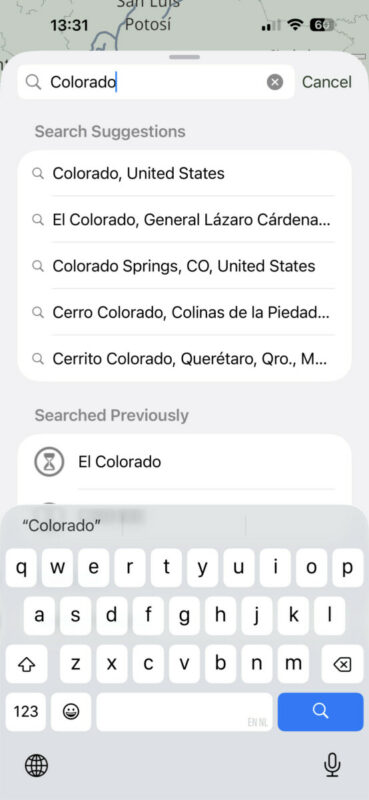
Quote from Guido on 21.02.2026, 13:33The top 5 are search suggestions. If you select one of those it will search with that entire text. But, if you just press the search button in the keyboard, it will search with the text you entered.
If I try it here it is showing towns, so it’s not always like this. These search suggestions are provided by Apple Mals, and is a bit of a “black box”.
The top 5 are search suggestions. If you select one of those it will search with that entire text. But, if you just press the search button in the keyboard, it will search with the text you entered.
If I try it here it is showing towns, so it’s not always like this. These search suggestions are provided by Apple Mals, and is a bit of a “black box”.
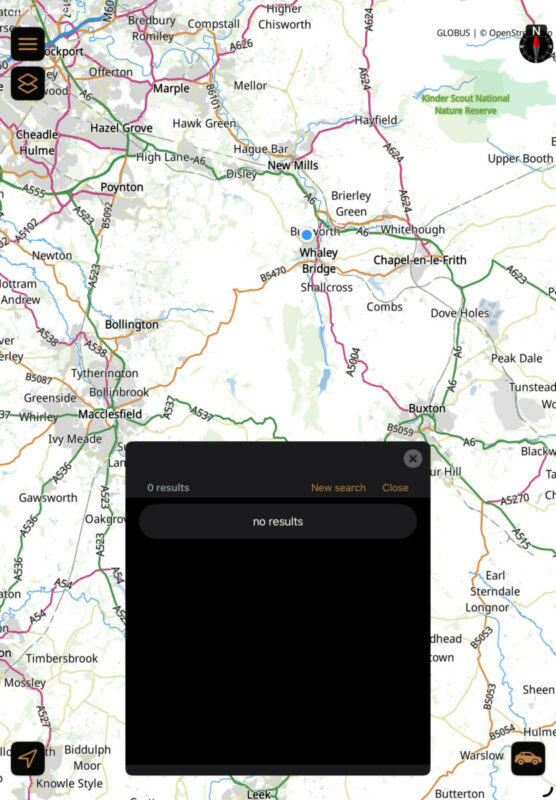
Quote from HighPeakRider on 21.02.2026, 14:26Even if i select Macclesfield, England it just produces a list of unrelated places, many of which just say “No Name”, if you try the google search it returns nothing.
Even if i select Macclesfield, England it just produces a list of unrelated places, many of which just say “No Name”, if you try the google search it returns nothing.
Quote from Guido on 21.02.2026, 15:02I'll need to investigate.
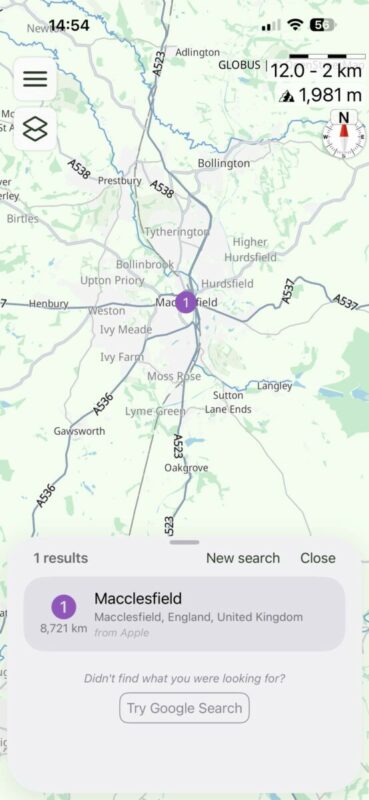
If you scroll down... do you see any Apple results? They might be better compared to offline search results.
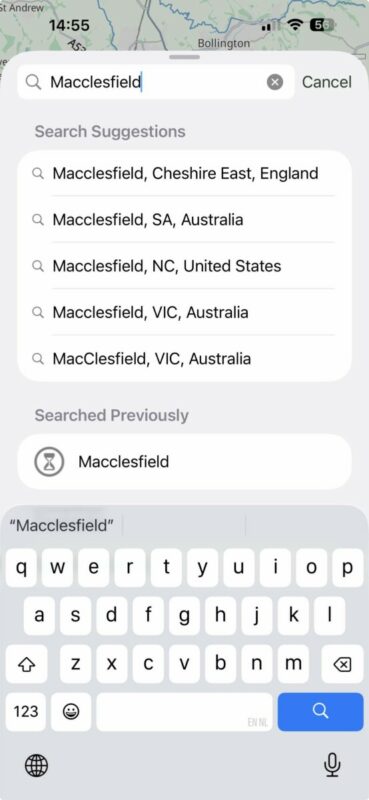
I am (see below), but my results might be different because I'm not where you are... (search uses your current location as location bias).
I'll need to investigate.
If you scroll down... do you see any Apple results? They might be better compared to offline search results.
I am (see below), but my results might be different because I'm not where you are... (search uses your current location as location bias).
Quote from Dae on 21.02.2026, 15:19@guidomm
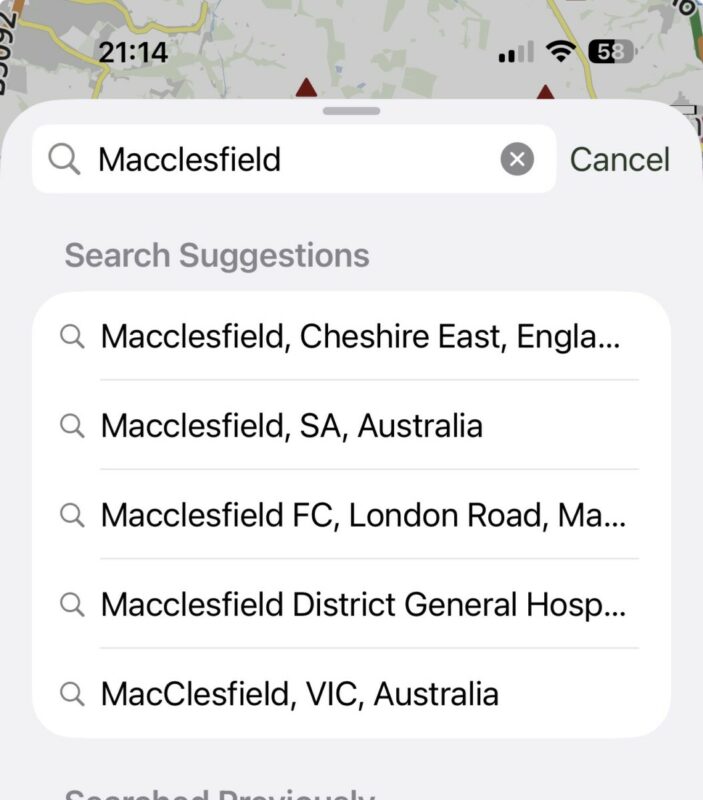
I’m in the UK. If I type in Macclesfield and pause I get the same results as you:
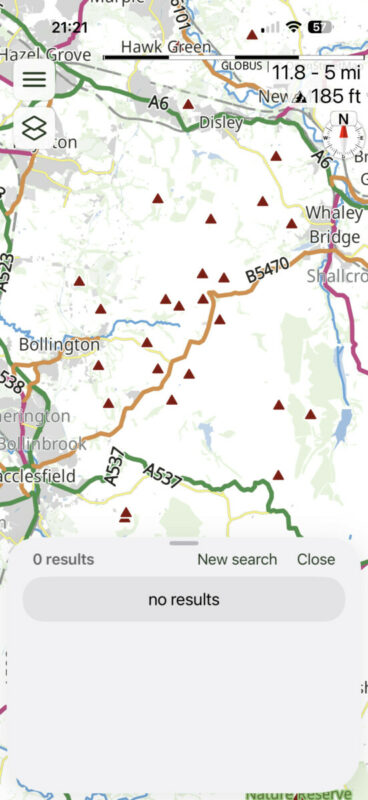
However, if I click on “Macclesfield, Cheshire…” I don’t get the same results as you (I’ve circled Macclesfield in red)
If I click on “use Google results” I get nothing (no option for Apple results):
I’m in the UK. If I type in Macclesfield and pause I get the same results as you:
However, if I click on “Macclesfield, Cheshire…” I don’t get the same results as you (I’ve circled Macclesfield in red)
If I click on “use Google results” I get nothing (no option for Apple results):
Quote from Guido on 21.02.2026, 15:25I don't have the UK offline map installed. That's the difference.
When you do an actual search (not the search suggestions), Scenic searches offline maps and uses Apple search. It will combine all results, deduplicate them, and show the 20 closest ones. I think that's the wrong approach. Apple search results are generally better (because indeed offline map search is a "wildcard" search, so you get many results with that string in the name). I'll change this for the next update, so that first 5 or so Apple search results are shown... followed by offline map results.
I don't have the UK offline map installed. That's the difference.
When you do an actual search (not the search suggestions), Scenic searches offline maps and uses Apple search. It will combine all results, deduplicate them, and show the 20 closest ones. I think that's the wrong approach. Apple search results are generally better (because indeed offline map search is a "wildcard" search, so you get many results with that string in the name). I'll change this for the next update, so that first 5 or so Apple search results are shown... followed by offline map results.
Quote from HighPeakRider on 22.02.2026, 03:48My list only shows offline maps, i don’t get any that show Apple as the source.
My list only shows offline maps, i don’t get any that show Apple as the source.
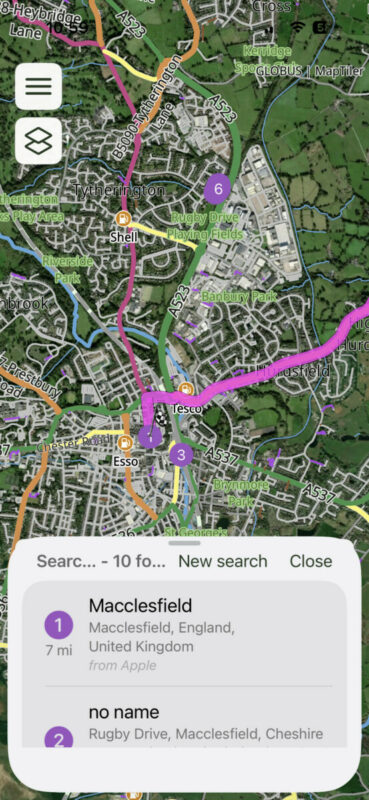
Quote from HighPeakRider on 22.02.2026, 05:04So iPad OS seems to search differently to IOS and provides Apple search.
IOS does give an option to travel direct to macclesfield, although the app still ignores roads that are closed.
Scenic on a Mac also provides a direct route using Apple to search.
So iPad OS seems to search differently to IOS and provides Apple search.
IOS does give an option to travel direct to macclesfield, although the app still ignores roads that are closed.
Scenic on a Mac also provides a direct route using Apple to search.
Quote from Guido on 22.02.2026, 06:46When you have offline maps installed, the offline map results push the Apple results off the lis (max 20 results are shown). I’ll change that for the next version to show Apple results first. And there is a bug for Google search which I will also fix.
When you have offline maps installed, the offline map results push the Apple results off the lis (max 20 results are shown). I’ll change that for the next version to show Apple results first. And there is a bug for Google search which I will also fix.


