
Scenic not following shaping points

Quote from evan3161 on 11.07.2022, 23:15I have done my detailed planning using Kurviger. I noticed when importing into Scenic the following troublesome phenomenon:
Where there is conditional access, such as a seasonal road closure as noted in OSM, (and displayed in Kurviger, but still routable) the route imported into Scenic will not follow any shaping or waypoints that are subject to the condition. This results in Scenic producing routes that can include very lengthy detours, particularly if there are few alternate roads. These particular conditions will not be applicable at the time of travel, nor are they valid at the time that I am doing the importing.
Is there a way I can fix this and get Scenic to ignore these apparent road discontinuities?
I have done my detailed planning using Kurviger. I noticed when importing into Scenic the following troublesome phenomenon:
Where there is conditional access, such as a seasonal road closure as noted in OSM, (and displayed in Kurviger, but still routable) the route imported into Scenic will not follow any shaping or waypoints that are subject to the condition. This results in Scenic producing routes that can include very lengthy detours, particularly if there are few alternate roads. These particular conditions will not be applicable at the time of travel, nor are they valid at the time that I am doing the importing.
Is there a way I can fix this and get Scenic to ignore these apparent road discontinuities?

Quote from Guido on 12.07.2022, 04:31Could you share the Kurviger URL of such a route so I can try myself and see exactly what’s happening? If you prefer you can send it over email. (Use the ‘email me’ button at the bottom of the ‘help’ page. )
Could you share the Kurviger URL of such a route so I can try myself and see exactly what’s happening? If you prefer you can send it over email. (Use the ‘email me’ button at the bottom of the ‘help’ page. )
Quote from Guido on 12.07.2022, 16:03Hi @evan3161,
This specific example is not due to a seasonal road closure, but because of a tunnel. I'm not sure why, but HERE maps (Scenic's map and routing algorithm provider) puts a very high penalty on using that tunnel between Sant' Antonio and Santa Caterina Valfurva. You can get around it by placing a via point ON the tunnel.
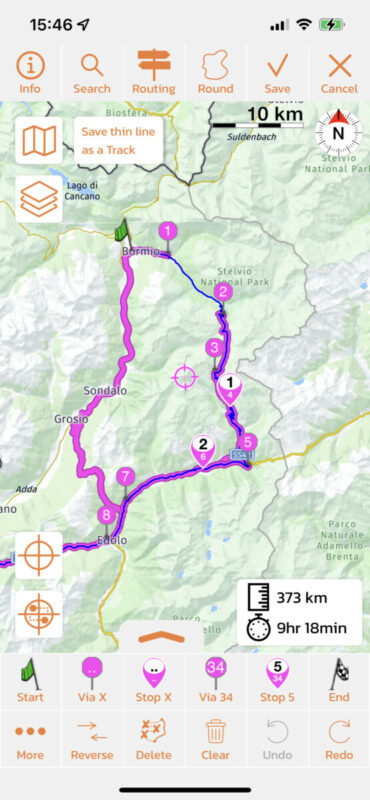
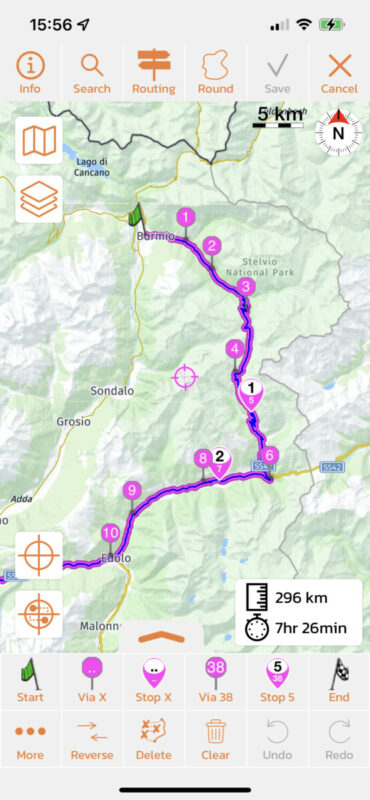
Next to that, there are a few smaller differences between the roads that Kurviger (blue route) and Scenic (magenta route) choose between the via points. This is an example, but there are more. I'll send you the complete cleaned up route through email.
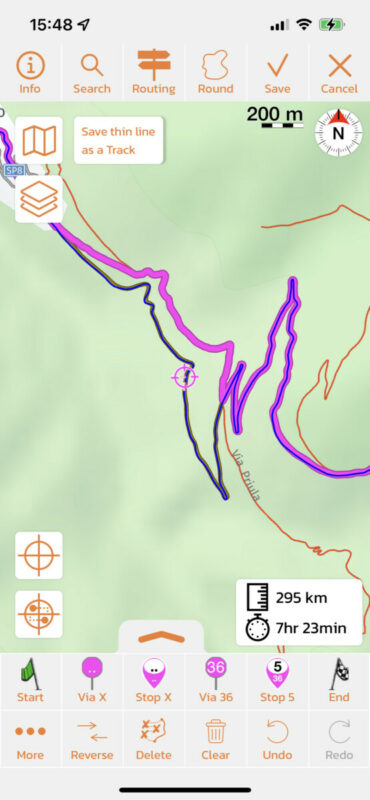
So, when importing, even from Kurviger, it's always important to check the route for these big, but also smaller differences. In most cases they can be corrected by adding/moving/deleting via points. Here's more info on that if you like: https://scenic.app/help/strange-loops-while-importing/
Hope this helps/explains. If not or if you have other questions please let me know. Happy to help.
Best regards and ride safe,
Guido.
Hi @evan3161,
This specific example is not due to a seasonal road closure, but because of a tunnel. I'm not sure why, but HERE maps (Scenic's map and routing algorithm provider) puts a very high penalty on using that tunnel between Sant' Antonio and Santa Caterina Valfurva. You can get around it by placing a via point ON the tunnel.
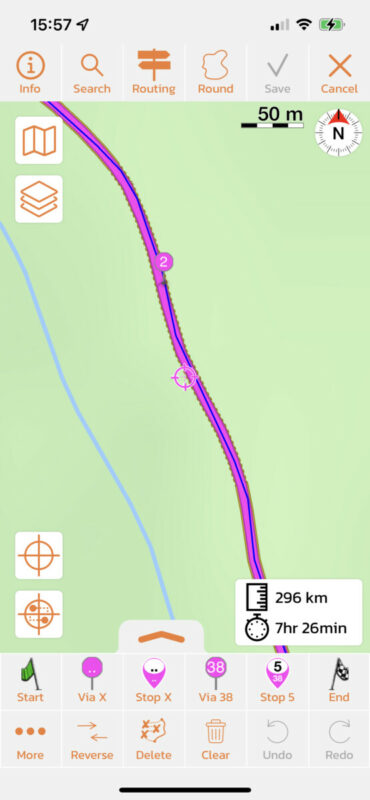
Next to that, there are a few smaller differences between the roads that Kurviger (blue route) and Scenic (magenta route) choose between the via points. This is an example, but there are more. I'll send you the complete cleaned up route through email.
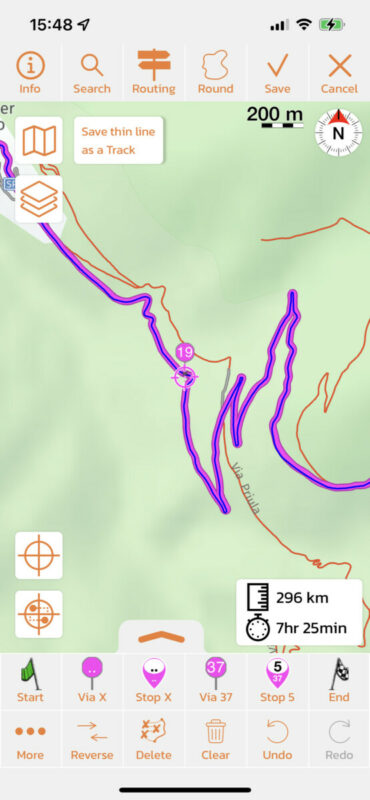
So, when importing, even from Kurviger, it's always important to check the route for these big, but also smaller differences. In most cases they can be corrected by adding/moving/deleting via points. Here's more info on that if you like: https://scenic.app/help/strange-loops-while-importing/
Hope this helps/explains. If not or if you have other questions please let me know. Happy to help.
Best regards and ride safe,
Guido.


