
Scenic iPad version on MacOS keep saying my email/password combination is incorrect after crash

Quote from Patrick V on 28.12.2024, 02:49I installed the Scenic app (The iPad version) on my MacBook which I've freshly re-installed.
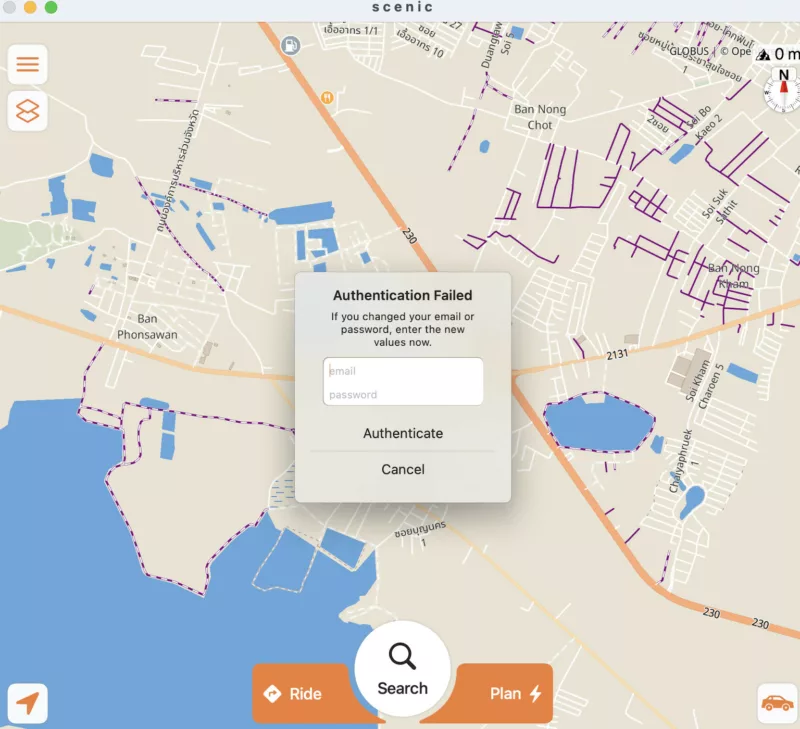
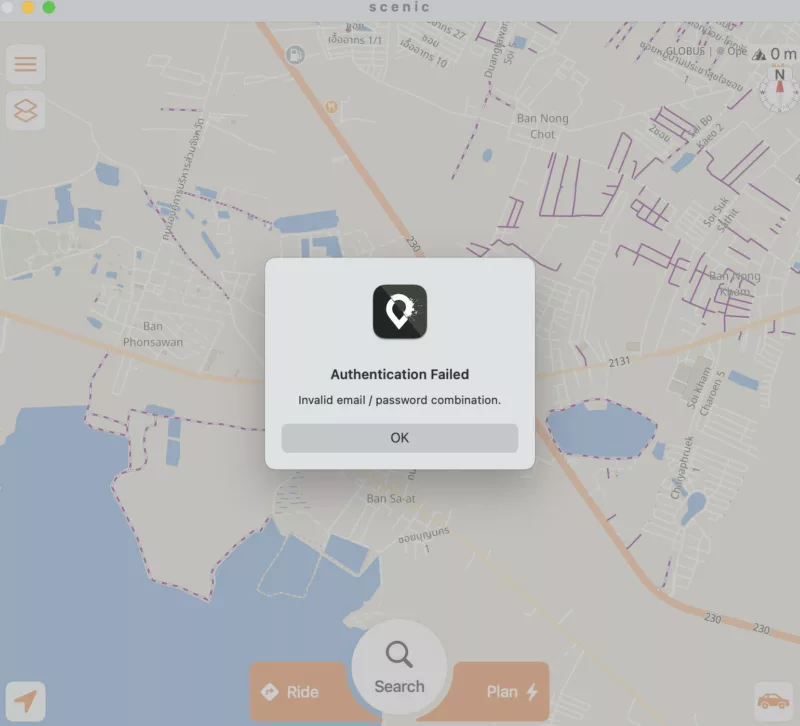
At first startup, it asked me to either register or log in, which I successfully did, so I'm 100% sure I'm using the correct email account and password. It then briefly flashed that it was downloading the base map, and then crashed. When I started it up again, I immediately got the "authentication failed" prompt (not the register/login screen) as on the attached screenshot, but when I enter the exact same email and password as before, I get a message saying that authentication failed and the email/password combination is incorrect. I'm 1000% sure that I am using the correct email and password.
After that authentication failed message, there's nothing I can do with the app except quit it. The app window appears but doesn't respond to clicks.
I've tried uninstalling the app and re-installing it, (both in the traditional way of dragging it to the bin, and a 2nd time using a "cleaner" app), but the result is always the same: that "authentication failed" screen comes up at first start after a fresh installation, so something must be staying behind when I remove the app.
Help! Now I can't use Scenic on my MacBook anymore. How can I make it start again like it did the first time (with the register/login screen)?
I installed the Scenic app (The iPad version) on my MacBook which I've freshly re-installed.
At first startup, it asked me to either register or log in, which I successfully did, so I'm 100% sure I'm using the correct email account and password. It then briefly flashed that it was downloading the base map, and then crashed. When I started it up again, I immediately got the "authentication failed" prompt (not the register/login screen) as on the attached screenshot, but when I enter the exact same email and password as before, I get a message saying that authentication failed and the email/password combination is incorrect. I'm 1000% sure that I am using the correct email and password.
After that authentication failed message, there's nothing I can do with the app except quit it. The app window appears but doesn't respond to clicks.
I've tried uninstalling the app and re-installing it, (both in the traditional way of dragging it to the bin, and a 2nd time using a "cleaner" app), but the result is always the same: that "authentication failed" screen comes up at first start after a fresh installation, so something must be staying behind when I remove the app.
Help! Now I can't use Scenic on my MacBook anymore. How can I make it start again like it did the first time (with the register/login screen)?

Quote from Guido on 28.12.2024, 08:15Hi Patrick,
Do you still have a working Scenic on your iOS device? If so, try resetting your password there (tap profile pic in side menu > scroll down to account actions sections > change password). And, after having gone through the reset process, try authenticating with that new password on your MacBook.
If that doesn't solve it for you, please send me a direct email (use the 'email me' button at the bottom of the help page), mentioning your Scenic nickname.
Sorry for this.
Cheers,
Guido
Hi Patrick,
Do you still have a working Scenic on your iOS device? If so, try resetting your password there (tap profile pic in side menu > scroll down to account actions sections > change password). And, after having gone through the reset process, try authenticating with that new password on your MacBook.
If that doesn't solve it for you, please send me a direct email (use the 'email me' button at the bottom of the help page), mentioning your Scenic nickname.
Sorry for this.
Cheers,
Guido


