
SCENIC 4.06 ISSUES

Quote from blackhawk1618 on 26.11.2024, 14:21Hello Guido,
After updating Scenic 4.06 I went for ride today and noticed a few issues. However, there are huge improvements to CarPlay from previous version, so thank you for your hard work.
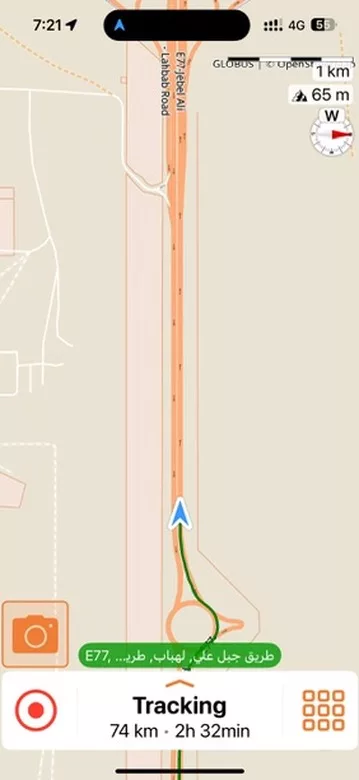
- When switching from CarPlay to the iPhone, the speedometer gets hidden behind the menu.
- When switching from CarPlay to the iPhone, the map is not centered and does not show the active route.
- I cleared the route on my iPhone while navigating, but when I switched back to CarPlay, the route navigation was still displayed. The iPhone, however, only continued recording.
- The "Skip Waypoint" option does not work via CarPlay, it only functions when you pass the waypoint.
- On CarPlay, the "Overview" option doesn’t show the full route map as it does on the iPhone. Instead, it provides a scrollable and zoomable view, which is not preferred.
- While recording the ride, I made an unplanned stop and turned off CarPlay. When I resumed the ride, the recording on CarPlay was stuck, but when I switch to iPhone it continued to display correctly.
Again Thank you for your efforts in improving Scenic!
Hello Guido,
After updating Scenic 4.06 I went for ride today and noticed a few issues. However, there are huge improvements to CarPlay from previous version, so thank you for your hard work.
- When switching from CarPlay to the iPhone, the speedometer gets hidden behind the menu.
- When switching from CarPlay to the iPhone, the map is not centered and does not show the active route.
- I cleared the route on my iPhone while navigating, but when I switched back to CarPlay, the route navigation was still displayed. The iPhone, however, only continued recording.
- The "Skip Waypoint" option does not work via CarPlay, it only functions when you pass the waypoint.
- On CarPlay, the "Overview" option doesn’t show the full route map as it does on the iPhone. Instead, it provides a scrollable and zoomable view, which is not preferred.
- While recording the ride, I made an unplanned stop and turned off CarPlay. When I resumed the ride, the recording on CarPlay was stuck, but when I switch to iPhone it continued to display correctly.
Again Thank you for your efforts in improving Scenic!
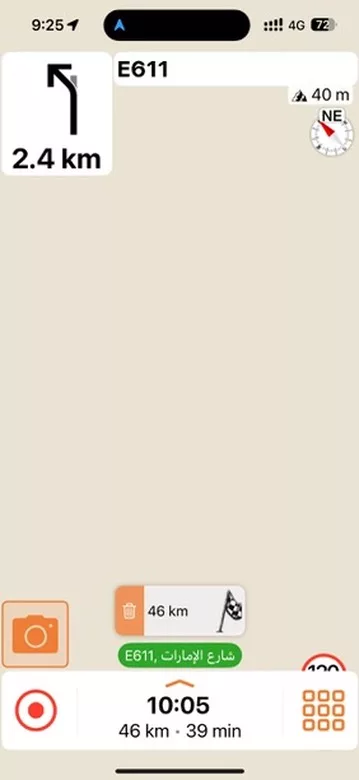
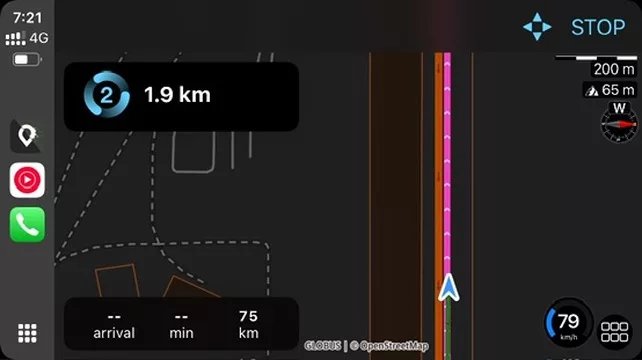

Quote from Guido on 27.11.2024, 11:06Thank you for the reports and the screenshots. I thought I adressed most of these, but apparently I need to have a deeper look. I'll investigate!. Thanks again
Thank you for the reports and the screenshots. I thought I adressed most of these, but apparently I need to have a deeper look. I'll investigate!. Thanks again


