
Scenic 3 Route Crash

Quote from fxstein on 31.10.2021, 09:24Hi!
First if all thanks to releasing Scenic 3!
Here is my first major issue:
Created a new route and along the way the routing algorithm got confused.
I entered a start, 7 stops and the end.
when selecting extra curvy the via points all came after the stops creating a weird double loop. Tried several times. Deleted all the vias then saved the route.Now any time I go to the routes screen Scenic crashes.
Deleted the app and reinstalled. Crashes again on the routes screen.
Hope you can help!
Hi!
First if all thanks to releasing Scenic 3!
Here is my first major issue:
Created a new route and along the way the routing algorithm got confused.
I entered a start, 7 stops and the end.
when selecting extra curvy the via points all came after the stops creating a weird double loop. Tried several times. Deleted all the vias then saved the route.
Now any time I go to the routes screen Scenic crashes.
Deleted the app and reinstalled. Crashes again on the routes screen.
Hope you can help!

Quote from Guido on 31.10.2021, 11:37Now any time I go to the routes screen Scenic crashes.
I'm afraid that's a bug that requires an app update. This update is currently awaiting Apple approval. Usually takes a few days. Sorry about this 🙁.
when selecting extra curvy the via points all came after the stops
I just tried to reproduce this, but it works here on my end. Was this in the power planner, or in the main screen?
Now any time I go to the routes screen Scenic crashes.
I'm afraid that's a bug that requires an app update. This update is currently awaiting Apple approval. Usually takes a few days. Sorry about this 🙁.
when selecting extra curvy the via points all came after the stops
I just tried to reproduce this, but it works here on my end. Was this in the power planner, or in the main screen?
Quote from fxstein on 31.10.2021, 14:26It was in the Power planner. I did some random things I have to admit:
Add a start and the 1 stop. Then turned on extra curvy. Then added another 2-3 stops. Reapplied extra curvy to see what it would do. At some point selecting extra curvy would duplicate the last of stops in the work in progress route. Instead of Stop 5 It all of a sudden said Stop 7 but the prior visible stop was stop 4. Turns out the extra 2 stops sat exactly on top of Stop 5.
I added two more stops and only then a Finish. After that curvy would always place the vias after all the stops. Clean out the vias, saved the route.
Next time I went to the routes screen the crashes happened ever since.
Only exception: After the reinstall of the app the new route was not in the top sorting of the screen and it would not crash. Once I changed the sorting to bring the latest rout on top, it crashed again. So in theory I could add 5 dummy routes to avoid the app from crashing for now. Will try...
It was in the Power planner. I did some random things I have to admit:
Add a start and the 1 stop. Then turned on extra curvy. Then added another 2-3 stops. Reapplied extra curvy to see what it would do. At some point selecting extra curvy would duplicate the last of stops in the work in progress route. Instead of Stop 5 It all of a sudden said Stop 7 but the prior visible stop was stop 4. Turns out the extra 2 stops sat exactly on top of Stop 5.
I added two more stops and only then a Finish. After that curvy would always place the vias after all the stops. Clean out the vias, saved the route.
Next time I went to the routes screen the crashes happened ever since.
Only exception: After the reinstall of the app the new route was not in the top sorting of the screen and it would not crash. Once I changed the sorting to bring the latest rout on top, it crashed again. So in theory I could add 5 dummy routes to avoid the app from crashing for now. Will try...
Quote from fxstein on 31.10.2021, 14:37ok found a work around:
added a total of 5 dummy/test routes.
with the dummies in place I can re-enter routes without a crash
i can also quickly scroll past the bad route and the app survives
only when I pause for a second on the bad route CAMP South Passes the app will continue to crash.
At least a workaround for now
ok found a work around:
added a total of 5 dummy/test routes.
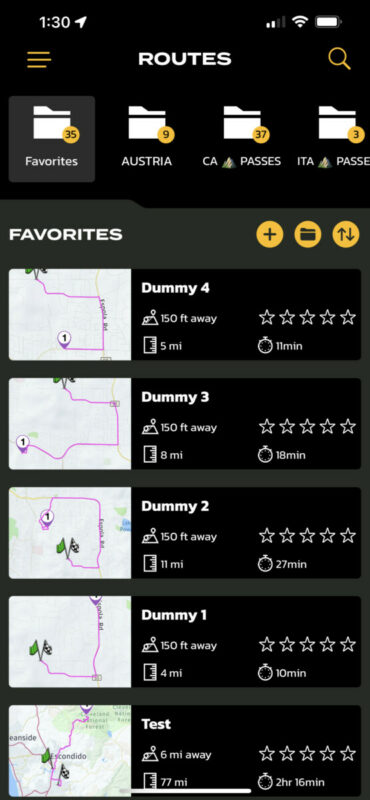
with the dummies in place I can re-enter routes without a crash
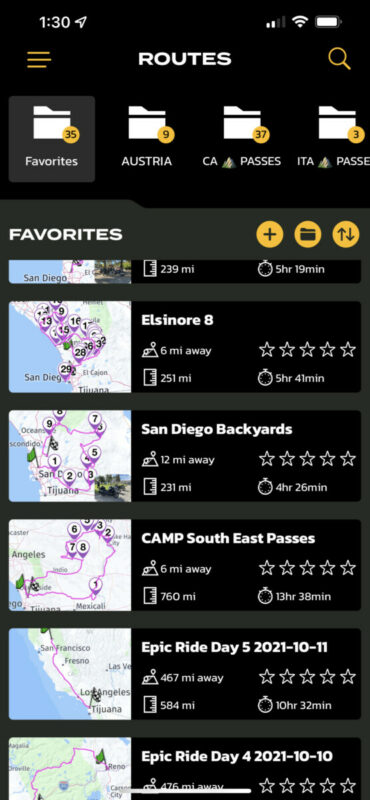
i can also quickly scroll past the bad route and the app survives
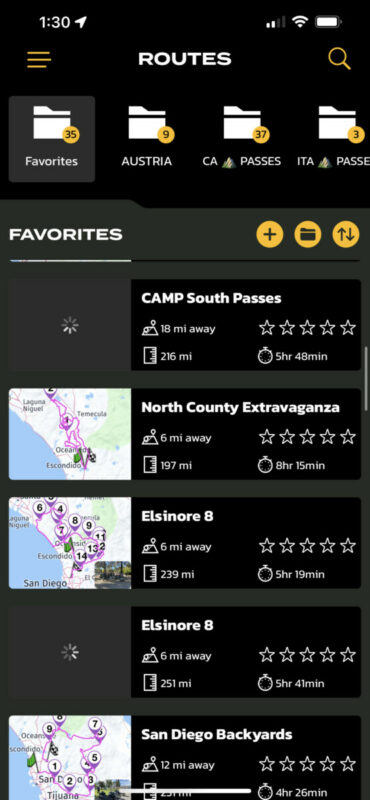
only when I pause for a second on the bad route CAMP South Passes the app will continue to crash.
At least a workaround for now
Quote from Guido on 31.10.2021, 14:55That workaround makes sense... because the crash occurs when Scenic tries to draw a route where stops were removed.
That workaround makes sense... because the crash occurs when Scenic tries to draw a route where stops were removed.


