
Scenic 3 Power Planner Bug

Quote from fxstein on 31.10.2021, 15:22
Ok found a way to reproduce the Power Planner Bug in Scenic 3 when creating curvy routes.
This is a step by step description:
Lookup POI (in my case a common gas station meeting spot)
Place the Start Flag there
Browse around for a stop. In my case custom POIs displayed on the Map: California Mountain Passes via Wikipedia
Select Dulzura Summit and make it Stop 1
Got to existing routing options...
And change to extra curvy
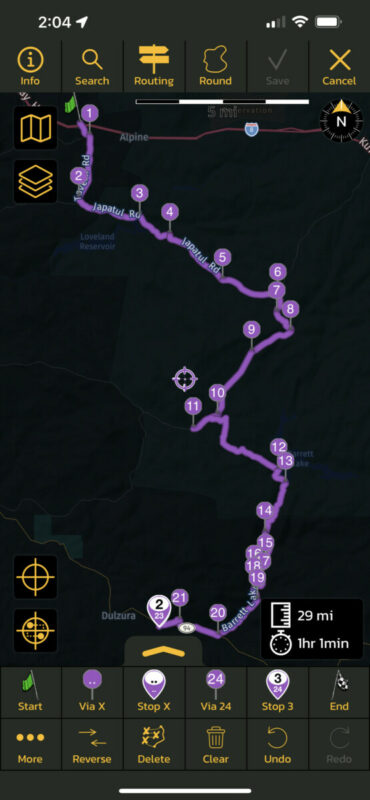
Vias are generated and the bug starts to manifest: What was Stop 1 just a moment ago has become Stop 2 (in fact two of the same stops sit on top of each other)
Browse for the next stop
Set it as Stop 3 (ignoring the issue that it should only be stop 2)
Go back to the routing options, set to curvy again and get this selection from Scenic. Select remove vias and recalculate
New vias and it starts to get messy. Stop 3 we just placed has become Stop 4 and the vias are forming circular routes.
See how Stop 2 still has the prior position number 23 even though there are now only 9 vias in front of it.
Keep going just to see if things change....
Add stop 5
Keep an eye on the position numbers...
Make everything extra curvy again
Place the finish marker on top of the start to make a full loop
And you have got a route one better not saves... 😉
Hope this helps!
Ok found a way to reproduce the Power Planner Bug in Scenic 3 when creating curvy routes.
This is a step by step description:
Lookup POI (in my case a common gas station meeting spot)
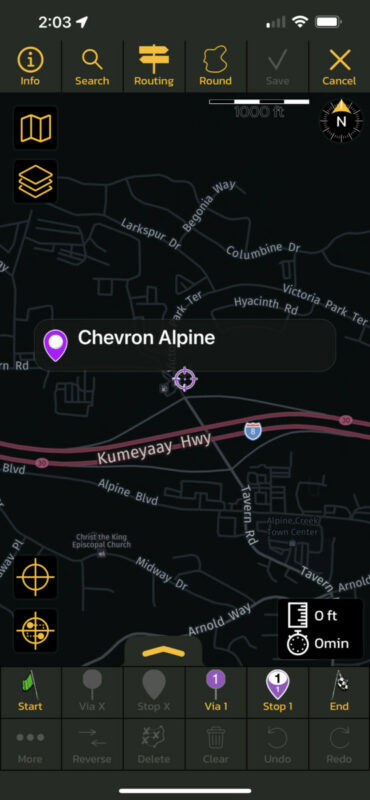
Place the Start Flag there
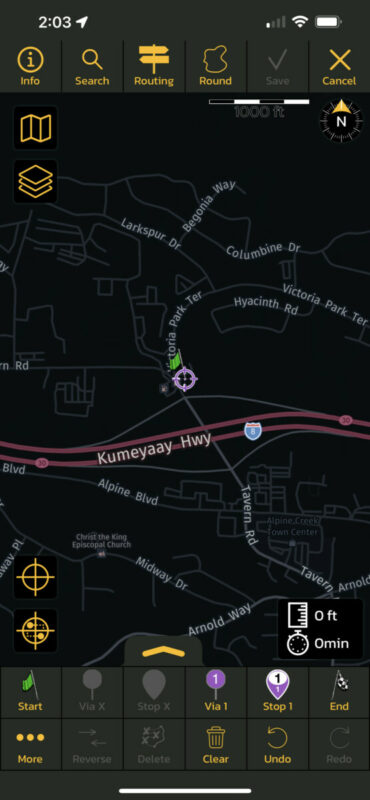
Browse around for a stop. In my case custom POIs displayed on the Map: California Mountain Passes via Wikipedia
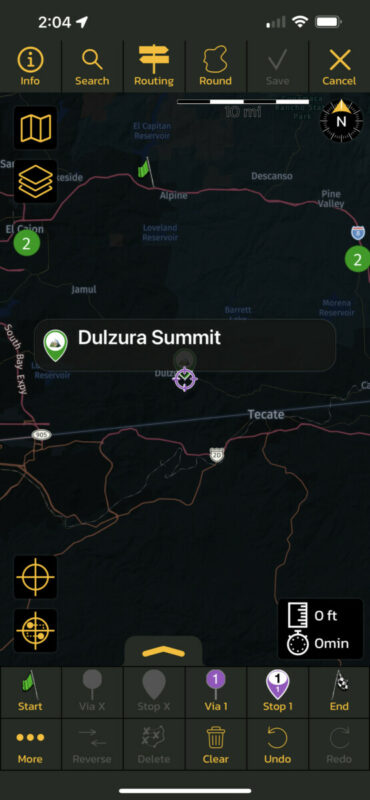
Select Dulzura Summit and make it Stop 1
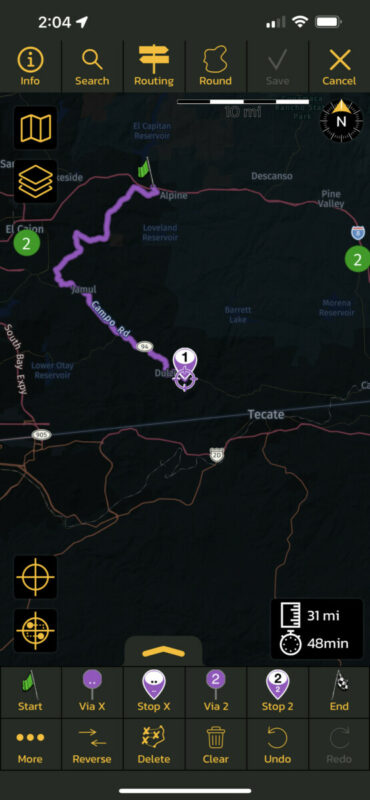
Got to existing routing options...
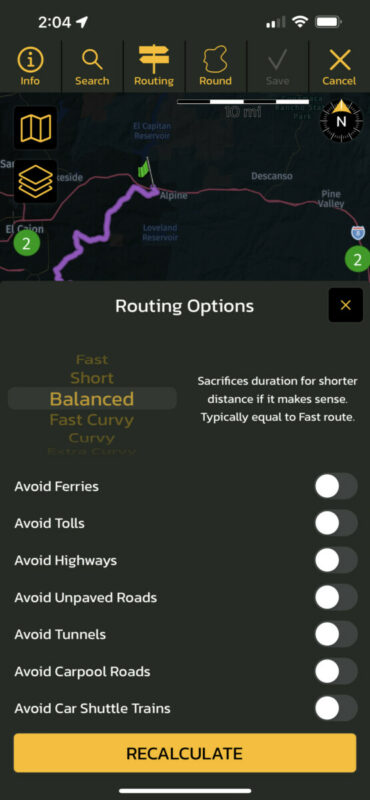
And change to extra curvy
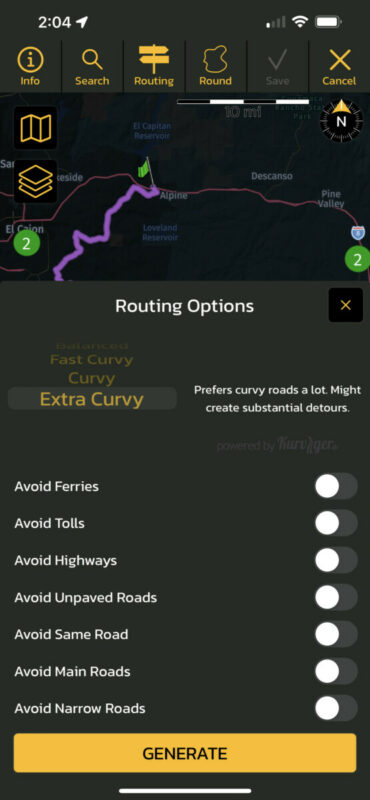
Vias are generated and the bug starts to manifest: What was Stop 1 just a moment ago has become Stop 2 (in fact two of the same stops sit on top of each other)
Browse for the next stop
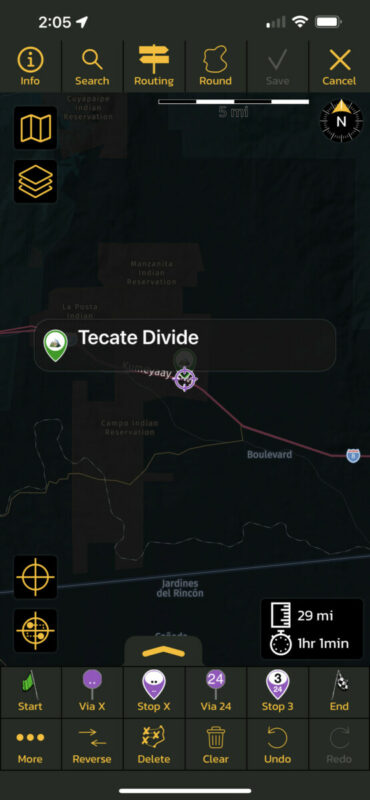
Set it as Stop 3 (ignoring the issue that it should only be stop 2)

Go back to the routing options, set to curvy again and get this selection from Scenic. Select remove vias and recalculate
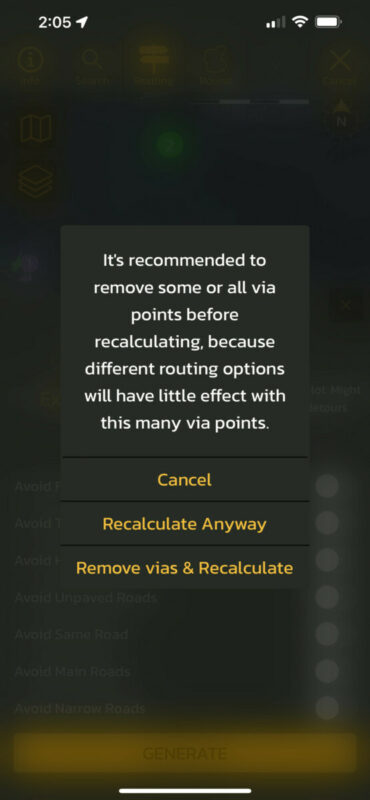
New vias and it starts to get messy. Stop 3 we just placed has become Stop 4 and the vias are forming circular routes.
See how Stop 2 still has the prior position number 23 even though there are now only 9 vias in front of it.
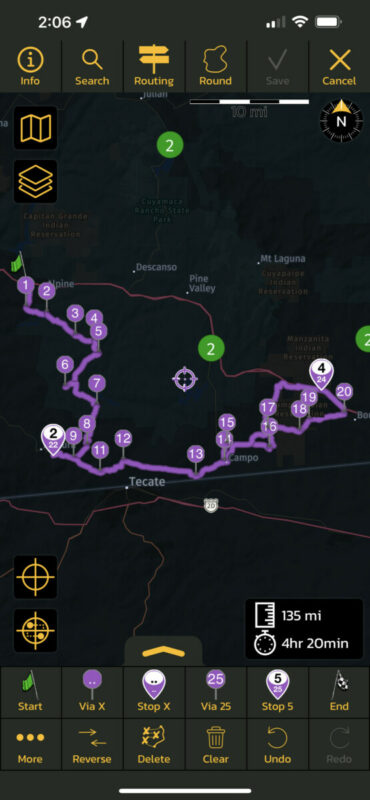
Keep going just to see if things change....
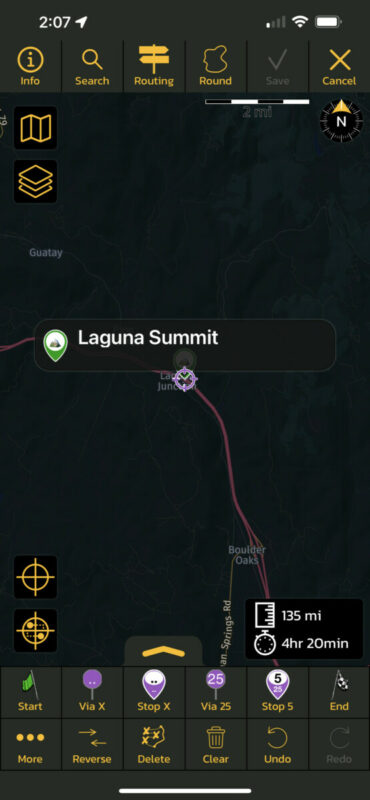
Add stop 5
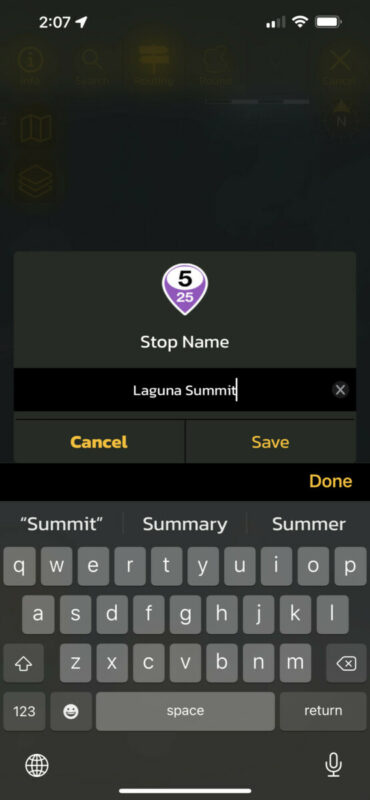
Keep an eye on the position numbers...
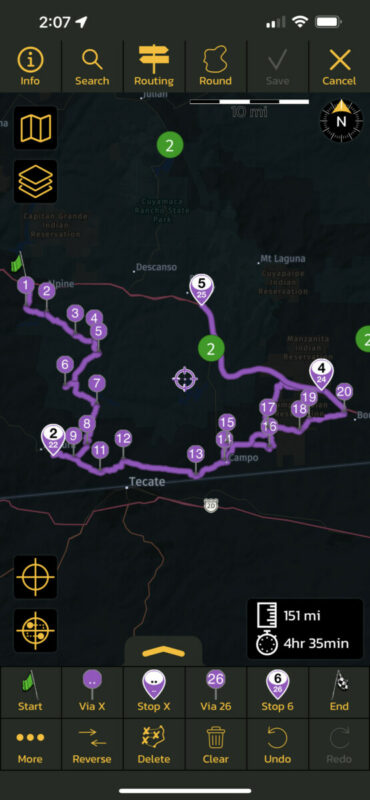
Make everything extra curvy again
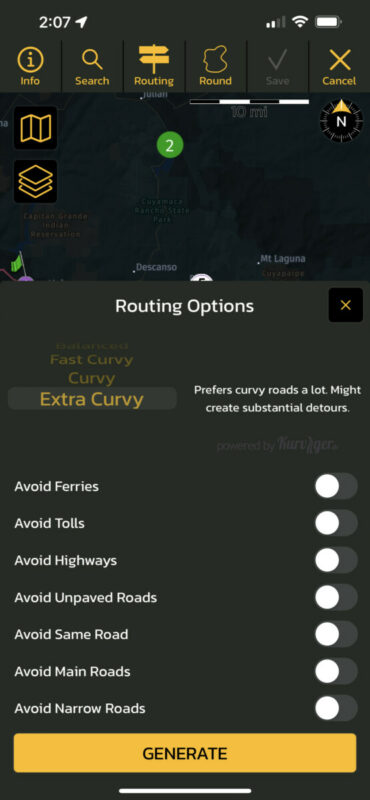
Place the finish marker on top of the start to make a full loop
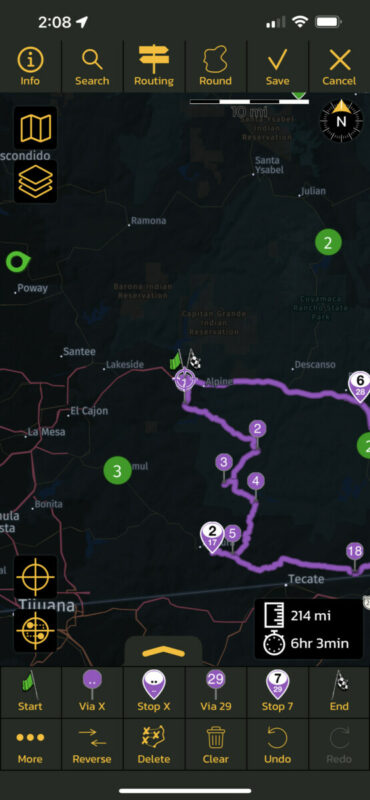
And you have got a route one better not saves... 😉
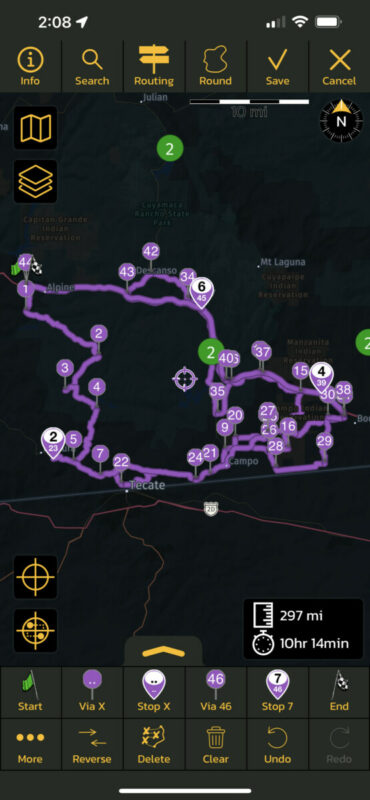
Hope this helps!

Quote from Guido on 31.10.2021, 15:37Awesome. Thank you so much. This definitely helps! I'll start working on this in the coming week and have an update ready asap (won't be upcoming update, but the one after that). Thanks again!!!!
Awesome. Thank you so much. This definitely helps! I'll start working on this in the coming week and have an update ready asap (won't be upcoming update, but the one after that). Thanks again!!!!
Quote from fxstein on 31.10.2021, 16:40I found another related issue.
When I create the same route, by placing all the markers start to finish before any routing changes, I can do it extra curvy and it stays 'clean'.
However when I start cleaning up the route by hand I would normally delete any vias that are redundant, but place a few by hand for road I know are better. Right there is another bug. If you place a Via X with a long press so to manually select the prior via/stop and select Stop 2 of a route, the via maker becomes #1 in the route and as such the route gets messed up.
If I do the same via short press in this example Scenic will do the right thing and place the via as #4 into the correct sequence.
If necessary I can create a step by step guide for that too.
Thanks!
I found another related issue.
When I create the same route, by placing all the markers start to finish before any routing changes, I can do it extra curvy and it stays 'clean'.
However when I start cleaning up the route by hand I would normally delete any vias that are redundant, but place a few by hand for road I know are better. Right there is another bug. If you place a Via X with a long press so to manually select the prior via/stop and select Stop 2 of a route, the via maker becomes #1 in the route and as such the route gets messed up.
If I do the same via short press in this example Scenic will do the right thing and place the via as #4 into the correct sequence.
If necessary I can create a step by step guide for that too.
Thanks!
Quote from Guido on 31.10.2021, 16:49Thanks again. Let me take a detailed look at this in the coming week. If I need more info I will contact you.
btw: update was just approved by apple. Crash when going to route list should be resolved now (without your workaround ).
you might have to go to App Store manually to get the update.
Thanks again. Let me take a detailed look at this in the coming week. If I need more info I will contact you.
btw: update was just approved by apple. Crash when going to route list should be resolved now (without your workaround ).
you might have to go to App Store manually to get the update.
Quote from Guido on 10.11.2021, 11:14Found the cause for the first issue. Fix will be added to the upcoming update (hopefully before the weekend).
I'm having trouble reproducing the second issue though. Perhaps I fixed it already by fixing somehting else, or perhaps I'm misunderstading the issue. I suggest you check this after the update is out and if it's gone, great. If it remains, perhaps then you can provide me with some more details?!?
Found the cause for the first issue. Fix will be added to the upcoming update (hopefully before the weekend).
I'm having trouble reproducing the second issue though. Perhaps I fixed it already by fixing somehting else, or perhaps I'm misunderstading the issue. I suggest you check this after the update is out and if it's gone, great. If it remains, perhaps then you can provide me with some more details?!?
Quote from fxstein on 10.11.2021, 15:50Thanks a lot!
I will be testing once the update is out. Found a few minor things, but will hold off reporting any more until I can reconfirm them in the update (including the Via X thing aka issue #2 here)
Thanks a lot!
I will be testing once the update is out. Found a few minor things, but will hold off reporting any more until I can reconfirm them in the update (including the Via X thing aka issue #2 here)


