
Route planning, keeps navigating back to waypoint

Quote from HighPeakRider on 05.03.2025, 08:47Hello
When planning on my iPad unless the waypoint is directly in the middle of the road it loops back rather than continuing up the required road.
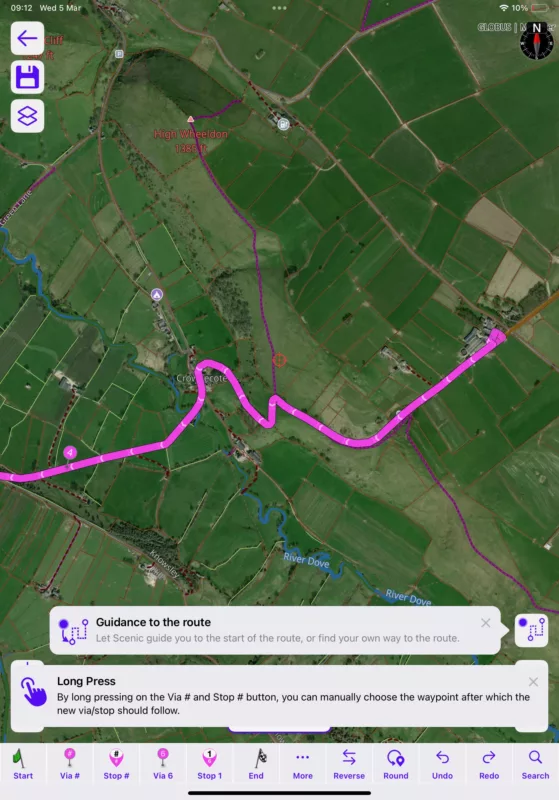
Hello
When planning on my iPad unless the waypoint is directly in the middle of the road it loops back rather than continuing up the required road.
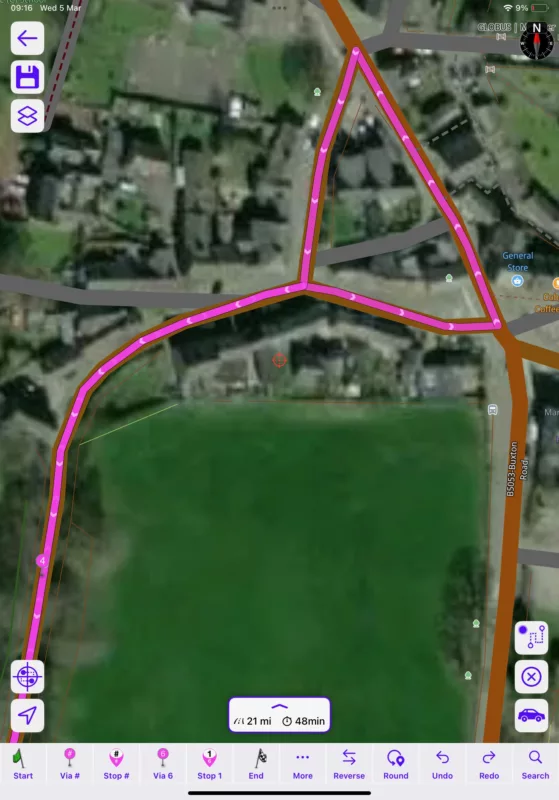

Quote from Guido on 05.03.2025, 09:20Scenic can be sensitive to the side of the road your via point is on. Where is via 5? I'm asking, because it's trying to guide you from via 4 to via 5. Maybe turning you around is the best way while adhearing to your routing settings?
Scenic can be sensitive to the side of the road your via point is on. Where is via 5? I'm asking, because it's trying to guide you from via 4 to via 5. Maybe turning you around is the best way while adhearing to your routing settings?
Quote from HighPeakRider on 05.03.2025, 10:26
I can add a waypoint for the turn
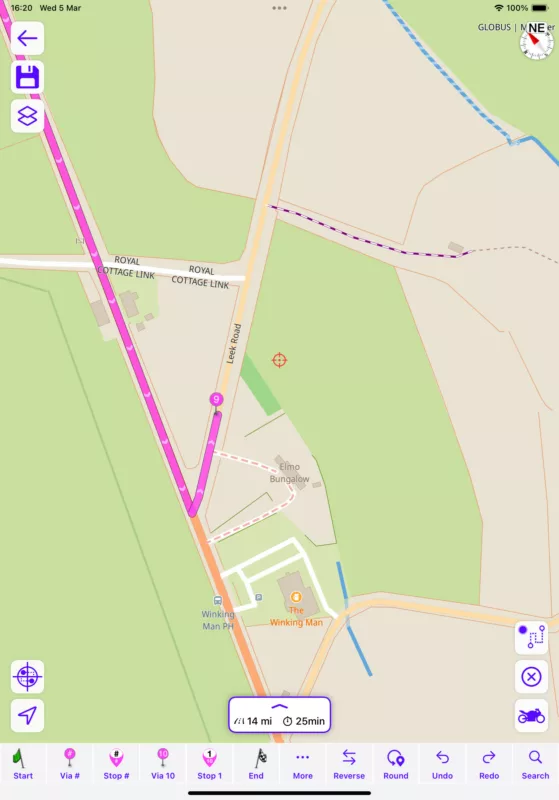
I can add a waypoint for the turn
Quote from HighPeakRider on 05.03.2025, 10:29
And it brings me back down the road?
Standard routing.
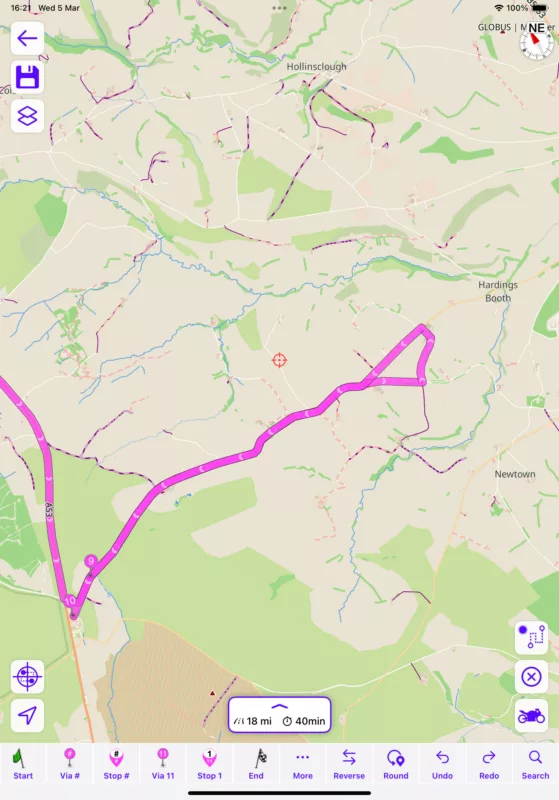
And it brings me back down the road?
Standard routing.
Quote from HighPeakRider on 05.03.2025, 10:38If I move 9 up the road, it changes the turning but proceeds up the road, it just adds lots of time trying to plan where you actually want to go.
If I move 9 up the road, it changes the turning but proceeds up the road, it just adds lots of time trying to plan where you actually want to go.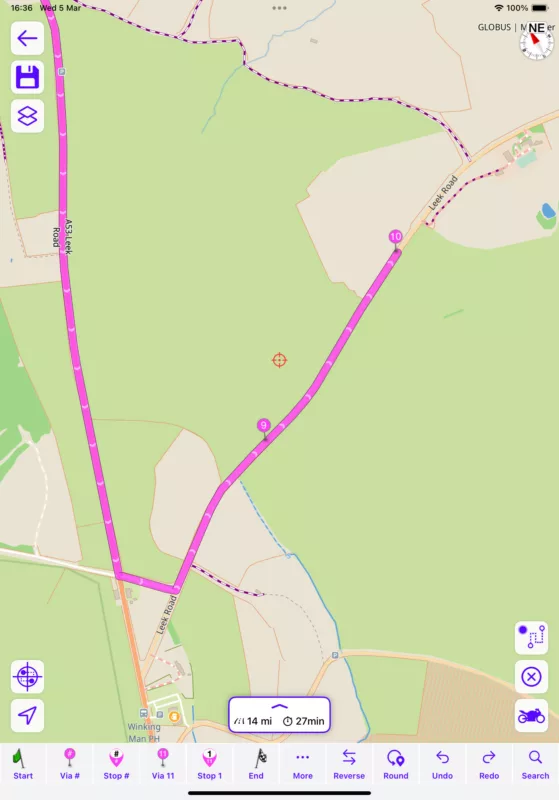
Quote from Guido on 05.03.2025, 10:44Be aware of your via point numbering / order! For example in this screenshot:
Scenic routes you from via point 9 to via point 10. So, what it's doing here is take you to 9 (ignoring 10, because 10 comes after 9), and then turns you around at the first occasion where it's allowed, to go to via point 10.
Be aware of your via point numbering / order! For example in this screenshot:
Scenic routes you from via point 9 to via point 10. So, what it's doing here is take you to 9 (ignoring 10, because 10 comes after 9), and then turns you around at the first occasion where it's allowed, to go to via point 10.
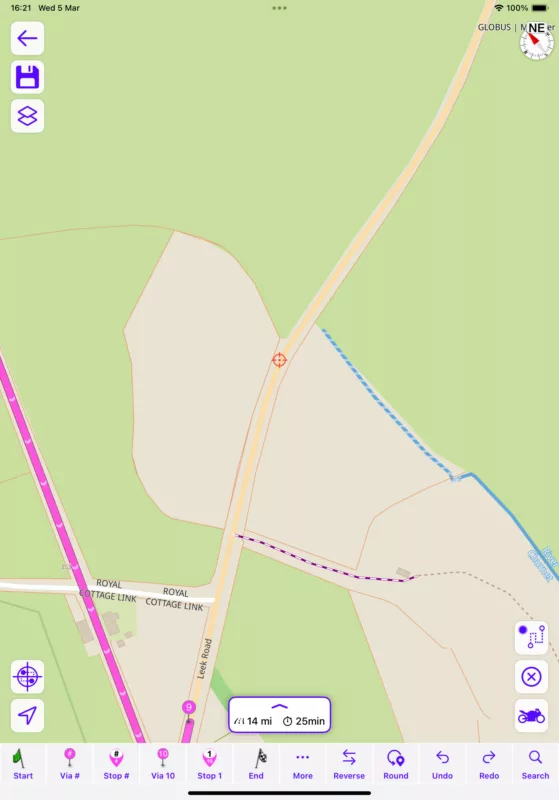
Quote from HighPeakRider on 05.03.2025, 10:52I don’t think so, if you look at the 2nd screenshot the marker shows where i was going to place 10 as an example and it’s gone up the road turned round and then place 10 before 9.
I don’t think so, if you look at the 2nd screenshot the marker shows where i was going to place 10 as an example and it’s gone up the road turned round and then place 10 before 9.
Quote from Guido on 05.03.2025, 10:54My recommendation:
First drop your start marker. Then drop your destination marker. Then add via points and/or stops using the Via # and Stop # button. Scenic will try to figure out the order / numbering of the via/stop by itself. If it chooses wrong, tap "undo" and long-press the via # and stop # button.Always make sure that the numbering of the vias/stops is the order in which you want to reach those points.
Hope that helps. If not, please let me know. Happy to help further if necessary.
My recommendation:
First drop your start marker. Then drop your destination marker. Then add via points and/or stops using the Via # and Stop # button. Scenic will try to figure out the order / numbering of the via/stop by itself. If it chooses wrong, tap "undo" and long-press the via # and stop # button.
Always make sure that the numbering of the vias/stops is the order in which you want to reach those points.
Hope that helps. If not, please let me know. Happy to help further if necessary.
Quote from HighPeakRider on 05.03.2025, 11:03Hi Guido
I'm not sure that will work when just planning a quick circular ride, I don't recall it behaving like this on the old Here version, I seems like we are trying to force the app to follow simple routing request.
Hi Guido
I'm not sure that will work when just planning a quick circular ride, I don't recall it behaving like this on the old Here version, I seems like we are trying to force the app to follow simple routing request.
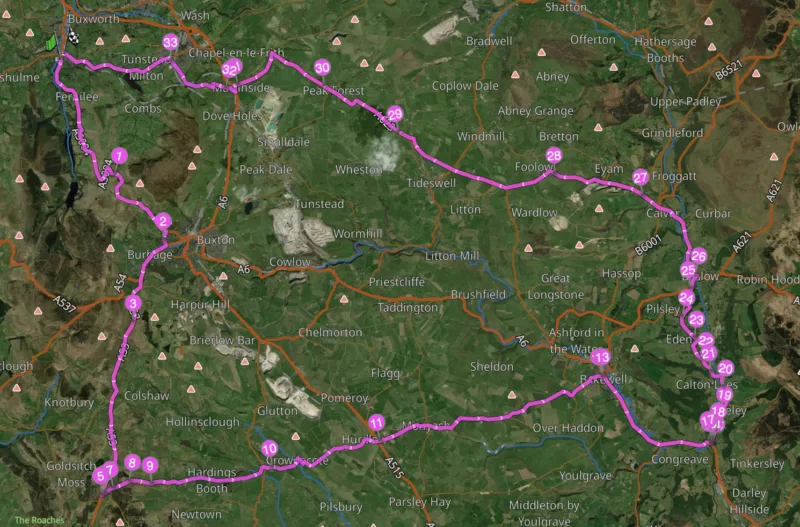
Quote from Guido on 05.03.2025, 11:19Ah. It’s a round trip 🙂 Then this won’t work indeed. In that case drop start, midway point and end, and then drop additional markers.
I’m assuming you are creating the round trip manually? Or do you use the round trip generator?
Ah. It’s a round trip 🙂 Then this won’t work indeed. In that case drop start, midway point and end, and then drop additional markers.
I’m assuming you are creating the round trip manually? Or do you use the round trip generator?
Quote from HighPeakRider on 05.03.2025, 11:29No its all manual to select some roads in the area I've not ridden before...........
I'll give that a try, cheers.
No its all manual to select some roads in the area I've not ridden before...........
I'll give that a try, cheers.
Quote from Guido on 05.03.2025, 11:47The most important thing to remember is that the via points are visited in order.
If you want to place a via point between two already existing via points, use the via # button (single tap to let scenic guess between which via points it should go, or long-press to choose yourself). Scenic will then change all the numbers of the vias after the new via, accordingly.
If you want to place a via point at the end, use the Via <nr> button (The number is the number that the new via point will get)
Let me know if it’s not working or if you have any further questions.
The most important thing to remember is that the via points are visited in order.
If you want to place a via point between two already existing via points, use the via # button (single tap to let scenic guess between which via points it should go, or long-press to choose yourself). Scenic will then change all the numbers of the vias after the new via, accordingly.
If you want to place a via point at the end, use the Via <nr> button (The number is the number that the new via point will get)
Let me know if it’s not working or if you have any further questions.


