Putting routes together

Quote from henrik54 on 13.03.2025, 07:22Hi Guido, I'm looking for a function to combine two trips or routes. Is that even possible?
Regards Henrik
Hi Guido, I'm looking for a function to combine two trips or routes. Is that even possible?
Regards Henrik

Quote from Guido on 13.03.2025, 08:13Hi Henrik, sorry, at the moment that is not possible. It’s on the feature request list, but can’t make any promises as to when it will be available as there are many higher prio items on the list.
Hi Henrik, sorry, at the moment that is not possible. It’s on the feature request list, but can’t make any promises as to when it will be available as there are many higher prio items on the list.

Quote from MjK on 13.03.2025, 08:27Hi Henrik,
as Guido does not yet have implemented it into scenic, here is how you easily can do it - see screenshots as well:
- export your trips or routes from scenic
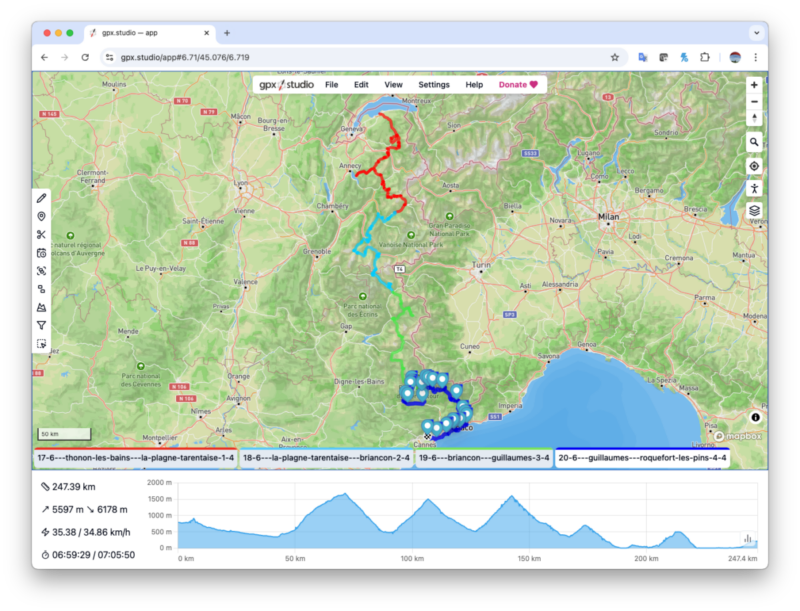
- import them at https://gpx.studio/app - see screenshot 1
- you can select all files in one shot, but check to sort them into the correct sequence
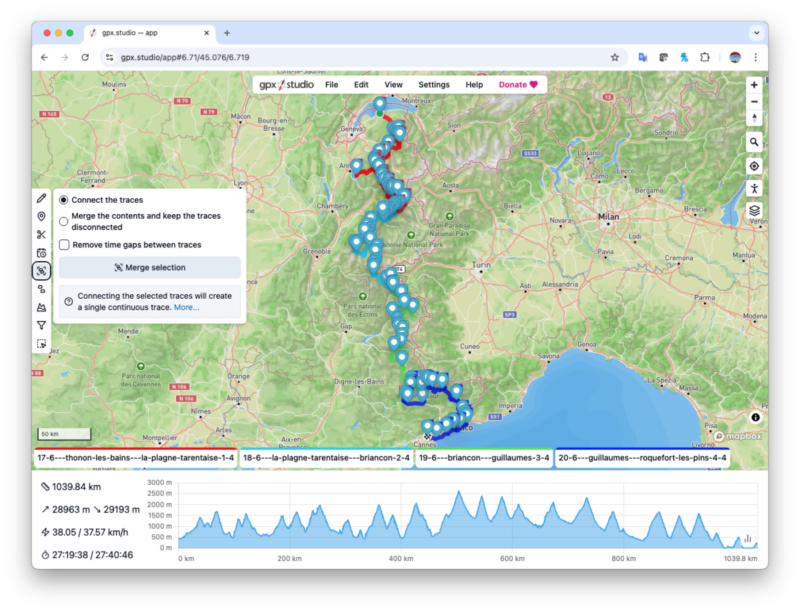
- on the left side you find the MERGE function, select options as required - Screenshot 2
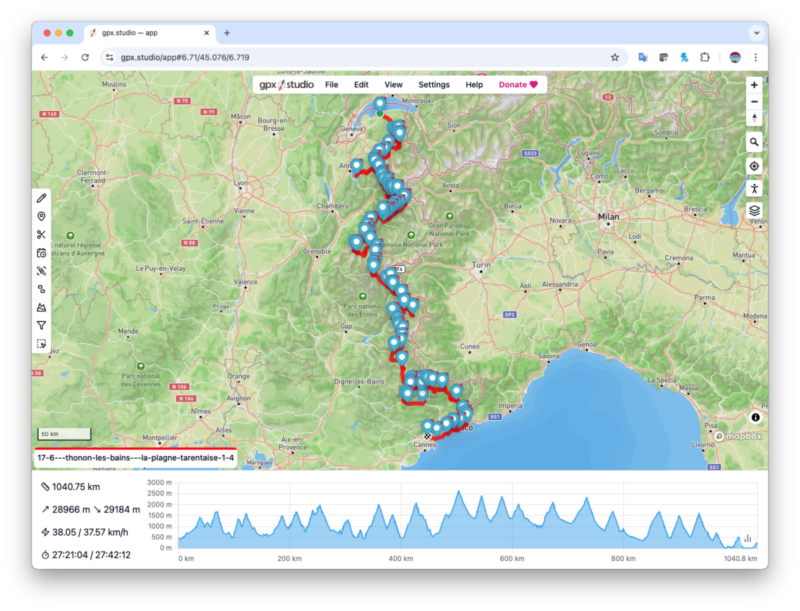
- export (option under file menu on top) result as a single gpx file - Screenshot 3
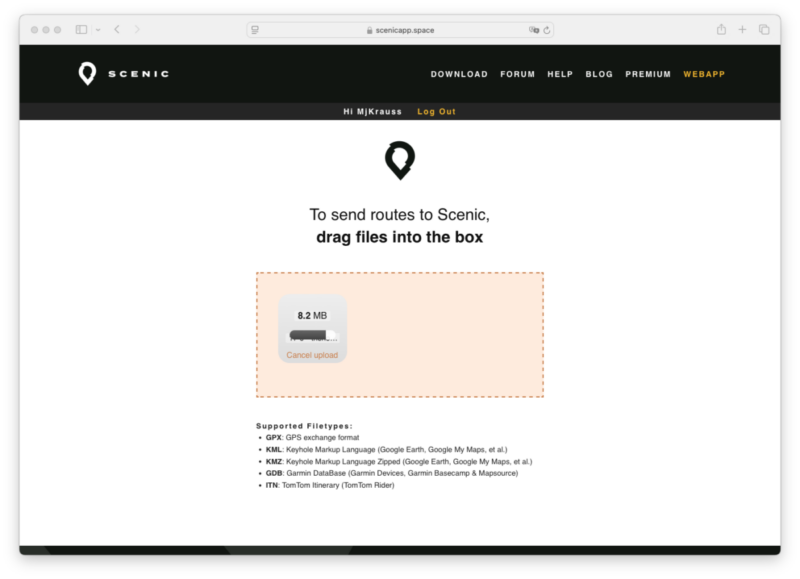
- import this file at https://scenicapp.space/gpxsend.php - Screenshot 4
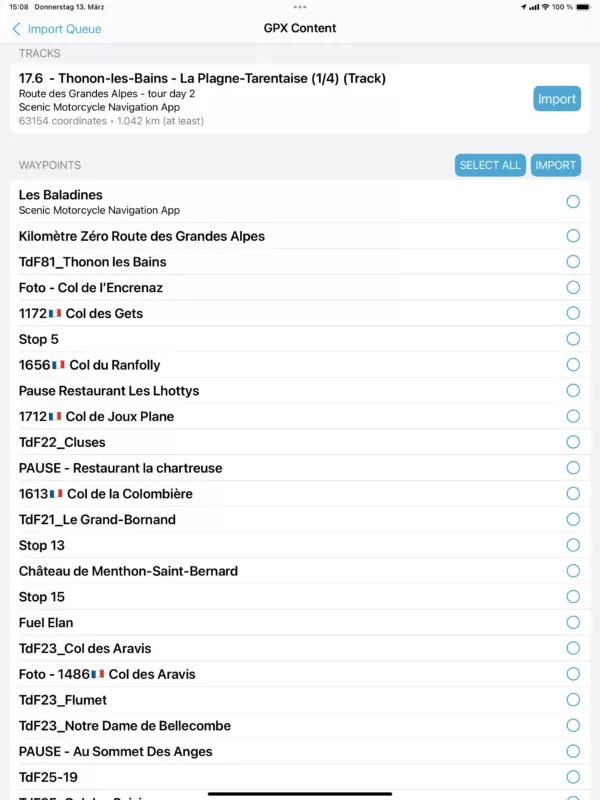
- go back into your scenic app on your iPhone, iPad or Mac (M1 cpu or higher) and select the import queue - Screenshot 5
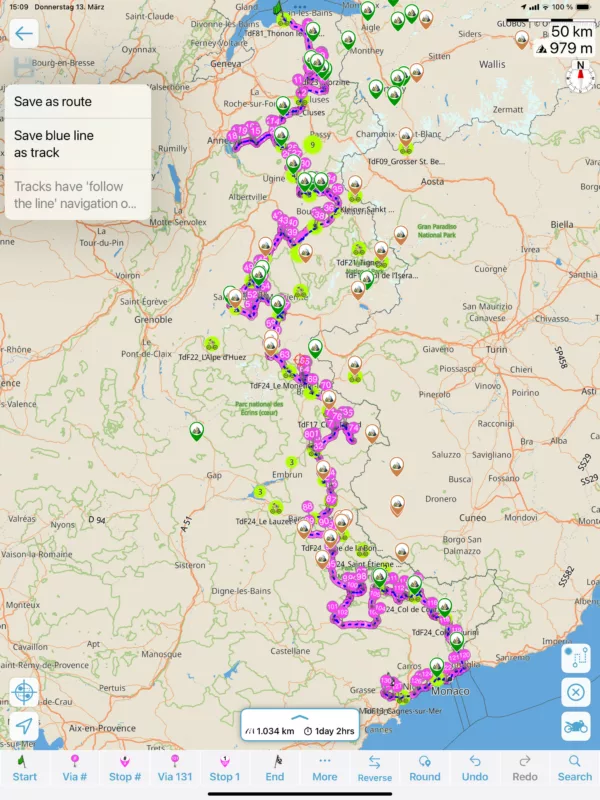
- now you are able to save your combined tour as route or track (just the blue line) - Screenshot 6
Hope this helps, as this is pretty straight forward, can be done all on the same device, even so its much more convenient to operate it at minimum on an iPad.
Cheers, Markus
Hi Henrik,
as Guido does not yet have implemented it into scenic, here is how you easily can do it - see screenshots as well:
- export your trips or routes from scenic
- import them at https://gpx.studio/app - see screenshot 1
- you can select all files in one shot, but check to sort them into the correct sequence
- on the left side you find the MERGE function, select options as required - Screenshot 2
- export (option under file menu on top) result as a single gpx file - Screenshot 3
- import this file at https://scenicapp.space/gpxsend.php - Screenshot 4
- go back into your scenic app on your iPhone, iPad or Mac (M1 cpu or higher) and select the import queue - Screenshot 5
- now you are able to save your combined tour as route or track (just the blue line) - Screenshot 6
Hope this helps, as this is pretty straight forward, can be done all on the same device, even so its much more convenient to operate it at minimum on an iPad.
Cheers, Markus