
Powerplanner Bug

Quote from fxstein on 31.01.2022, 17:21Hi Guido,
Here is another bug in Powerplanner:
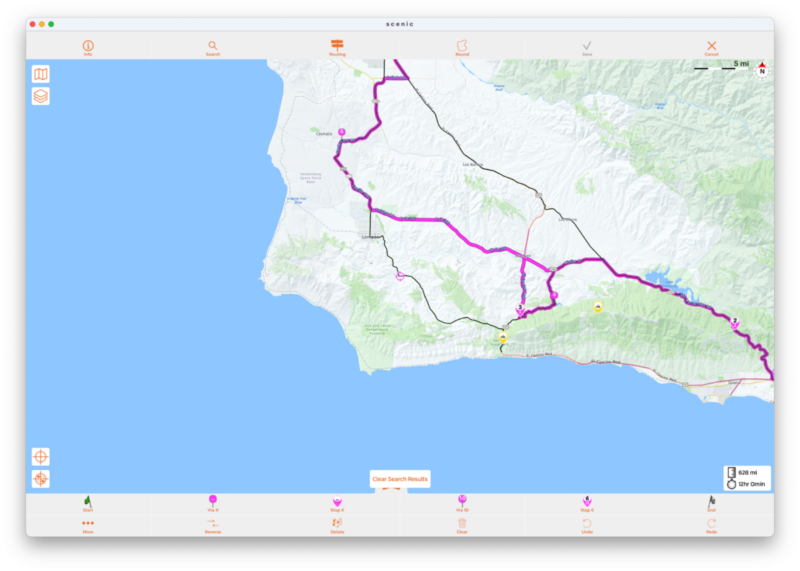
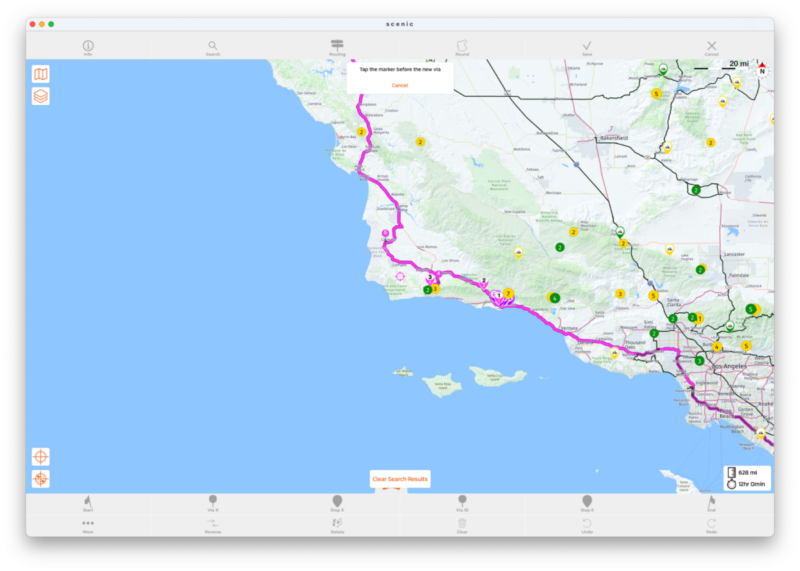
Say you want to plot a route from San Diego to Monterey CA. Stop 1 you pick a gas station in Santa Barbara, followed by two passes north, and then you want to pin the route to Hwy 1 via one or two via points. When using the Via X - long-press option. For some reason after selecting Stop #3 as the prior point the via marker becomes Via #1. Have tried several times and always becomes #1.
Hi Guido,
Here is another bug in Powerplanner:
Say you want to plot a route from San Diego to Monterey CA. Stop 1 you pick a gas station in Santa Barbara, followed by two passes north, and then you want to pin the route to Hwy 1 via one or two via points. When using the Via X - long-press option. For some reason after selecting Stop #3 as the prior point the via marker becomes Via #1. Have tried several times and always becomes #1.
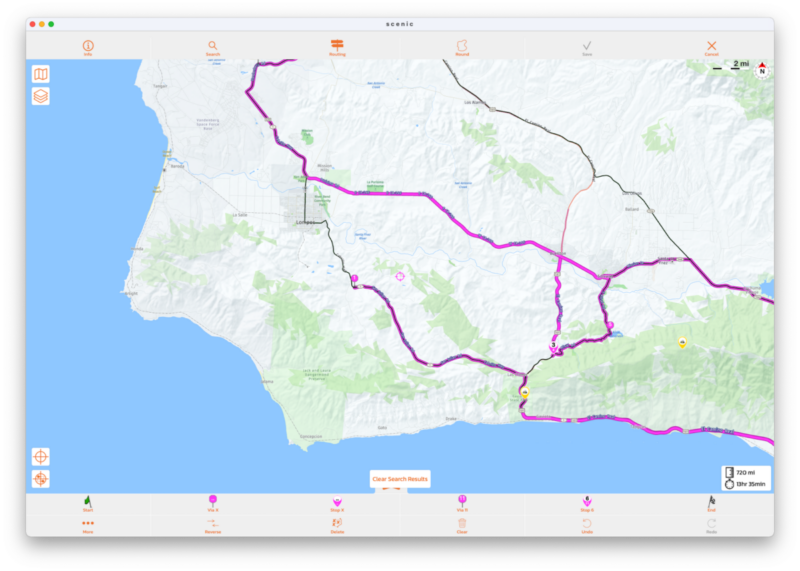

Quote from Guido on 31.01.2022, 17:52Having trouble reproducing this. Probably doing something in different order and perhaps making some wrong guesses based on your screenshots.
This is what I'm doing:
- Drop start point (San Diego)
- Drop end point (Monterey)
- Drop stop 1 (Santa Barbara)
- Drop stop 2 (on the 154, somewhere between Santa Barbara and Lake Cachuma)
- Drop stop 3 (on the 101, a bit north-east of las cruces)
- Now I drop a via on the 1, long pressing on via-x button... and selecting stop 3 as preceding point. New via gets number 4 (correct)
- Now I do the same a bit further down the road of highway 1. I select via 4 as preceding point. New via gets number 5 (also correct)
In this scenarios it works as expected. What are you doing differently?
Having trouble reproducing this. Probably doing something in different order and perhaps making some wrong guesses based on your screenshots.
This is what I'm doing:
- Drop start point (San Diego)
- Drop end point (Monterey)
- Drop stop 1 (Santa Barbara)
- Drop stop 2 (on the 154, somewhere between Santa Barbara and Lake Cachuma)
- Drop stop 3 (on the 101, a bit north-east of las cruces)
- Now I drop a via on the 1, long pressing on via-x button... and selecting stop 3 as preceding point. New via gets number 4 (correct)
- Now I do the same a bit further down the road of highway 1. I select via 4 as preceding point. New via gets number 5 (also correct)
In this scenarios it works as expected. What are you doing differently?
Quote from fxstein on 31.01.2022, 17:58Must be something specific to the order of points and or vias I have placed. I managed to find a workaround by deleting the via before Stop #3 than doing the via on Hwy - this time it placed it in the right order and then I re-added the via before stop 3. Something must have gotten out of order. If not easy to reproduce I suggest you put it aside for now. If I run into something similar I will post again.
Thanks!
Must be something specific to the order of points and or vias I have placed. I managed to find a workaround by deleting the via before Stop #3 than doing the via on Hwy - this time it placed it in the right order and then I re-added the via before stop 3. Something must have gotten out of order. If not easy to reproduce I suggest you put it aside for now. If I run into something similar I will post again.
Thanks!

Quote from Klonko on 02.04.2022, 09:17I could reproduce this bug (new via is assigned with #1) when I add a via point between two via points and the previous via point is based on a POI (holding cursor over a POI until its name pops up and adding to the route). If the previous via point was entered using the cursor over the road only, numbering is correct.
I could reproduce this bug (new via is assigned with #1) when I add a via point between two via points and the previous via point is based on a POI (holding cursor over a POI until its name pops up and adding to the route). If the previous via point was entered using the cursor over the road only, numbering is correct.
Quote from Guido on 02.04.2022, 09:25Ok. I’ll have another look at this. Thanks for the specifics.
Ok. I’ll have another look at this. Thanks for the specifics.
Quote from Skyline Driver on 11.04.2022, 12:11I am having the same problem when I edit an existing route and insert a new via by doing a long press on the "via X" button. If the previous via is also a stop, the new via automatically becomes #1 rather than #X.
If you insert a new via, and the previous via is not a stop, then the new via is numbered correctly. I had this happen on two different routes.
Thanks!
I am having the same problem when I edit an existing route and insert a new via by doing a long press on the "via X" button. If the previous via is also a stop, the new via automatically becomes #1 rather than #X.
If you insert a new via, and the previous via is not a stop, then the new via is numbered correctly. I had this happen on two different routes.
Thanks!
Quote from Guido on 11.04.2022, 12:20ok. Thanks for the additional case.
sorry for the delay in this. I’m working on a bigger update now, so takes a bit longer to release this. But it will include a fix for this.
ok. Thanks for the additional case.
sorry for the delay in this. I’m working on a bigger update now, so takes a bit longer to release this. But it will include a fix for this.
Quote from Skyline Driver on 11.04.2022, 13:18I just edited a different route and in the same scenario (inserting a new via after an existing stop) the via was numbered correctly. So this one looks difficult to pin down 🙂 Thanks for your support!
I just edited a different route and in the same scenario (inserting a new via after an existing stop) the via was numbered correctly. So this one looks difficult to pin down 🙂 Thanks for your support!


