Quote from
Guido on 23.05.2021, 07:43
I checked they are there for me:
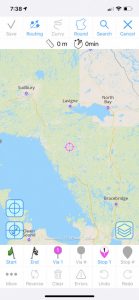
There could be a versioning problem with your meta files (required to show map data on screen). Could you remove Scenic from your device > re-download from the App Store > login again. On first startup it will then re-download the most recent meta files and all should be good again.
Let me know if this doesn’t work for you or if you need more info.
Apologies for the inconvenience,
Guido
I checked they are there for me:
There could be a versioning problem with your meta files (required to show map data on screen). Could you remove Scenic from your device > re-download from the App Store > login again. On first startup it will then re-download the most recent meta files and all should be good again.
Let me know if this doesn’t work for you or if you need more info.
Apologies for the inconvenience,
Guido


 Missing roads[/caption]