Importing GPX leads to unusable routes

Quote from as rider on 08.02.2025, 08:49Hi Guido
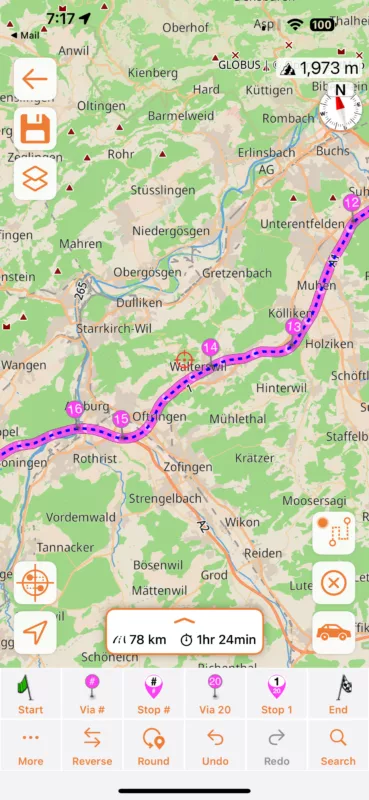
I exported a GPX route from Garmin BaseCamp with a start- and an endpoint. Scenic added (or was it Garmin?) a ton of points in between, that differ extremly from Garmin's route. Most of this route was on a highway. Scenic invented a "sightseeing tour", leaving the highway, driving to a village, turning there and coming back to the highway. This "ideas" came several times in this route.
Question: Why doesn't Scenic just take over the user points of the GPX file and calculates in between its own route?I checked the route then by just searching the endpoint and letting scenic calculate the route. It was almost the same as Garmin's route. It seems to me, that the algorythm for importing GPX files should be corrected.
Thank you for having a look at it
Hi Guido
I exported a GPX route from Garmin BaseCamp with a start- and an endpoint. Scenic added (or was it Garmin?) a ton of points in between, that differ extremly from Garmin's route. Most of this route was on a highway. Scenic invented a "sightseeing tour", leaving the highway, driving to a village, turning there and coming back to the highway. This "ideas" came several times in this route.
Question: Why doesn't Scenic just take over the user points of the GPX file and calculates in between its own route?
I checked the route then by just searching the endpoint and letting scenic calculate the route. It was almost the same as Garmin's route. It seems to me, that the algorythm for importing GPX files should be corrected.
Thank you for having a look at it

Quote from Guido on 08.02.2025, 11:15Can you send me the GPX file? You can use the ‘email’ button at the bottom of the help page.
Can you send me the GPX file? You can use the ‘email’ button at the bottom of the help page.
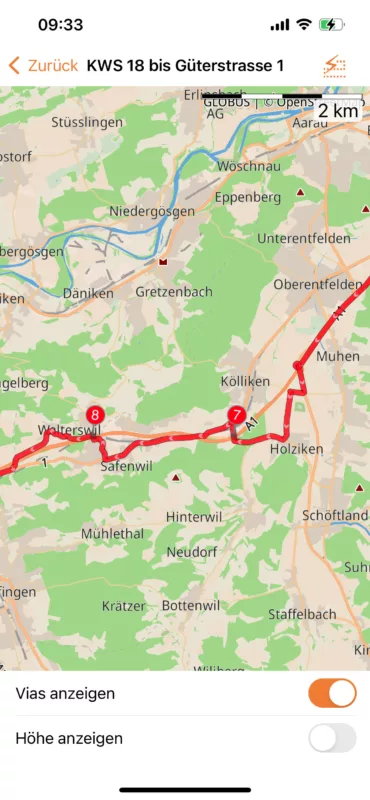
Quote from Guido on 12.02.2025, 07:21The problem is that GPX tracks (recorded from another device) can be a bit unprecise (the line doesn’t exactly match the road network). You see this here with via point 14. Move it a little bit and the route corrects. B.tw. The blue line is what is received in the GPX file. The magenta line is what Scenic makes from it.
Here is more info on why it’s sometimes necessary to edit/correct during an import: https://scenic.app/help/strange-loops/
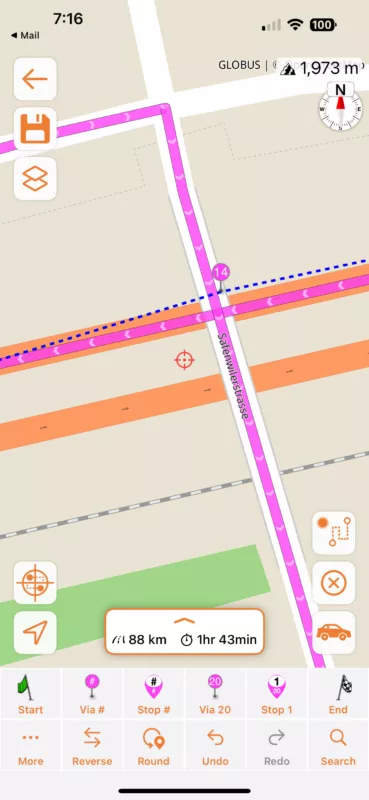
The problem is that GPX tracks (recorded from another device) can be a bit unprecise (the line doesn’t exactly match the road network). You see this here with via point 14. Move it a little bit and the route corrects. B.tw. The blue line is what is received in the GPX file. The magenta line is what Scenic makes from it.
Here is more info on why it’s sometimes necessary to edit/correct during an import: https://scenic.app/help/strange-loops/