
Imported route discrepancies

Quote from Dae on 22.04.2023, 13:13
I currently have a library of hundreds of routes in My Route App that I import into Scenic when I want to ride them.
All routes in MRA use the Here maps. I export from MRA as a GPX. 1.2 file and then send it to Scenic and import the route. I don’t import the track as that loses my stopovers.
I’ve noticed that in parts of the route Scenic calculates a slightly different route, regardless of how many shaping points I insert in MRA before exporting.
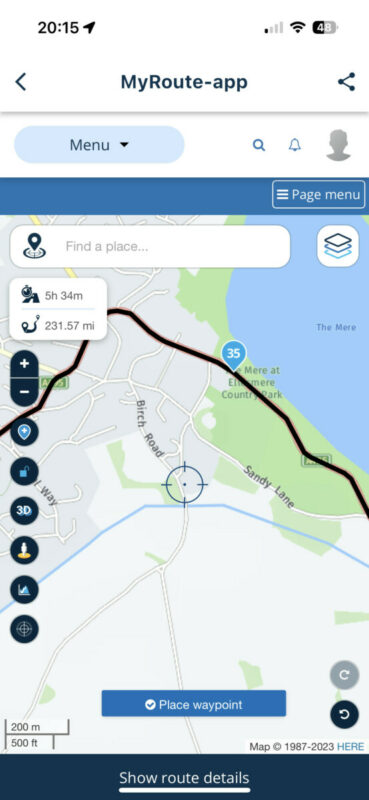
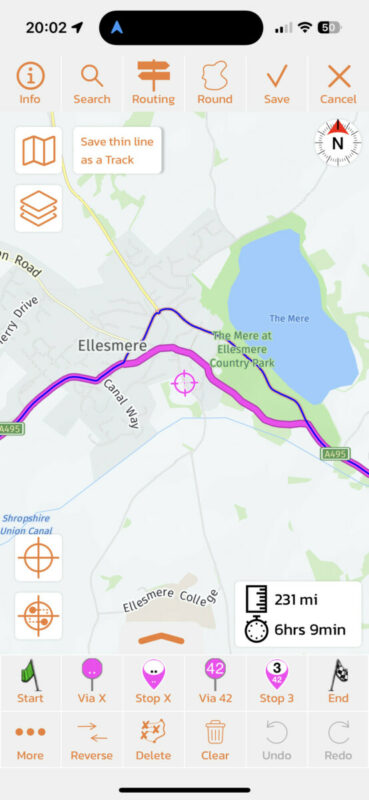
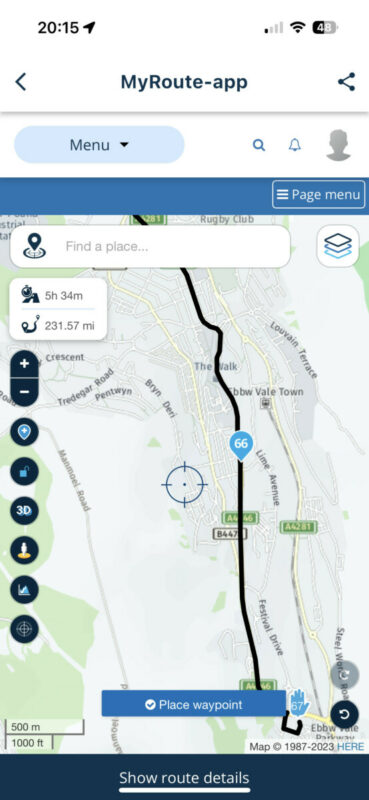
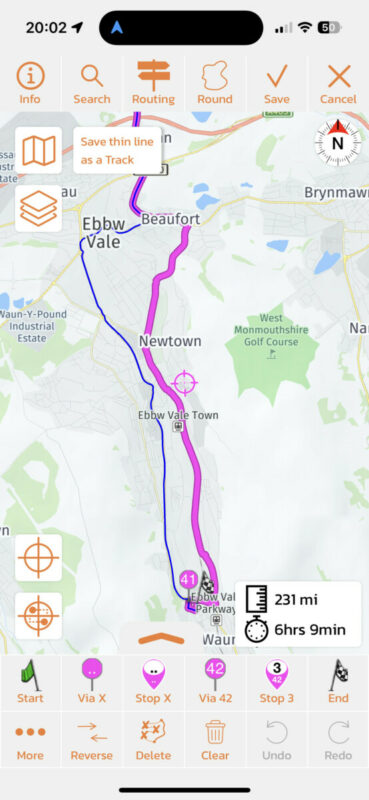
During the import it’s easy to see the discrepancies as Scenic shows its route in magenta and the imported route in black.
It’s easy to fix by adding a few shaping points, but becomes a pain when importing a dozen or so routes for a trip, especially as most routes are over 200 miles so require quite a lot of zooming and panning on the phone during import.
I think when Scenic strips out my shaping points and puts its own in it is removing too many and/or not inserting enough to keep to the original route.
Is there any thing I can do to try and avoid this?
I currently have a library of hundreds of routes in My Route App that I import into Scenic when I want to ride them.
All routes in MRA use the Here maps. I export from MRA as a GPX. 1.2 file and then send it to Scenic and import the route. I don’t import the track as that loses my stopovers.
I’ve noticed that in parts of the route Scenic calculates a slightly different route, regardless of how many shaping points I insert in MRA before exporting.
During the import it’s easy to see the discrepancies as Scenic shows its route in magenta and the imported route in black.
It’s easy to fix by adding a few shaping points, but becomes a pain when importing a dozen or so routes for a trip, especially as most routes are over 200 miles so require quite a lot of zooming and panning on the phone during import.
I think when Scenic strips out my shaping points and puts its own in it is removing too many and/or not inserting enough to keep to the original route.
Is there any thing I can do to try and avoid this?

Quote from Guido on 22.04.2023, 15:11You are right. Scenic strips out shaping points. It’s always a balance to not strip out too much, but also keep the number of via points low enough for the route calculation to not be overloaded.
Let me see if Incan tweak the algorithm a bit. Could you send me the GPX file in question? (Use email button at bottom of help page). Perhaps MRA adds just enough coordinates in the GPX and Scenic should just avoid stripping for MRA GPX files all together.
One thing that could also play a part in this… GPX files don’t contain routing mode and avoidance options. So this gets lost between MRA and Scenic. Changing the routing config at the beginning of the import (to match as you set it in MRA) might improve the match already significantly.
You are right. Scenic strips out shaping points. It’s always a balance to not strip out too much, but also keep the number of via points low enough for the route calculation to not be overloaded.
Let me see if Incan tweak the algorithm a bit. Could you send me the GPX file in question? (Use email button at bottom of help page). Perhaps MRA adds just enough coordinates in the GPX and Scenic should just avoid stripping for MRA GPX files all together.
One thing that could also play a part in this… GPX files don’t contain routing mode and avoidance options. So this gets lost between MRA and Scenic. Changing the routing config at the beginning of the import (to match as you set it in MRA) might improve the match already significantly.
Quote from Dae on 22.04.2023, 15:24Thanks.
I’ve sent you the route in 1.1 and 1.2 formats. My avoidances are set the same between MRA and Scenic.
Thinking about it - I’ve not tried importing v1.1. I may have a look tomorrow when I’ve got a bigger screen to compare more easily.
Thanks.
I’ve sent you the route in 1.1 and 1.2 formats. My avoidances are set the same between MRA and Scenic.
Thinking about it - I’ve not tried importing v1.1. I may have a look tomorrow when I’ve got a bigger screen to compare more easily.
Quote from Dae on 23.04.2023, 00:17I tried GPX 1.1 this morning but that’s worse as it imports all shaping points and stops as hard stops.
This requires more effort to fix than the odd deviation I get with GPX 1.2 (which does pass shaping points and stops correctly)
I tried GPX 1.1 this morning but that’s worse as it imports all shaping points and stops as hard stops.
This requires more effort to fix than the odd deviation I get with GPX 1.2 (which does pass shaping points and stops correctly)
Quote from Guido on 23.04.2023, 07:08OK. Honestly not familiar with GPX 1.2. Only v1.1 is widely accepted as far as I know and GPX 1.0 to a lesser extent). And there are a whole lot of GPX extensions.
OK. Honestly not familiar with GPX 1.2. Only v1.1 is widely accepted as far as I know and GPX 1.0 to a lesser extent). And there are a whole lot of GPX extensions.
Quote from Dae on 23.04.2023, 07:20MRA has shaping points (Scenic via points) and via points (Scenic stops). Shaping points do exactly as their name suggests and are just used like vias in Scenic to make the route go where you want but you’re not forced to visit them and circle back if you miss them. MRA vias are Scenic stops in that you must visit them and will get forced back to them if you miss them.
If I export from MRA in GPX1.1, Scenic treats every point as a Scenic stop, regardless of if it was a shaping point or an actual stop. This is inconvenient as it means after import you have to convert all the points into Scenic via points except those that were actual stops.
If I export in GPX1.2 Scenic correctly imports the points that should be Scenic stops and then strips out the shaping points and puts its own in. This is a much better experience, but unfortunately the route has minor discrepancies. It’s 99% correct, so much better than GPX1.1.
I guess I’m being greedy for that last 1%🤣
If it’s not easy to fix I’ll stick with manually correcting 1.2 imports as it’s much quicker and easier than 1.1 imports.
Appreciate you taking a look
MRA has shaping points (Scenic via points) and via points (Scenic stops). Shaping points do exactly as their name suggests and are just used like vias in Scenic to make the route go where you want but you’re not forced to visit them and circle back if you miss them. MRA vias are Scenic stops in that you must visit them and will get forced back to them if you miss them.
If I export from MRA in GPX1.1, Scenic treats every point as a Scenic stop, regardless of if it was a shaping point or an actual stop. This is inconvenient as it means after import you have to convert all the points into Scenic via points except those that were actual stops.
If I export in GPX1.2 Scenic correctly imports the points that should be Scenic stops and then strips out the shaping points and puts its own in. This is a much better experience, but unfortunately the route has minor discrepancies. It’s 99% correct, so much better than GPX1.1.
I guess I’m being greedy for that last 1%🤣
If it’s not easy to fix I’ll stick with manually correcting 1.2 imports as it’s much quicker and easier than 1.1 imports.
Appreciate you taking a look
Quote from Guido on 23.04.2023, 08:16Ok. Sounds like GPX 1.2 is just 1.1 with an extension to distinguish vias (Scenic stops) from shaping points (Scenic vias). Confusing terminology 🙂 as there is no official v1.2 of GPXas far a im aware
in any case will have a look at your GPX on Monday and get back to you. Thanks again 👍
Ok. Sounds like GPX 1.2 is just 1.1 with an extension to distinguish vias (Scenic stops) from shaping points (Scenic vias). Confusing terminology 🙂 as there is no official v1.2 of GPXas far a im aware
in any case will have a look at your GPX on Monday and get back to you. Thanks again 👍
Quote from Dae on 23.04.2023, 10:19Quote from Guido on 23.04.2023, 08:16vias (Scenic stops) from shaping points (Scenic vias). Confusing terminology
I totally agree on terminology. Even Garmin changed their own terminology a few years back. That’s why I tend to use the phrase shaping points rather than vias/stops/waypoints in an attempt to make my meaning clear.

Quote from Guido on 23.04.2023, 08:16vias (Scenic stops) from shaping points (Scenic vias). Confusing terminology
I totally agree on terminology. Even Garmin changed their own terminology a few years back. That’s why I tend to use the phrase shaping points rather than vias/stops/waypoints in an attempt to make my meaning clear.
Quote from Guido on 24.04.2023, 10:15Well... I have good news. I imported your GPX in the big update I'm working on now. And the route seems to match your MRA route:
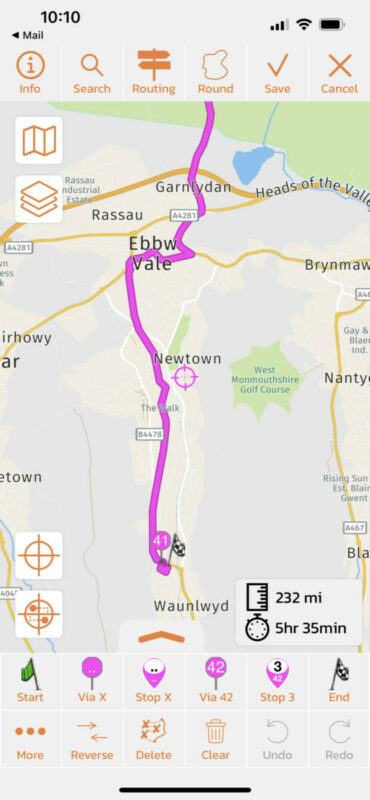
I believe the discrepancies are cause by the fact that Scenic's current App Store version still uses the old HERE map framework, while the new version (currently in beta) is using the new map framework. I can only assume that the routing algorithm between the two versions is slightly different.
Well... I have good news. I imported your GPX in the big update I'm working on now. And the route seems to match your MRA route:
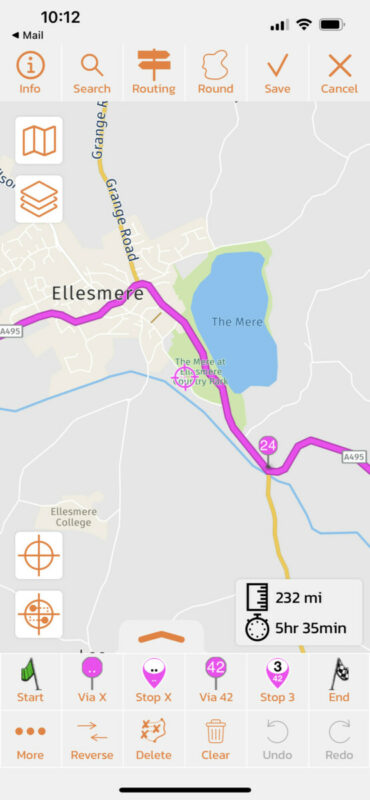
I believe the discrepancies are cause by the fact that Scenic's current App Store version still uses the old HERE map framework, while the new version (currently in beta) is using the new map framework. I can only assume that the routing algorithm between the two versions is slightly different.


