
.GPX file for a Scenic Route is "strange"

Quote from cgriell on 28.10.2024, 02:23I ignore where the fault is, but today I decided to try to use a different navigator because I thought that some of the "route warps" are constructed by the Navigator and not by the Route Planner.
So, I generated a short route (128 Km) in Scenic 4.03, this is what it looks
I exported its .gpx to Wikiloc, (www.wikiloc.com), and this is what I've got
which, is, of course, unusable. (route length is now 353.63 Km), it seems going back and forth
So, I loaded the .gpx in another app for mac
gpx editor
Developed by
and I get this
and, if I selected Disable I got only the blue lines and if I selected Show track points, I got this
Your comments? has anyone found this, or do you use Scenic in closed circuit (aka. without gpx export)
BTW, this is the link to the exported gpx https://www.dropbox.com/scl/fi/066k6o7y8rbrw1mrf9l6e/20241028_084903_piera.gpx?rlkey=hmbbyqv5exauahoyih8wnimqe&dl=0
I ignore where the fault is, but today I decided to try to use a different navigator because I thought that some of the "route warps" are constructed by the Navigator and not by the Route Planner.
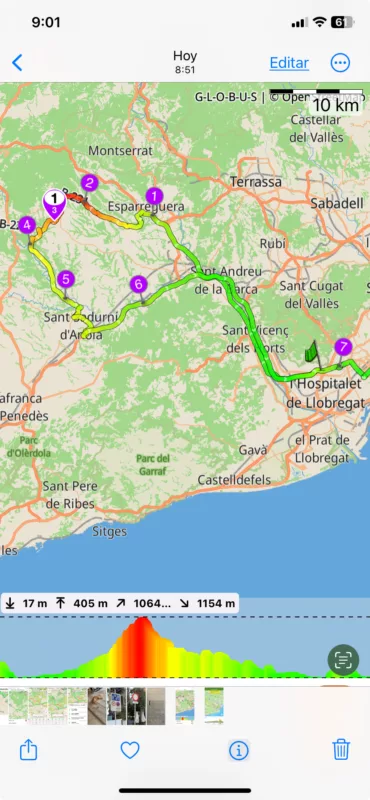
So, I generated a short route (128 Km) in Scenic 4.03, this is what it looks
I exported its .gpx to Wikiloc, (www.wikiloc.com), and this is what I've got
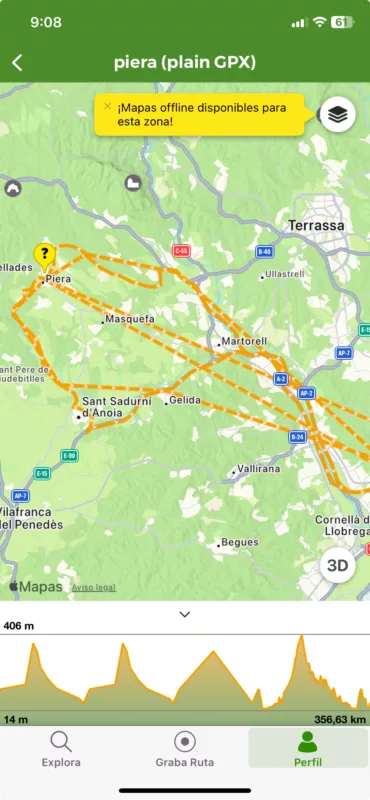
which, is, of course, unusable. (route length is now 353.63 Km), it seems going back and forth
So, I loaded the .gpx in another app for mac
gpx editor
Developed by
and I get this
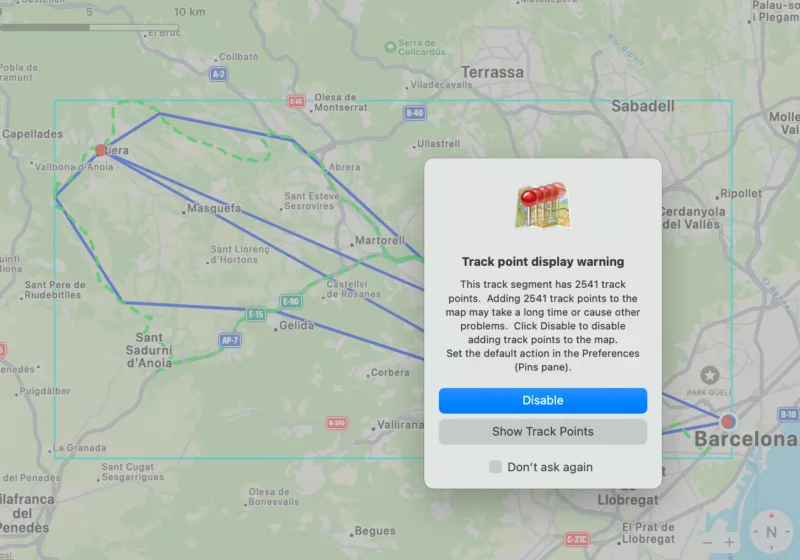
and, if I selected Disable I got only the blue lines and if I selected Show track points, I got this
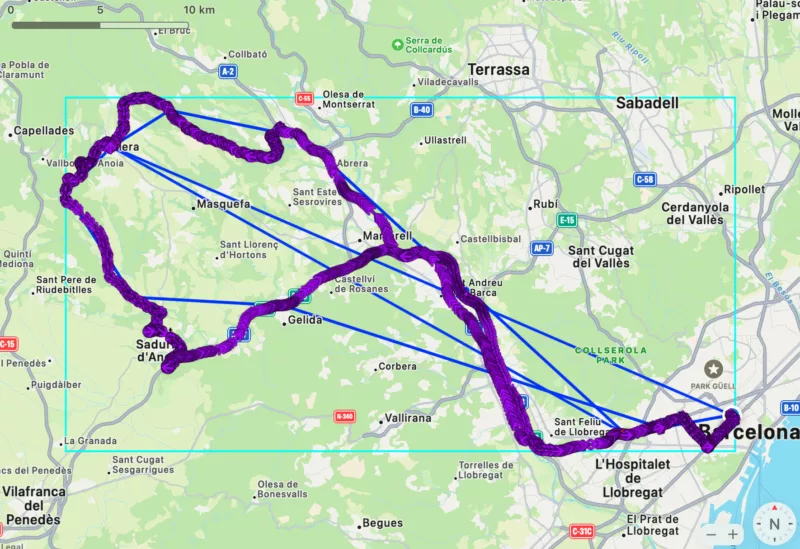
Your comments? has anyone found this, or do you use Scenic in closed circuit (aka. without gpx export)
BTW, this is the link to the exported gpx https://www.dropbox.com/scl/fi/066k6o7y8rbrw1mrf9l6e/20241028_084903_piera.gpx?rlkey=hmbbyqv5exauahoyih8wnimqe&dl=0

Quote from Guido on 28.10.2024, 06:01The GPX file is OK.
Scenic exports the route in 3 ways: A track (the many coordinates) and 2 routes which only contains the start, end and stop, or all waypoints respectively.
A route is for devices/apps who can calculate the route between the route points. It looks like Wikilocs and GPX editor do not calculate the route, but just connect the points with a a straight line.
Apps should give you the choice which element you want to import if they don’t you’ll get this mix of the two routes and the track
In the future in adding an option in Acrnic so that you can choose which elements to include in the GPX
here’s more info in these elements if you are interested. : https://en.m.wikipedia.org/wiki/GPS_Exchange_Format
The GPX file is OK.
Scenic exports the route in 3 ways: A track (the many coordinates) and 2 routes which only contains the start, end and stop, or all waypoints respectively.
A route is for devices/apps who can calculate the route between the route points. It looks like Wikilocs and GPX editor do not calculate the route, but just connect the points with a a straight line.
Apps should give you the choice which element you want to import if they don’t you’ll get this mix of the two routes and the track
In the future in adding an option in Acrnic so that you can choose which elements to include in the GPX
here’s more info in these elements if you are interested. : https://en.m.wikipedia.org/wiki/GPS_Exchange_Format


