
Easy Photos please

Quote from fxstein on 22.01.2022, 19:42Hi Guido,
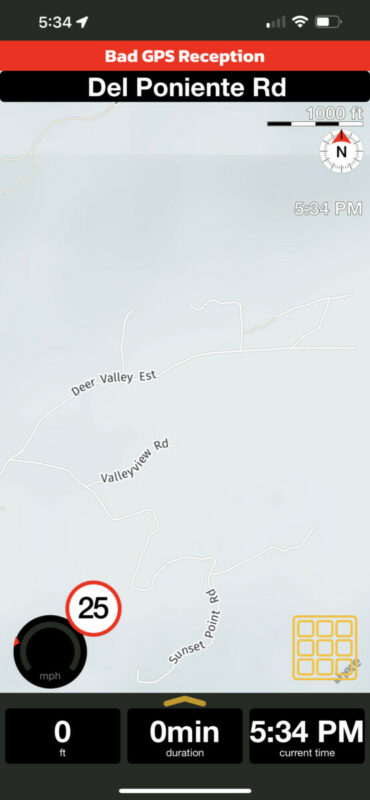
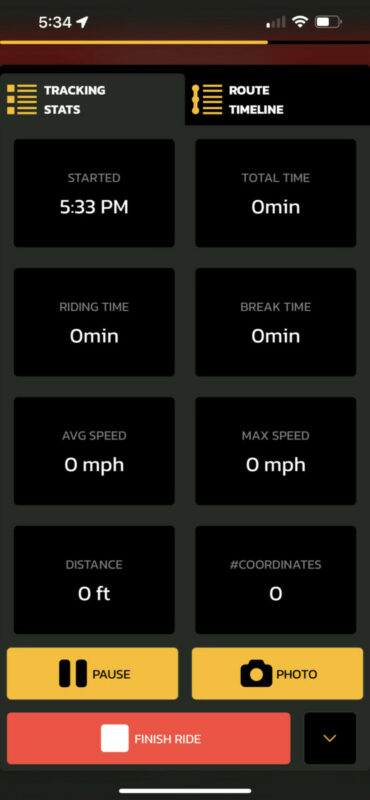
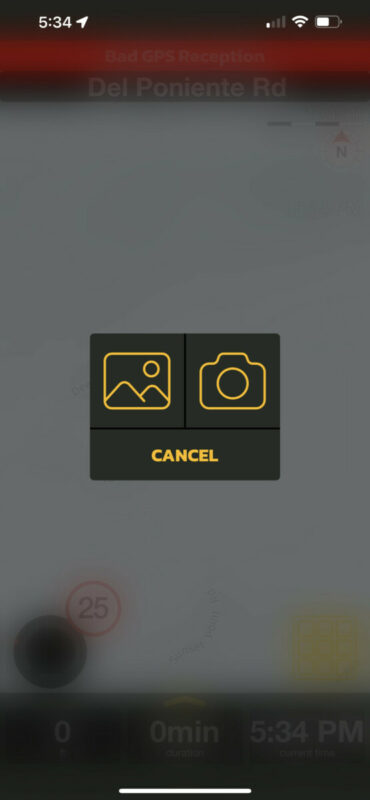
A request for you that has bothered me at least 1000 times... and by now all the riders that are adopting Scenic in our group are saying the same: Please make taking photos super easy. Especially when having gloves on it is a nightmare to add a single or god forbid a few photos to a ride. Even worse when you hand the phone to a 'stranger' to take some shots.
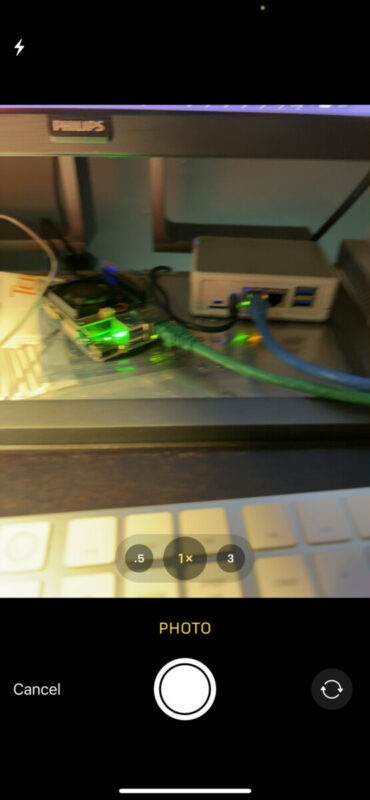
It takes 8 touches/clicks for a single photo.
I see two simple options: define all choices as options that can be setup once and add a photo button on the map. - OR - sned me to the built in camera and simply auto add all photos taken during the ride to it. (Like Strava or Relieve do)
Or maybe I am missing a simpler way that I need to be educated on... 😉
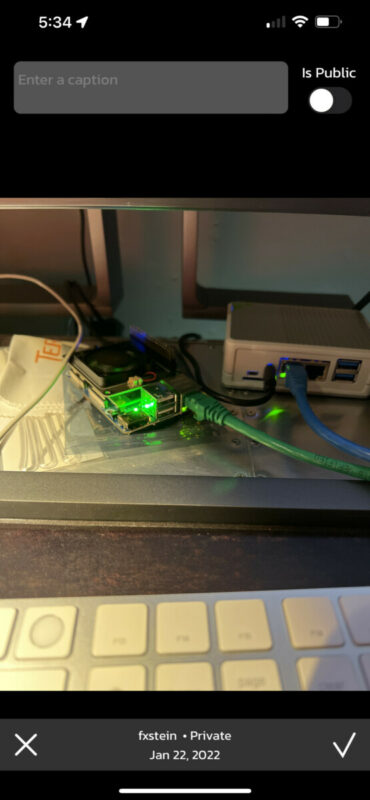
Hi Guido,
A request for you that has bothered me at least 1000 times... and by now all the riders that are adopting Scenic in our group are saying the same: Please make taking photos super easy. Especially when having gloves on it is a nightmare to add a single or god forbid a few photos to a ride. Even worse when you hand the phone to a 'stranger' to take some shots.
It takes 8 touches/clicks for a single photo.
I see two simple options: define all choices as options that can be setup once and add a photo button on the map. - OR - sned me to the built in camera and simply auto add all photos taken during the ride to it. (Like Strava or Relieve do)
Or maybe I am missing a simpler way that I need to be educated on... 😉
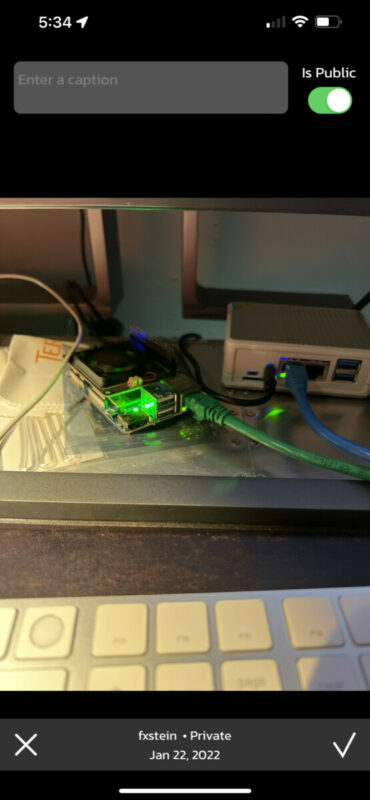

Quote from Guido on 23.01.2022, 10:10Indeed you are not the first one asking this. I’ll bump this up in the todo list.
Indeed you are not the first one asking this. I’ll bump this up in the todo list.
Quote from Guido on 24.01.2022, 17:36For the next update, I've added the option to show a 'Quick Pic' button right on the map during navigation. By default this button will not show, but you choose to show it through Settings > Navigation & Tracking.
This update will be in the App Store by the end of this week, or early next week.
For the next update, I've added the option to show a 'Quick Pic' button right on the map during navigation. By default this button will not show, but you choose to show it through Settings > Navigation & Tracking.
This update will be in the App Store by the end of this week, or early next week.

Quote from theigi on 25.01.2022, 16:23Gute Sache
sorry ich kann zwar English lesen und einigermaßen verstehen, aber mit schreiben hab ich’s nicht so.
Kann man auch Fotos im Nachhinein hinzufügen?
Ich nutze zb gern eine GoPro unterwegs und würde mich freuen einzelne Fotos oder auch gern Videos später zur gefahrenen Tour hinzuzufügen.
Dies wäre eine Funktion die mir noch gefallen würde.
Danke
Jörg
Gute Sache
sorry ich kann zwar English lesen und einigermaßen verstehen, aber mit schreiben hab ich’s nicht so.
Kann man auch Fotos im Nachhinein hinzufügen?
Ich nutze zb gern eine GoPro unterwegs und würde mich freuen einzelne Fotos oder auch gern Videos später zur gefahrenen Tour hinzuzufügen.
Dies wäre eine Funktion die mir noch gefallen würde.
Danke
Jörg
Quote from Guido on 25.01.2022, 16:26Hi Jörg,
No problem. I have the same with German... reading and understanding is no problem, but writing is difficult 🙂.
Yes... you can add pictures to a ride afterwards. To do this, go to your 'Recorded Rides' > tap the ride you want to add pictures to > then, at the bottom, there is an 'Add Picture' button.
At the moment Scenic only supports pictures. No video. I don't have any concrete plans to add video yet, but I'm not ruling out that this will be added in the future.
Hi Jörg,
No problem. I have the same with German... reading and understanding is no problem, but writing is difficult 🙂.
Yes... you can add pictures to a ride afterwards. To do this, go to your 'Recorded Rides' > tap the ride you want to add pictures to > then, at the bottom, there is an 'Add Picture' button.
At the moment Scenic only supports pictures. No video. I don't have any concrete plans to add video yet, but I'm not ruling out that this will be added in the future.
Quote from theigi on 25.01.2022, 17:26Wow, diese Funktion war mir bisher nicht bekannt, danke.
Evtl. sollte ich, bevor ich mecker, in Zukunft besser nachsehen 😎
Jörg
Wow, diese Funktion war mir bisher nicht bekannt, danke.
Evtl. sollte ich, bevor ich mecker, in Zukunft besser nachsehen 😎
Jörg
Quote from Guido on 25.01.2022, 17:27Kein problem
Kein problem
Quote from fxstein on 30.01.2022, 11:07Guido,
Did some extensive testing of the photo button the past 2 days. Riding 750 miles of desert between San Diego and Lake Havasu.
Two of us on iPhone 12 Pro Max and 13 Pro Max and I also tested an iPad mini 6.
The quick shoot photo button is great. We took more photos inside scenic than ever. Could even see myself mounting my iPhone slightly different in order to be able to capture while riding.
There is one major issue with the photo button and it happened on all three devices:
Once you take a single photo with it, the screen will go back to Scenic nav but no matter what other buttons you press, the screen will eventually timeout and go dark. You have to unlock the phone with the pin while riding and then the nav will stay active for as long as you ride.
But take one or more photos and the nav will shutdown the screen after a certain amount of time (guessing 5 min).
Happened every time when we took one or more photos. All devices being plugged in and fully charged.
Scenic seems to be loosing the lock on the active screen when a picture is taken.Hope this can be fixed.
Thanks!
Guido,
Did some extensive testing of the photo button the past 2 days. Riding 750 miles of desert between San Diego and Lake Havasu.
Two of us on iPhone 12 Pro Max and 13 Pro Max and I also tested an iPad mini 6.
The quick shoot photo button is great. We took more photos inside scenic than ever. Could even see myself mounting my iPhone slightly different in order to be able to capture while riding.
There is one major issue with the photo button and it happened on all three devices:
Once you take a single photo with it, the screen will go back to Scenic nav but no matter what other buttons you press, the screen will eventually timeout and go dark. You have to unlock the phone with the pin while riding and then the nav will stay active for as long as you ride.
But take one or more photos and the nav will shutdown the screen after a certain amount of time (guessing 5 min).
Happened every time when we took one or more photos. All devices being plugged in and fully charged.
Scenic seems to be loosing the lock on the active screen when a picture is taken.
Hope this can be fixed.
Thanks!
Quote from Guido on 30.01.2022, 11:11Oops. This slipped through during testing. Sorry. It will be an easy fix. Will put this in the next update and expedite its release.
Oops. This slipped through during testing. Sorry. It will be an easy fix. Will put this in the next update and expedite its release.
Quote from fxstein on 01.02.2022, 17:42Is there an easy way to make all photos of a recorded ride public? Doing this photo by photo is very slow and painful when you get to 30 or more pics for a full day.
Thanks!
Is there an easy way to make all photos of a recorded ride public? Doing this photo by photo is very slow and painful when you get to 30 or more pics for a full day.
Thanks!
Quote from Guido on 01.02.2022, 17:46At the moment there is not.
An easy way to implement this would be to make all pics taken with the Quick Pic option public by default. I could add a setting to turn this on or off. How does that sound?
At the moment there is not.
An easy way to implement this would be to make all pics taken with the Quick Pic option public by default. I could add a setting to turn this on or off. How does that sound?
Quote from fxstein on 01.02.2022, 17:54That would be great! If I want private pics I take them with the camera app. All pics in Scenic are being shared with my groups and the riders by default.
That would be great! If I want private pics I take them with the camera app. All pics in Scenic are being shared with my groups and the riders by default.
Quote from Guido on 01.02.2022, 18:07OK. I'll implement this in upcoming update.
If you want private pics you can still take them in the app, but then use the 'normal' Photo button (that you get when tapping the ETA bar)
OK. I'll implement this in upcoming update.
If you want private pics you can still take them in the app, but then use the 'normal' Photo button (that you get when tapping the ETA bar)


