
Dynamic Text Size

Quote from fxstein on 30.01.2022, 13:28Hi Guido,
thanks for the hard work!
I realize there have been suggestions about fonts and colors and as you say rightfully you can make that right for everyone.
Some of the color choices do create a bit of an issue but for me running scenic in dark mode but setting the maps to light did most of the trick. The rest I could adjust with some colors.
As for text sizing I was generally happy, am using an iPhone 13 Pro Max in landscape on a Quadlock dampener/charger. Zoom is set to auto and for most of the times on long routes that’s a great setup.
For backroad exploring it can become a bit lacking in terms of how much info/map can be displayed.
After some research I decided to add a second screen with an iPad mini 6 also on a Quadlock dampener mounted to the center of the handlebars.
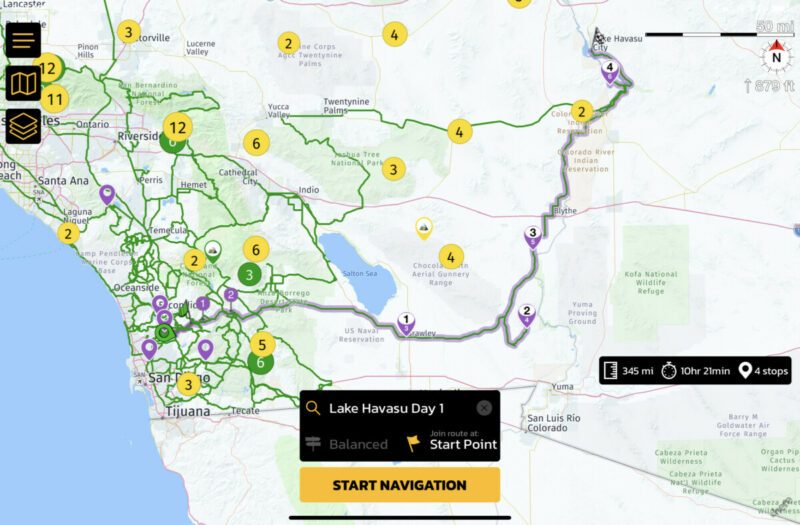
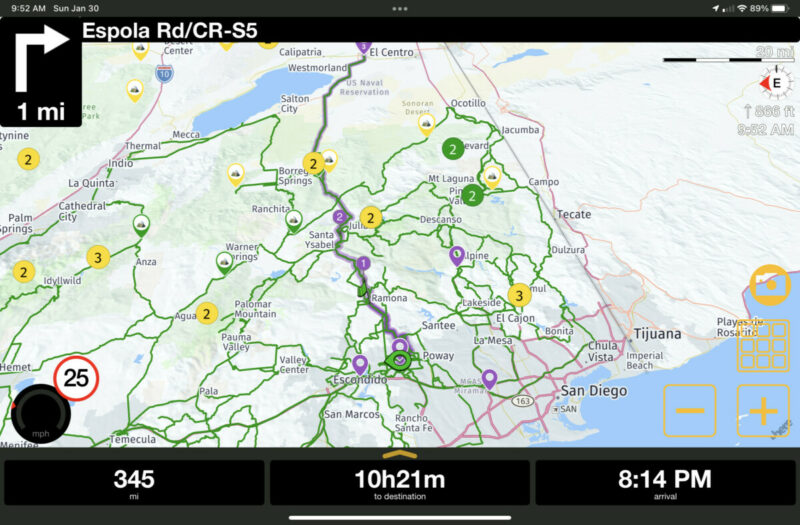
I run Scenic on it with different settings: raw GPS and manual zoom. That way I can set things up more as an overview and can get better oriented when a confusing section of the road is coming up. Especially on gravel and dirt it allows me to keep my hands on the bars rather than fumble around on a device.
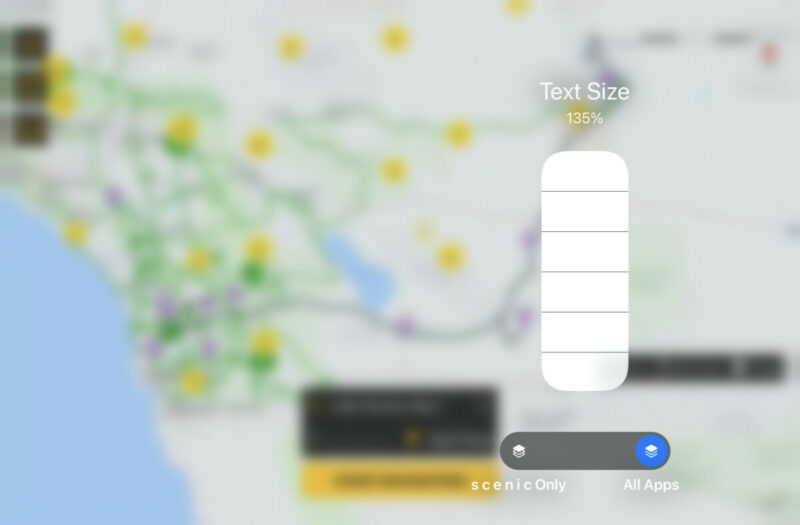
having said so I would love for bigger text on the iPad mini screen. At first I thought it would be easy using the iOS/iPadOS dynamic text size feature. Can set to 135% through normal settings and even bigger through accessibility options.
except Scenic does not support dynamic text (yet 😉).
what about making main screen elements and data dynamic and set the like they are now at 100%. That would allow users to make it bigger or smaller as they like.
Hi Guido,
thanks for the hard work!
I realize there have been suggestions about fonts and colors and as you say rightfully you can make that right for everyone.
Some of the color choices do create a bit of an issue but for me running scenic in dark mode but setting the maps to light did most of the trick. The rest I could adjust with some colors.
As for text sizing I was generally happy, am using an iPhone 13 Pro Max in landscape on a Quadlock dampener/charger. Zoom is set to auto and for most of the times on long routes that’s a great setup.
For backroad exploring it can become a bit lacking in terms of how much info/map can be displayed.
After some research I decided to add a second screen with an iPad mini 6 also on a Quadlock dampener mounted to the center of the handlebars.
I run Scenic on it with different settings: raw GPS and manual zoom. That way I can set things up more as an overview and can get better oriented when a confusing section of the road is coming up. Especially on gravel and dirt it allows me to keep my hands on the bars rather than fumble around on a device.
having said so I would love for bigger text on the iPad mini screen. At first I thought it would be easy using the iOS/iPadOS dynamic text size feature. Can set to 135% through normal settings and even bigger through accessibility options.
except Scenic does not support dynamic text (yet 😉).
what about making main screen elements and data dynamic and set the like they are now at 100%. That would allow users to make it bigger or smaller as they like.

Quote from Guido on 30.01.2022, 19:28I’m going to park this for now if you don’t mind. After quite some iterations I found a text size that works well on most devices for most users, in landscape and in portrait.
Making the text size dynamic in a screen layout like this can have many consequences, like text being cut off, things getting out if proportion, elements covering other important stuff on the screen, etc.
Not impossible, but just a lot of work to get right. I believe current size are good (at least acceptable) for most.
I’m going to park this for now if you don’t mind. After quite some iterations I found a text size that works well on most devices for most users, in landscape and in portrait.
Making the text size dynamic in a screen layout like this can have many consequences, like text being cut off, things getting out if proportion, elements covering other important stuff on the screen, etc.
Not impossible, but just a lot of work to get right. I believe current size are good (at least acceptable) for most.

Quote from unleashd on 13.11.2022, 11:15Hello Guido. First post for me on this forum.
I am in the same situation as the OP. I use both devices - iPhone 13 Pro Max and iPad mini 6 on my motorcycle. Except for the text size, the app performed flawlessly. Hope there is an update coming soon to allow us users to be able to increase the text size.
Hello Guido. First post for me on this forum.
I am in the same situation as the OP. I use both devices - iPhone 13 Pro Max and iPad mini 6 on my motorcycle. Except for the text size, the app performed flawlessly. Hope there is an update coming soon to allow us users to be able to increase the text size.
Quote from Guido on 13.11.2022, 16:56I’m migrating Scenic to the new HERE map framework over winter. While I’m doing that I’ll have a look if I can add dynamic text support. At least for the navigation screen.
This would only be for the UI elements. Not names on the map, like cities and road names for example. This is because the map framework does not support dynamic text and that’s out of my control. You can increase text size by creating a custom map style.
I’m migrating Scenic to the new HERE map framework over winter. While I’m doing that I’ll have a look if I can add dynamic text support. At least for the navigation screen.
This would only be for the UI elements. Not names on the map, like cities and road names for example. This is because the map framework does not support dynamic text and that’s out of my control. You can increase text size by creating a custom map style.


