Please or Register to create posts and topics.

custom map style / Road Category?

Hello.  Like that we can now customize our map style, but what do the Road Categories specifically mean?

In depends on the country, but cat 0 are the biggest roads like highways. Cat 4 are the smallest.

BeameronaBeemer has reacted to this post.
BeameronaBeemer
If you're enjoying Scenic and are happy with the support, please leave a nice rating in the App Store. It would mean a lot to me ❤️

USA.  Ok, that kinda helps some.  Thanks for the quick replies.

Hey Guido, so “4” in the USA would be dirt/gravel roads?

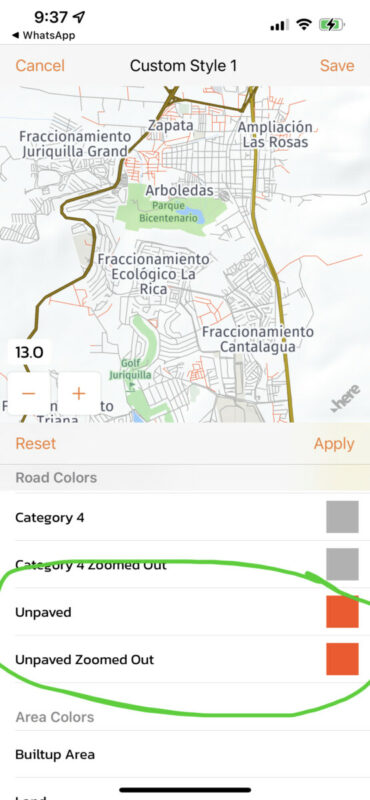
No...there is a special entry for unpaved roads. These roads, as they are usually smaller roads, only show at closer zoom levels, and the width can not be changed for unpaved roads, only the color.

If you're enjoying Scenic and are happy with the support, please leave a nice rating in the App Store. It would mean a lot to me ❤️

Hello (new here in the forum), I use Scenic intensively and really appreciate what Guido has programmed. But there's one function I'm always missing, maybe I'm too stupid: I prefer small streets, but when the route fades in (very wide in magenta) I can no longer see the categorie (color) of the street. Is it possible to temporarily hide the route or make it thinner to recognize the categorie without always zooming wildly?

Hi @moma,

This is not possible at the moment, but I'll add it to the feature request list.

The route color is different (brown instead of magenta) if it's on an offroad stretch, so that you will see in the route, but you can't see the route category indeed.

Best regards,

Guido

If you're enjoying Scenic and are happy with the support, please leave a nice rating in the App Store. It would mean a lot to me ❤️