Quote from
Guido on 19.12.2025, 07:23
Try moving via 35 (tap on it and choose move) away from the junction. If that doesn’t work, start removing via points around this point. If the pink route stays the same after removing a via, you don’t need that via point.
Here’s more info and more tips: https://scenic.app/help/strange-loops/
If you can’t get it to work, send me the GPX and I’ll have a look (use the email button and bottom of scenic.app/help). This can be tricky at times.
Try moving via 35 (tap on it and choose move) away from the junction. If that doesn’t work, start removing via points around this point. If the pink route stays the same after removing a via, you don’t need that via point.
Here’s more info and more tips: https://scenic.app/help/strange-loops/
If you can’t get it to work, send me the GPX and I’ll have a look (use the email button and bottom of scenic.app/help). This can be tricky at times.
tuner63 has reacted to this post.


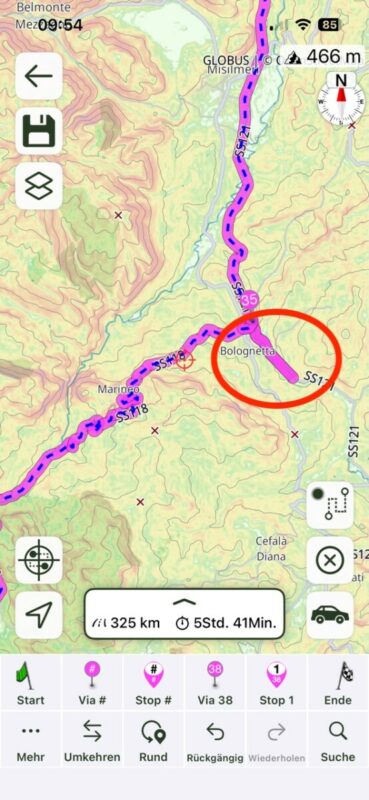 Screenshot[/caption]


