Quote from
Guido on 17.03.2026, 10:09
This is not a Scenic issue I believe. Scenic sets the background of the panel to black or white. No other colors are used. I think it's either a Carpuride issue and/or a change in iOS. I have a carpuride myself and have noticed some color discrepancies with my iPhone and also with other CarPlay units in my car. For example, when I run Waze, the route line is a dark blue in stead of the purple I see on my phone and the other CarPlay units. I have not seen the red panel on my Carpuride unit though.
My best guess is that your Carpuride unit has a display calibration issue. On my Carpuride there is no setting to customize this. I would contact Carpuride about this (they are very responsive in my experience) . Perhaps there is firmware upgrade available and/or perhaps they know how to resolve this.
This is not a Scenic issue I believe. Scenic sets the background of the panel to black or white. No other colors are used. I think it's either a Carpuride issue and/or a change in iOS. I have a carpuride myself and have noticed some color discrepancies with my iPhone and also with other CarPlay units in my car. For example, when I run Waze, the route line is a dark blue in stead of the purple I see on my phone and the other CarPlay units. I have not seen the red panel on my Carpuride unit though.
My best guess is that your Carpuride unit has a display calibration issue. On my Carpuride there is no setting to customize this. I would contact Carpuride about this (they are very responsive in my experience) . Perhaps there is firmware upgrade available and/or perhaps they know how to resolve this.
brammes62 has reacted to this post.


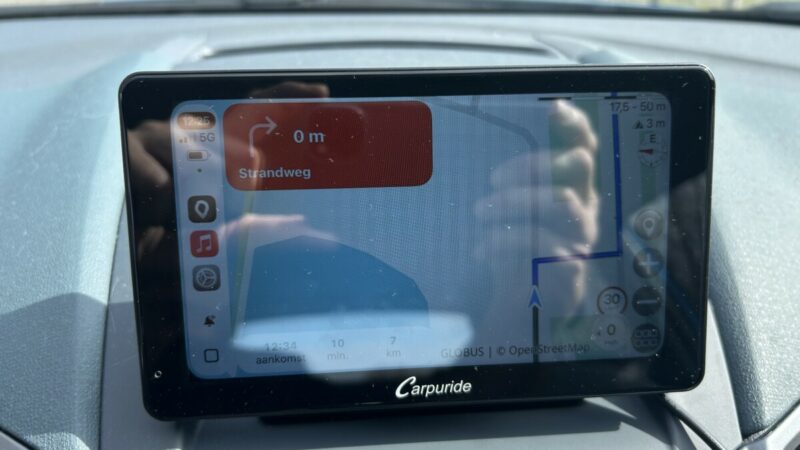

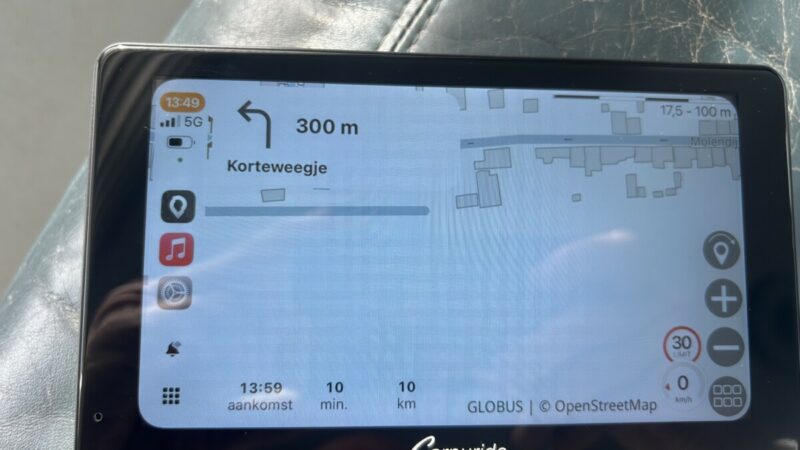 And the ugly red color is gone after yesterday’s update. So the problem wasn’t with my Carpuride after all.. 🙂 I’m happy again..


