Quote from
Guido on 04.07.2023, 08:31
Hi Yo,
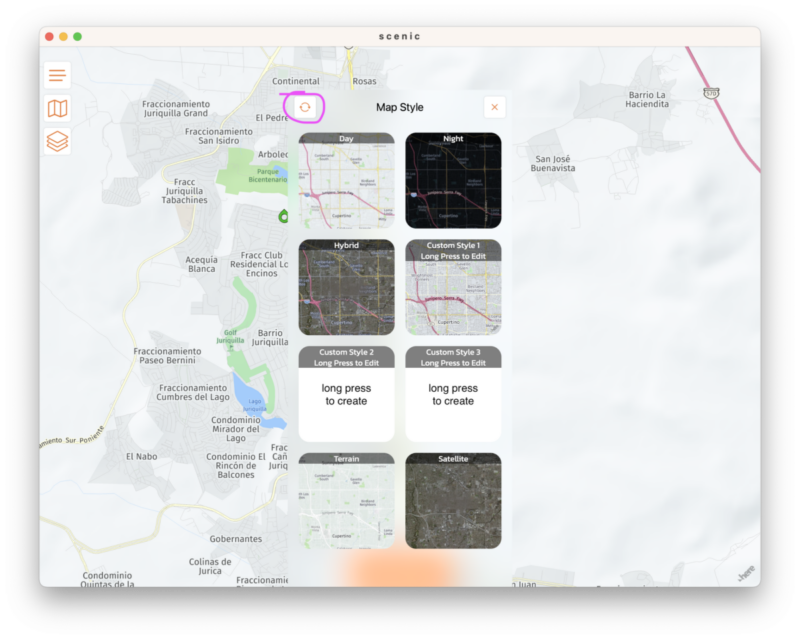
Just tried myself and indeed I can confirm this is a bug. I'll fix this for the big update I'm working on. For the moment, I recommend to change the map style on your iOS device, save it there, and then sync the custom map styles to your Mac by tapping the sync button:
Hi Yo,
Just tried myself and indeed I can confirm this is a bug. I'll fix this for the big update I'm working on. For the moment, I recommend to change the map style on your iOS device, save it there, and then sync the custom map styles to your Mac by tapping the sync button: