
4.16 automatically skips next waypoint

Quote from Old Man Emu on 17.03.2025, 19:25Riding with 4.16 today. When I view the next waypoint the default count down is focused on the Skip Waypoint button. So if I let it time out it selects Skip Waypoint function.
I was able to repeat this 5 times.
Is this by design? Is it configurable?
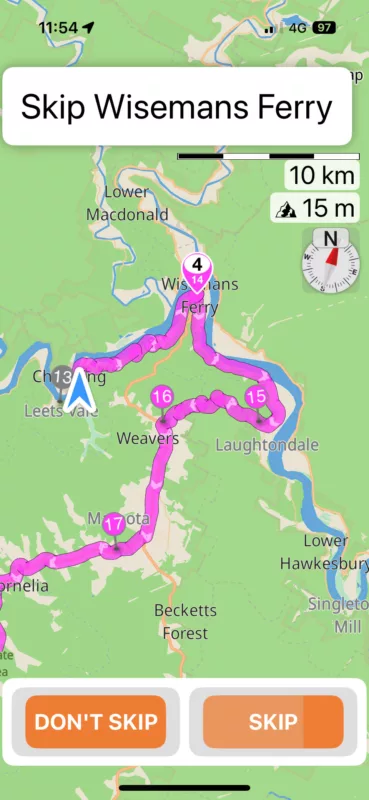
Riding with 4.16 today. When I view the next waypoint the default count down is focused on the Skip Waypoint button. So if I let it time out it selects Skip Waypoint function.
I was able to repeat this 5 times.
Is this by design? Is it configurable?
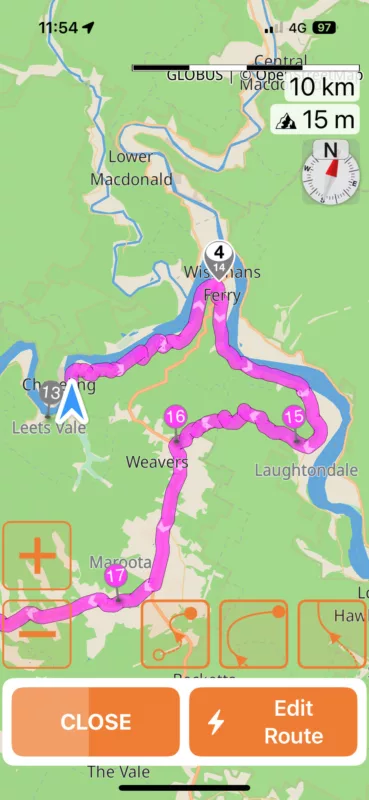

Quote from Dae on 18.03.2025, 02:03The default being to skip is by design. Most people (not all) are likely to want to skip rather than not skip, and if your gloves don’t work on a touch screen this behaviour means doing nothing is more often than not going to result in the desired behaviour.
You can turn off auto skip off Vias, and change the number of recalculations required before Scenic decides to skip, but you can’t change the behaviour of the default button.
I can understand it may not suit your use case, but I think the current behaviour is correct for most people most of the time
The default being to skip is by design. Most people (not all) are likely to want to skip rather than not skip, and if your gloves don’t work on a touch screen this behaviour means doing nothing is more often than not going to result in the desired behaviour.
You can turn off auto skip off Vias, and change the number of recalculations required before Scenic decides to skip, but you can’t change the behaviour of the default button.
I can understand it may not suit your use case, but I think the current behaviour is correct for most people most of the time
Quote from Old Man Emu on 19.03.2025, 01:51Good to know thanks. I’ve been using the App for over 2 years and have never seen that. I must always press don’t skip and not let it time out.
Good to know thanks. I’ve been using the App for over 2 years and have never seen that. I must always press don’t skip and not let it time out.

Quote from Guido on 19.03.2025, 06:26Hi @old-man-emu,
If you want to prevent this question altogether, you can also choose to turn off the “auto-skip via points” feature Settings > Navigation & Tracking > Detour Behaviour.
Maybe that helps?
best regards,
Guido
Hi @old-man-emu,
If you want to prevent this question altogether, you can also choose to turn off the “auto-skip via points” feature Settings > Navigation & Tracking > Detour Behaviour.
Maybe that helps?
best regards,
Guido


