
4.07 Navigation, Auto Skip, Guide Back to Route

Quote from Old Man Emu on 11.12.2024, 01:52I had a 200k ride today and mostly very good. I found a few things I need to clarify and some issues worth mentioning;
- I had many stops set today and at the end of my ride I went past the last stop with only the destination Stop (Home) to go. I took a wrong turn and Scenic showed me a green line and did not recalculate in order to show me a route to the destination (Figure 1)
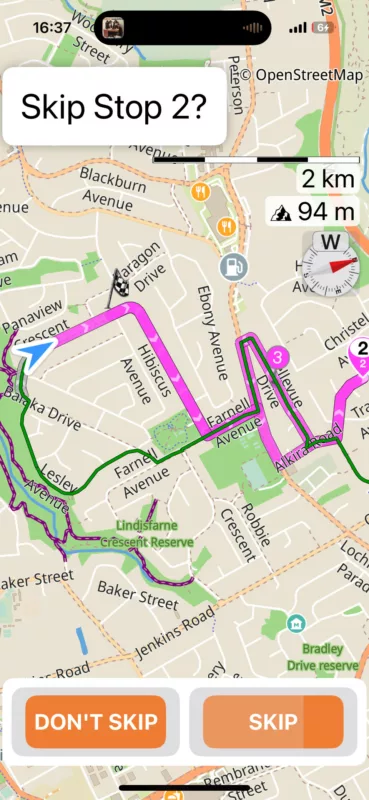
- I stopped and made a short route to get home with Stops 1 and 2 and a Via of 3. I went thru Stop 1 and deliberately bypassed Stop 2, then I went thru Via 3. Secenic wanted to take me back to Stop 2 (the missed Stop) (Fig. 2)
- My Navigation Settings are:
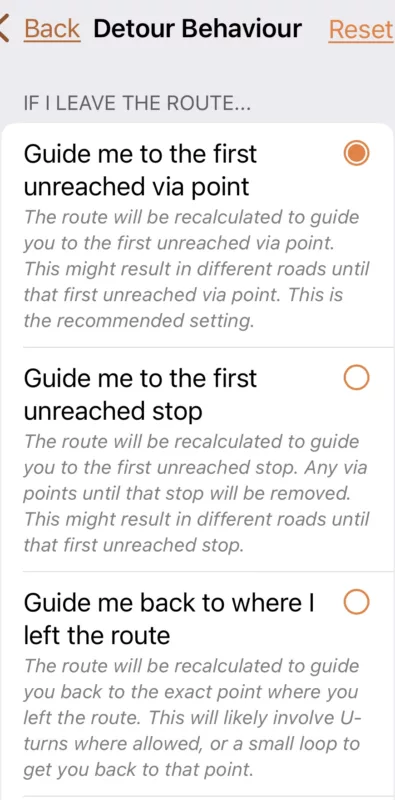
- Guide me to the first unreached via point
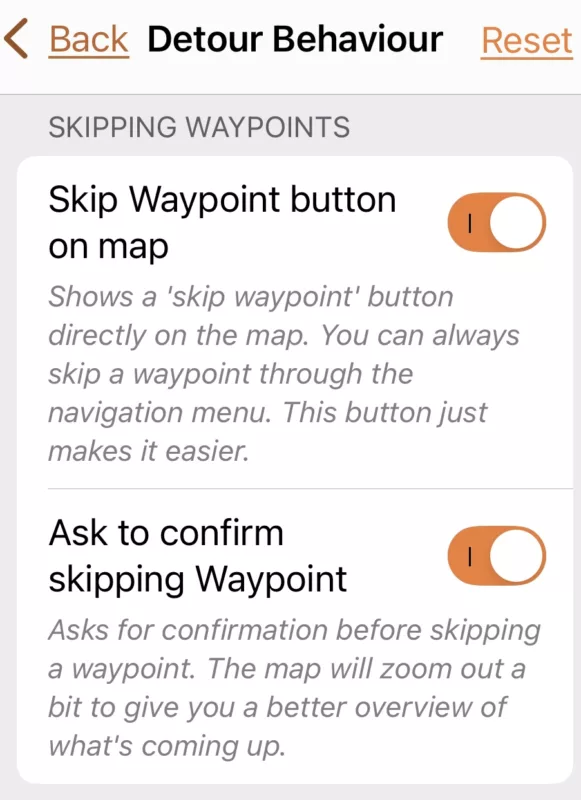
- Auto-skip next Via is on - Can I clarify that this is strictly VIA points and does not Auto-skip Stops ?
- The number (3) under the trash can, delete next waypoint control. Is the setting of After 3 recalculations. This number does not change? For example is does not change to 2 to show it has 2 more reclacs to go ?
Starting a route in the middle;
At my lunch stop half way I closed Scenic. Then on my way home I opened Scenic and loaded the original route to get me home. I had to skip all the Waypoints up to the current location and then it worked Ok. Lots of skipping. I could have stopped & edited the route and did a batch / mass delete. Is there any value when starting a route to allow selection of the closest entry point from which to proceed? My Garmin Zumo XT does this.
Figure 1.
Figure 2.
I had a 200k ride today and mostly very good. I found a few things I need to clarify and some issues worth mentioning;
- I had many stops set today and at the end of my ride I went past the last stop with only the destination Stop (Home) to go. I took a wrong turn and Scenic showed me a green line and did not recalculate in order to show me a route to the destination (Figure 1)
- I stopped and made a short route to get home with Stops 1 and 2 and a Via of 3. I went thru Stop 1 and deliberately bypassed Stop 2, then I went thru Via 3. Secenic wanted to take me back to Stop 2 (the missed Stop) (Fig. 2)
- My Navigation Settings are:
- Guide me to the first unreached via point
- Auto-skip next Via is on - Can I clarify that this is strictly VIA points and does not Auto-skip Stops ?
- The number (3) under the trash can, delete next waypoint control. Is the setting of After 3 recalculations. This number does not change? For example is does not change to 2 to show it has 2 more reclacs to go ?
Starting a route in the middle;
At my lunch stop half way I closed Scenic. Then on my way home I opened Scenic and loaded the original route to get me home. I had to skip all the Waypoints up to the current location and then it worked Ok. Lots of skipping. I could have stopped & edited the route and did a batch / mass delete. Is there any value when starting a route to allow selection of the closest entry point from which to proceed? My Garmin Zumo XT does this.
Figure 1.
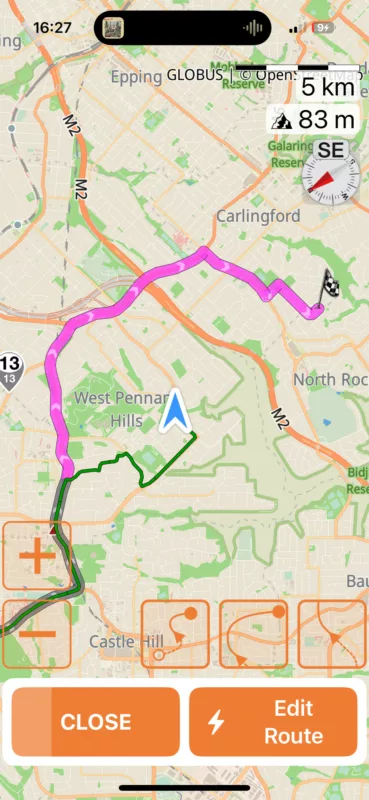
Figure 2.

Quote from Guido on 11.12.2024, 08:17Thank you
1) This looks like a bug. I did find it strange that the last waypoint (stop 13) was marked as ‘reached’ because it seems that you didn’t come close to it. Or was this (auto-) skipped?
2) Only via points are auto-skipped. Stops will never be auto-skipped, but can be skipped manually.
Auto-skip next Via is on - Can I clarify that this is strictly VIA points and does not Auto-skip Stops ?
correct
The number (3) under the trash can, delete next waypoint control. Is the setting of After 3recalculations. This number does not change? For example is does not change to 2 to show it has 2 more reclacs to go ?
This is a small bug. It still shows and won’t change if the next waypoint is a stop. (it’s better not to show the number at all as auto-skip doesn’t apply to stops… will adjust for next update). It will/should change if it’s a via if it reaches 0, the via point will be removed.
At my lunch stop half way I closed Scenic. Then on my way home I opened Scenic and loaded the original route to get me home. I had to skip all the Waypoints up to the current location and then it worked Ok. Lots of skipping. I could have stopped & edited the route and did a batch / mass delete. Is there any value when starting a route to allow selection of the closest entry point from which to proceed? My Garmin Zumo XT does this.
This option is not available yet, but there is a toggle to include/exclude navigation from your current location to the route start. If you disable/exclude it, then you will not get navigation until you reach the route… and navigation will be from where you join the route until the end (everything before that will be marked as ‘reached’. The button that toggles this is shown here (3rd point): https://scenic.app/forum/topic/couple-of-defects-in-4-01/#postid-9809
Thank you
1) This looks like a bug. I did find it strange that the last waypoint (stop 13) was marked as ‘reached’ because it seems that you didn’t come close to it. Or was this (auto-) skipped?
2) Only via points are auto-skipped. Stops will never be auto-skipped, but can be skipped manually.
-
Auto-skip next Via is on - Can I clarify that this is strictly VIA points and does not Auto-skip Stops ?
correct
-
The number (3) under the trash can, delete next waypoint control. Is the setting of After 3recalculations. This number does not change? For example is does not change to 2 to show it has 2 more reclacs to go ?
This is a small bug. It still shows and won’t change if the next waypoint is a stop. (it’s better not to show the number at all as auto-skip doesn’t apply to stops… will adjust for next update). It will/should change if it’s a via if it reaches 0, the via point will be removed.
At my lunch stop half way I closed Scenic. Then on my way home I opened Scenic and loaded the original route to get me home. I had to skip all the Waypoints up to the current location and then it worked Ok. Lots of skipping. I could have stopped & edited the route and did a batch / mass delete. Is there any value when starting a route to allow selection of the closest entry point from which to proceed? My Garmin Zumo XT does this.
This option is not available yet, but there is a toggle to include/exclude navigation from your current location to the route start. If you disable/exclude it, then you will not get navigation until you reach the route… and navigation will be from where you join the route until the end (everything before that will be marked as ‘reached’. The button that toggles this is shown here (3rd point): https://scenic.app/forum/topic/couple-of-defects-in-4-01/#postid-9809
Quote from Old Man Emu on 11.12.2024, 15:53Quote from Guido on 11.12.2024, 08:17Thank you
1) This looks like a bug. I did find it strange that the last waypoint (stop 13) was marked as ‘reached’ because it seems that you didn’t come close to it. Or was this (auto-) skipped?
Thanks for all that. With regard to point 1 above stop 13 was ‘reached’ on the ride out of town earlier in the day.
I do my planning using Kurviger and to this point I have always used Stops for all Waypoints. I also using a Garmin Zumo XT as a backup to my iPhone and found that the Garmin is more predictable and manageable with Stops rather than Vias
Quote from Guido on 11.12.2024, 08:17Thank you
1) This looks like a bug. I did find it strange that the last waypoint (stop 13) was marked as ‘reached’ because it seems that you didn’t come close to it. Or was this (auto-) skipped?
Thanks for all that. With regard to point 1 above stop 13 was ‘reached’ on the ride out of town earlier in the day.
I do my planning using Kurviger and to this point I have always used Stops for all Waypoints. I also using a Garmin Zumo XT as a backup to my iPhone and found that the Garmin is more predictable and manageable with Stops rather than Vias


